Samsung Galaxy S24 Review: AI Needs the Right Apps
Samsung’s new Galaxy S24 lineup is built around artificial intelligence, packaged under the Galaxy AI label. Even so, the base model also gets a few meaningful upgrades, including the new Exynos 2400 chip, a brighter display, a larger battery, and a slightly revised design. The question is whether that’s enough this year, and how useful the new AI features actually are in daily use.
How useful is Galaxy AI?
We already covered Galaxy AI in a separate article here (in Czech). So how does it hold up in practice? The catch is simple: if you mainly use Google apps or other third-party apps, you may barely notice it.
If you use Google Photos instead of Samsung’s built-in Gallery, Google Chrome instead of Samsung Internet, Gboard instead of Samsung Keyboard, and Google Keep or another service instead of Samsung Notes, Galaxy AI won’t do much for you. Most of it is tucked inside Samsung’s own apps.
Because I switch phones often, I usually rely on apps that aren’t exclusive to a single brand. That meant I didn’t get as much out of the AI features as some users might. Still, I spent time with them, and during the review period I used Samsung’s apps for everything except the browser.
My favorite AI features
What I like most is that the tools are easy to access, so regular users don’t need to hunt down a third-party app for every little task. My two favorites are Circle to Search with Google, which uses Google Lens under the hood. Just press and hold the home button anywhere in the system, then circle whatever you want to search for. What surprised me most was the speed and fluidity. It’s also impressively accurate. In many cases, it won’t just identify a type of shoe; it can find the exact pair you’re wearing. This feature is coming to other phones later, but Samsung has a temporary head start, and the company clearly isn’t shy about leaning on Google here.
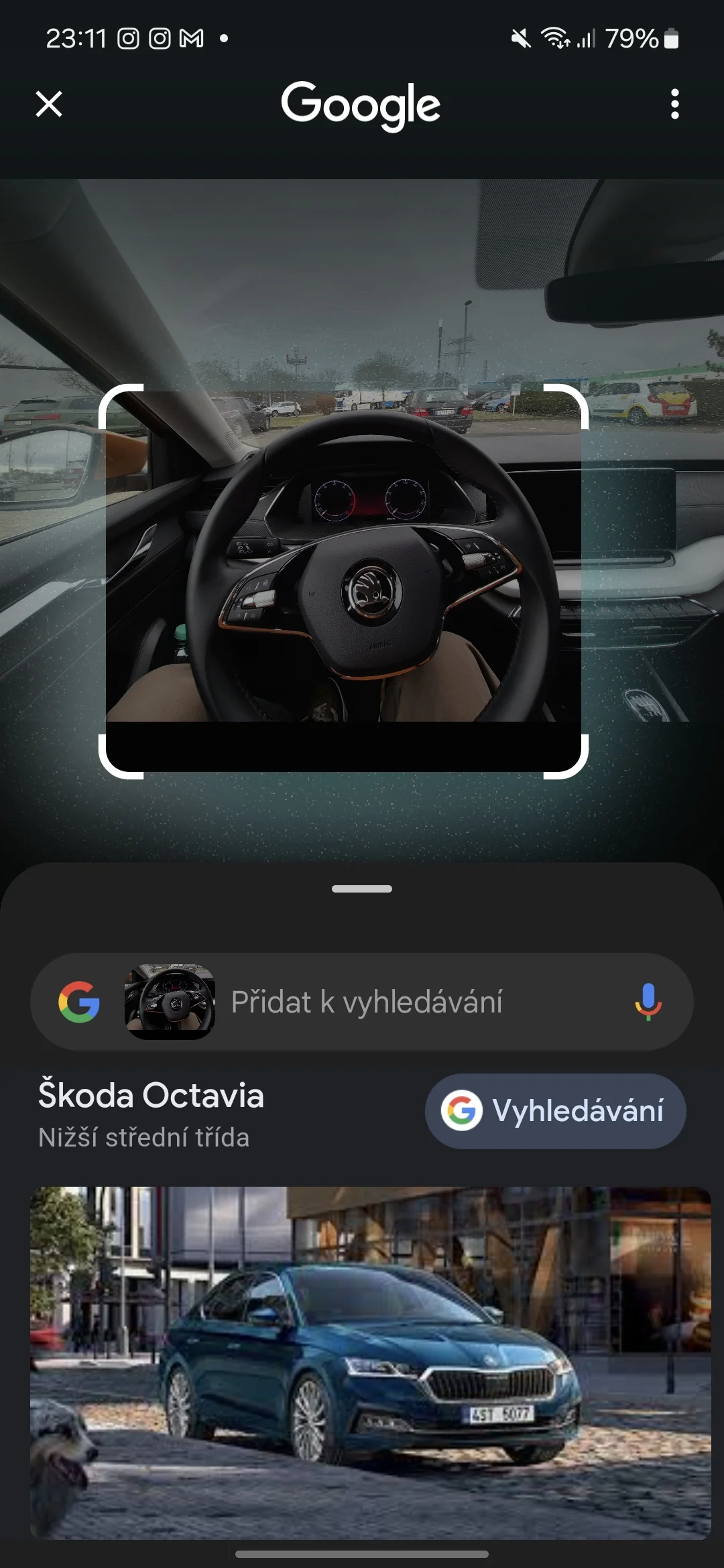
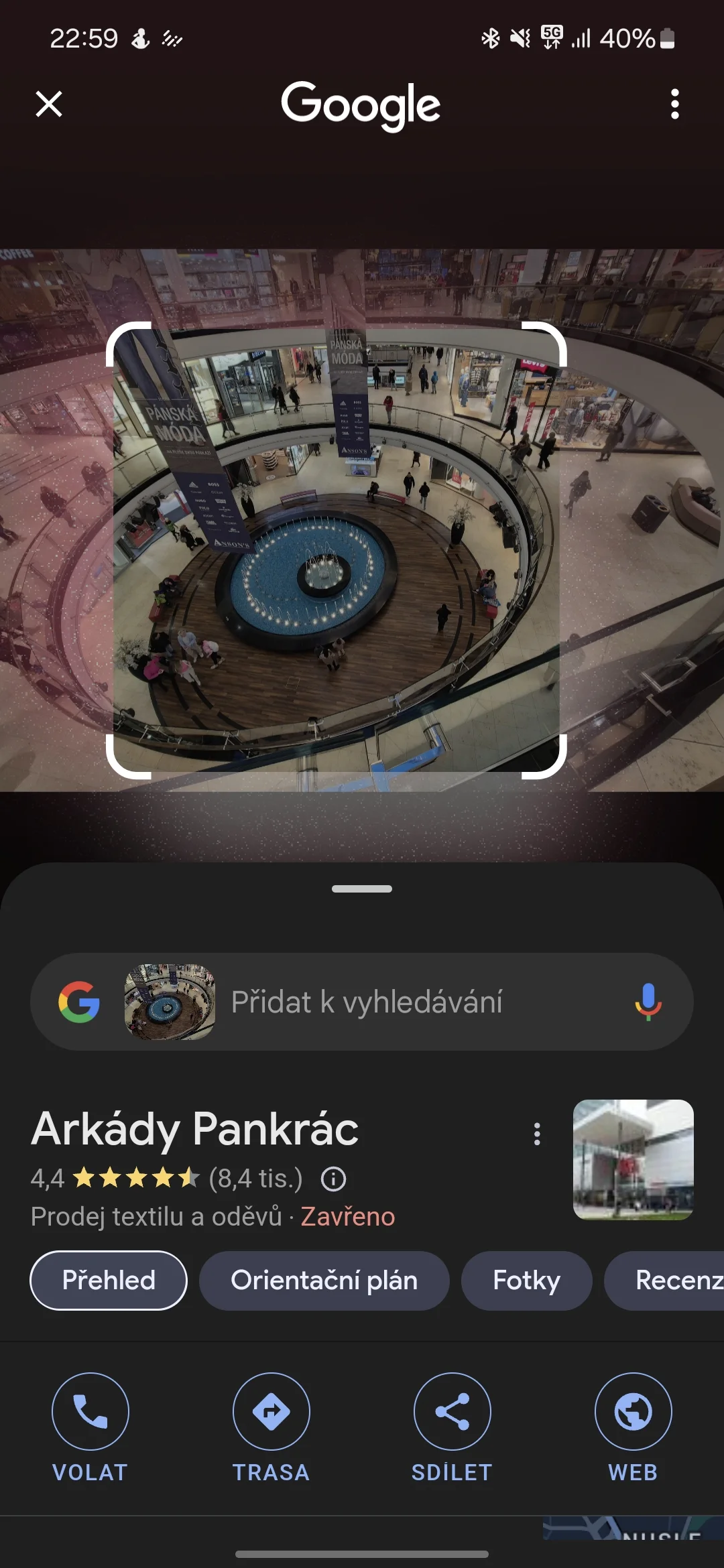
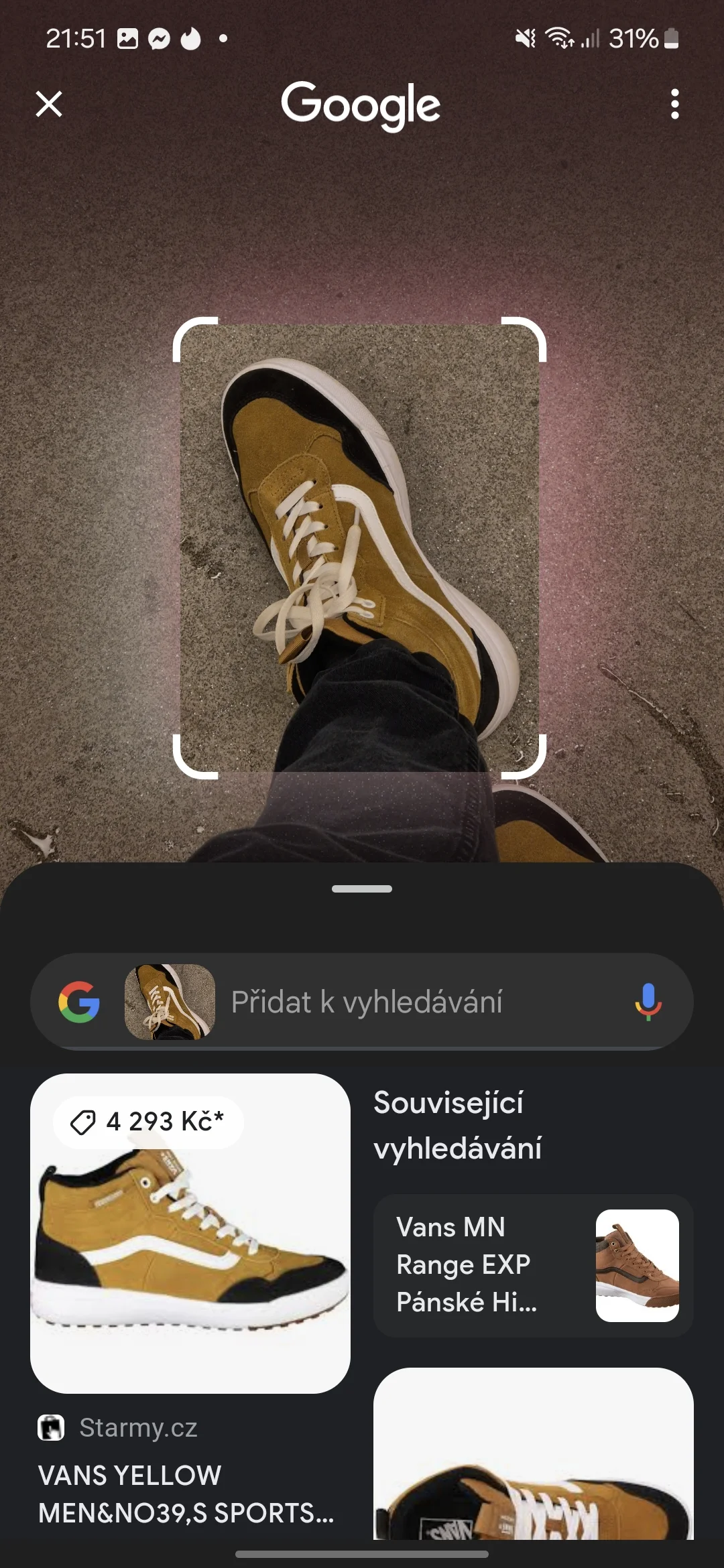
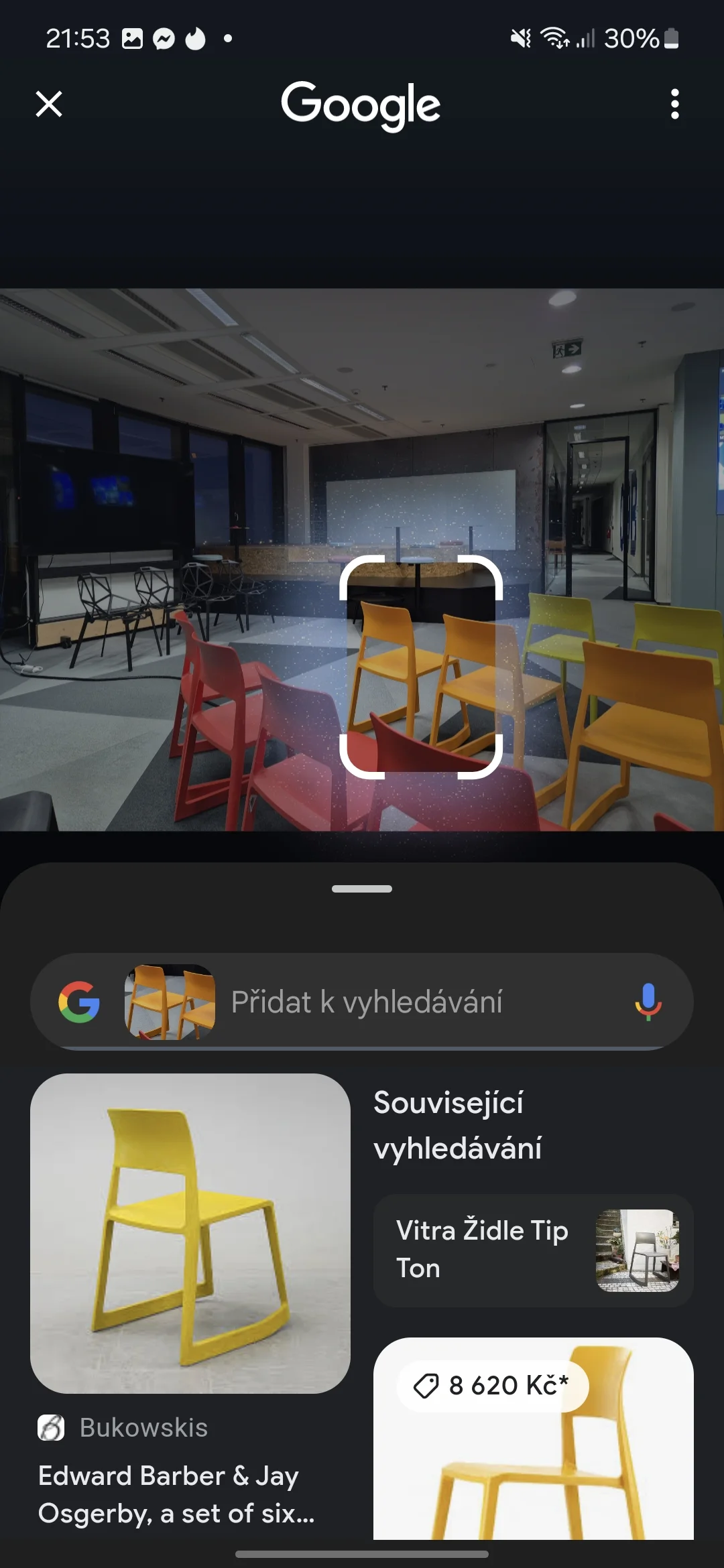
The screenshots above show a few good examples. After taking a photo of the steering wheel in a Skoda Octavia, Google correctly identified the car, even though modern Skoda models share a very similar wheel design. A fountain in a shopping mall wasn’t a problem either, and neither were the shoes or a Vitra chair.
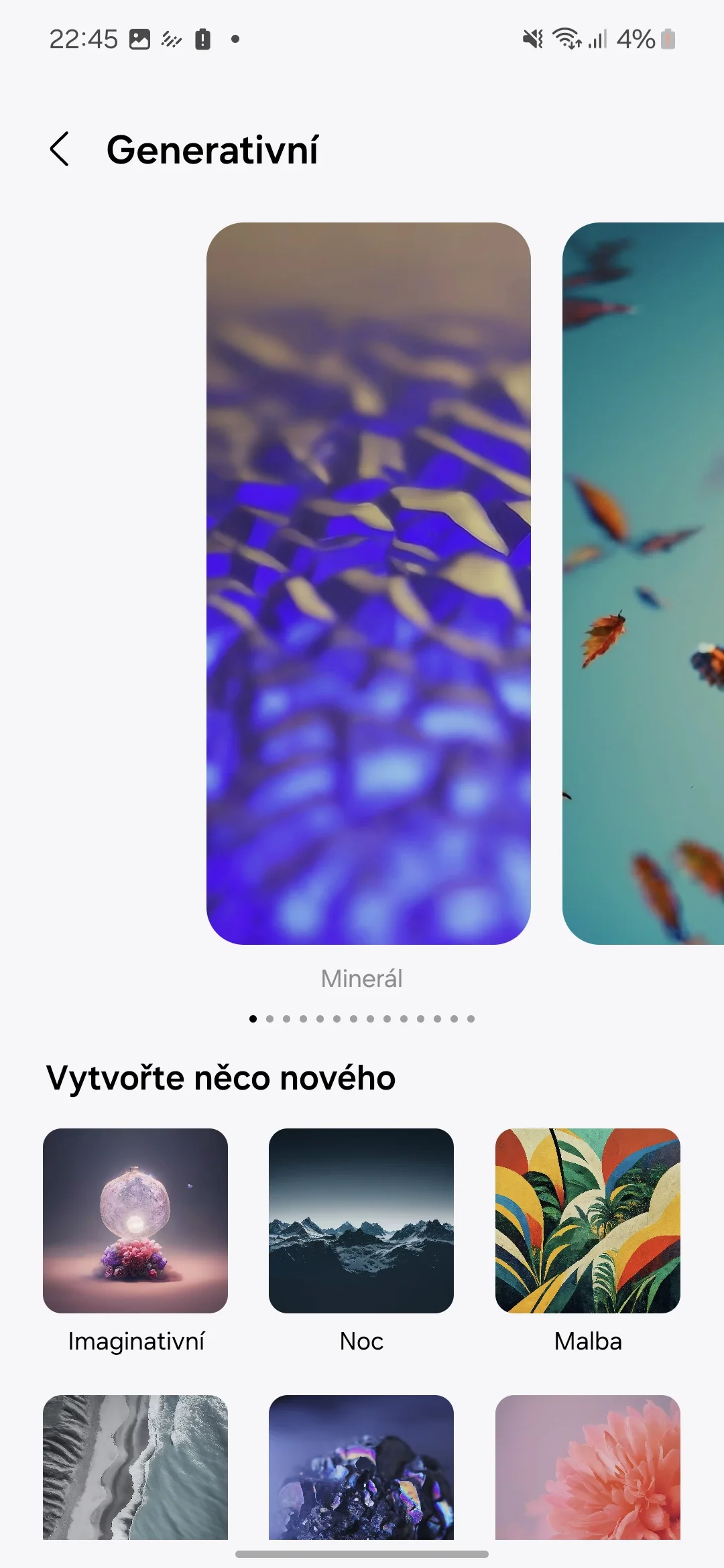
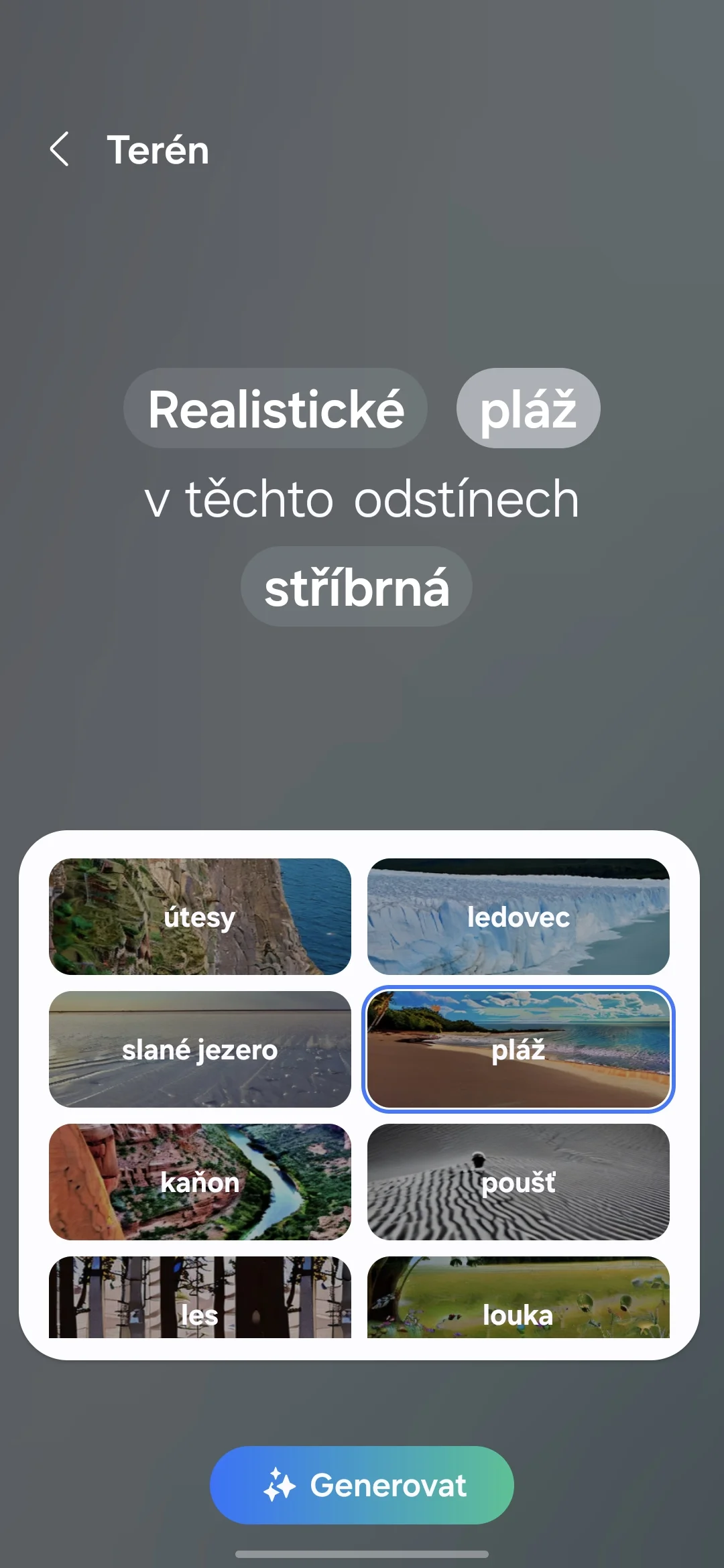
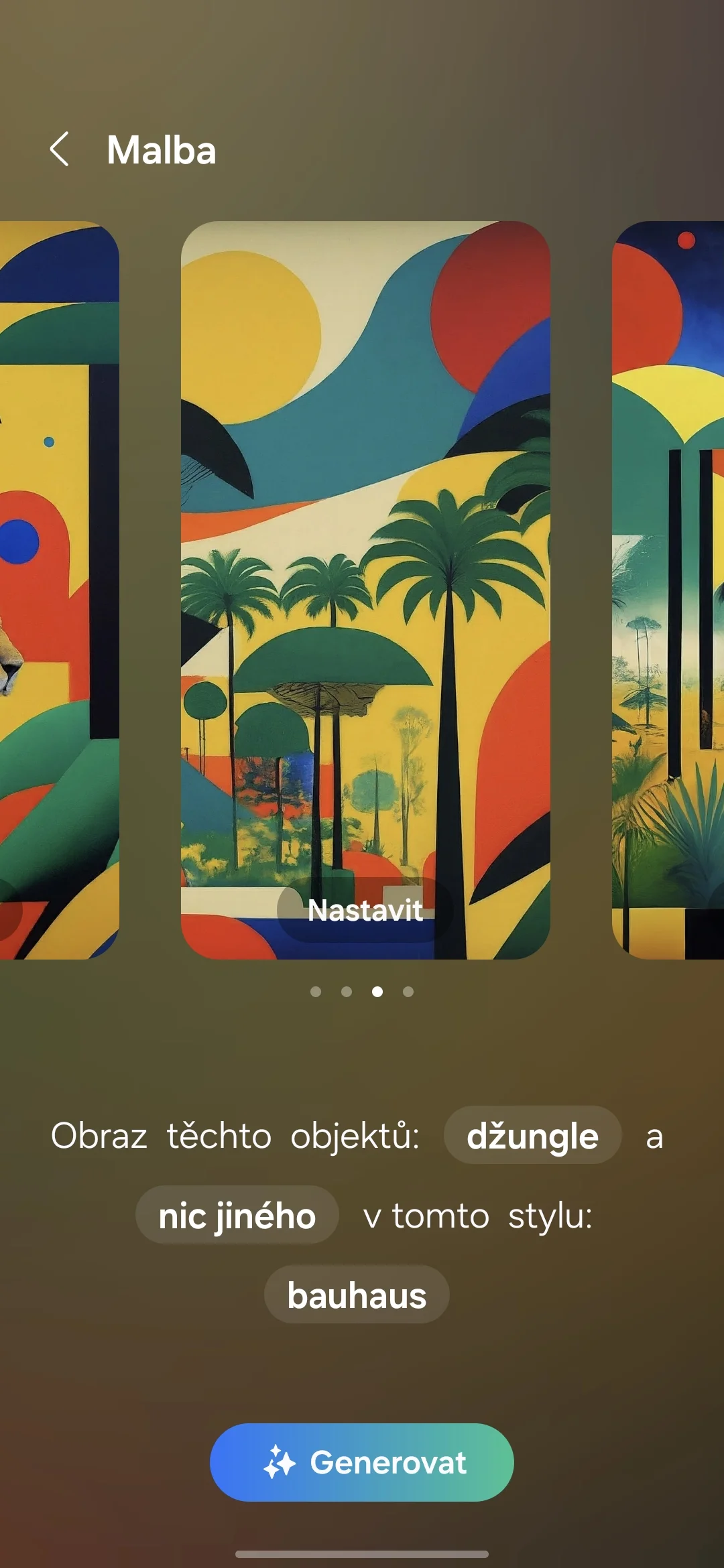
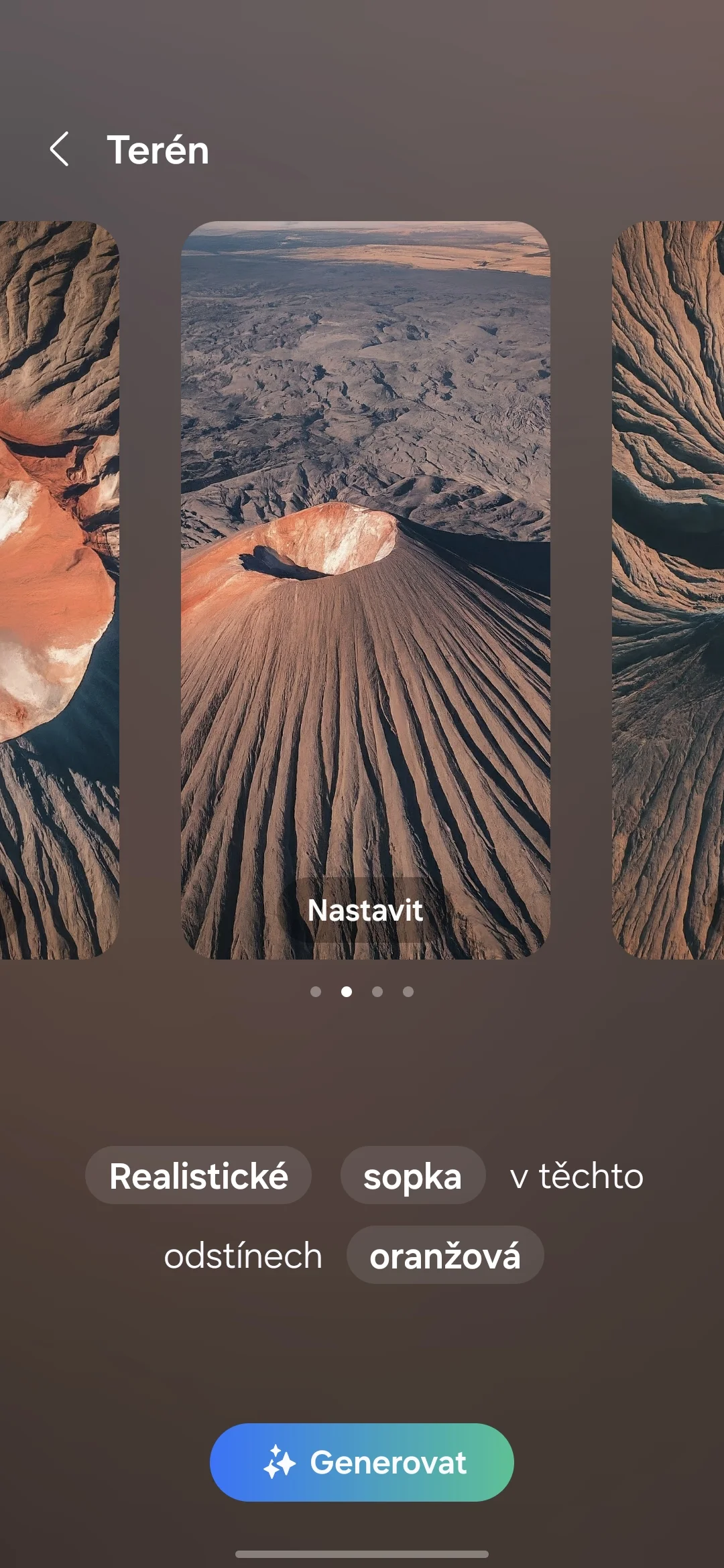
My second favorite feature is generative AI wallpapers. This is essentially lifted straight from the Pixel 8 and relies on Google in the background. That’s fine by me. You can generate all kinds of wallpapers based on terrain, nature, flowers, minerals, or paintings, with plenty of different styles and color combinations. The only downside is that generation takes a little time.
Summaries and Transcription
I found the summary and note-formatting tools genuinely useful. They work well, and they can save time. I also like the live interpreter for phone calls, even if its real-world usefulness is still limited in some regions, with broader language support rolling out later this year.
There’s also a translator, plus a voice recorder that can turn speech into text. From there, you can generate a summary of the transcript right away. I tried a few transcriptions from English YouTube videos, and the transcription itself runs on-device; only the summary step sends data online. It took about one minute to transcribe an eight-minute recording. The final text isn’t perfect, and small errors do pop up, but it’s still very usable overall.
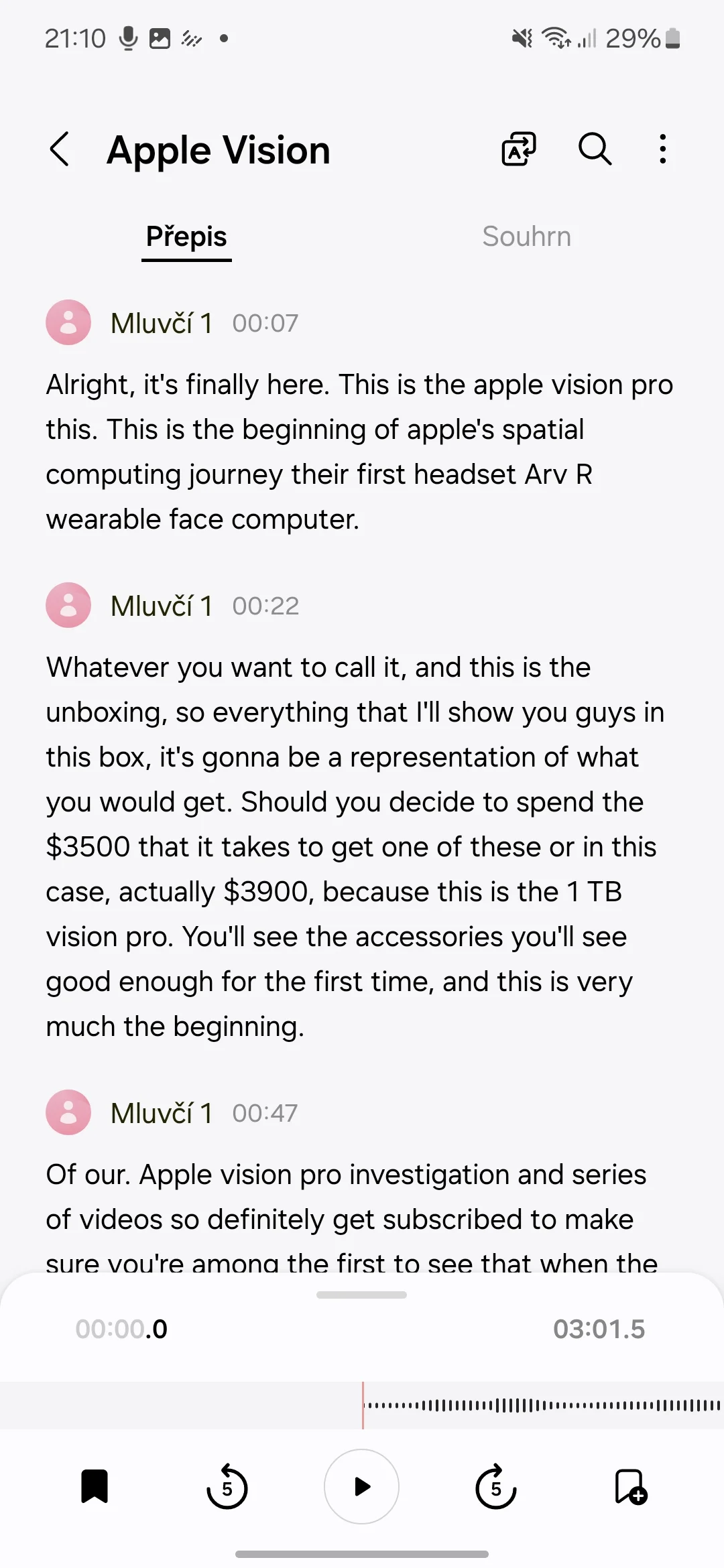
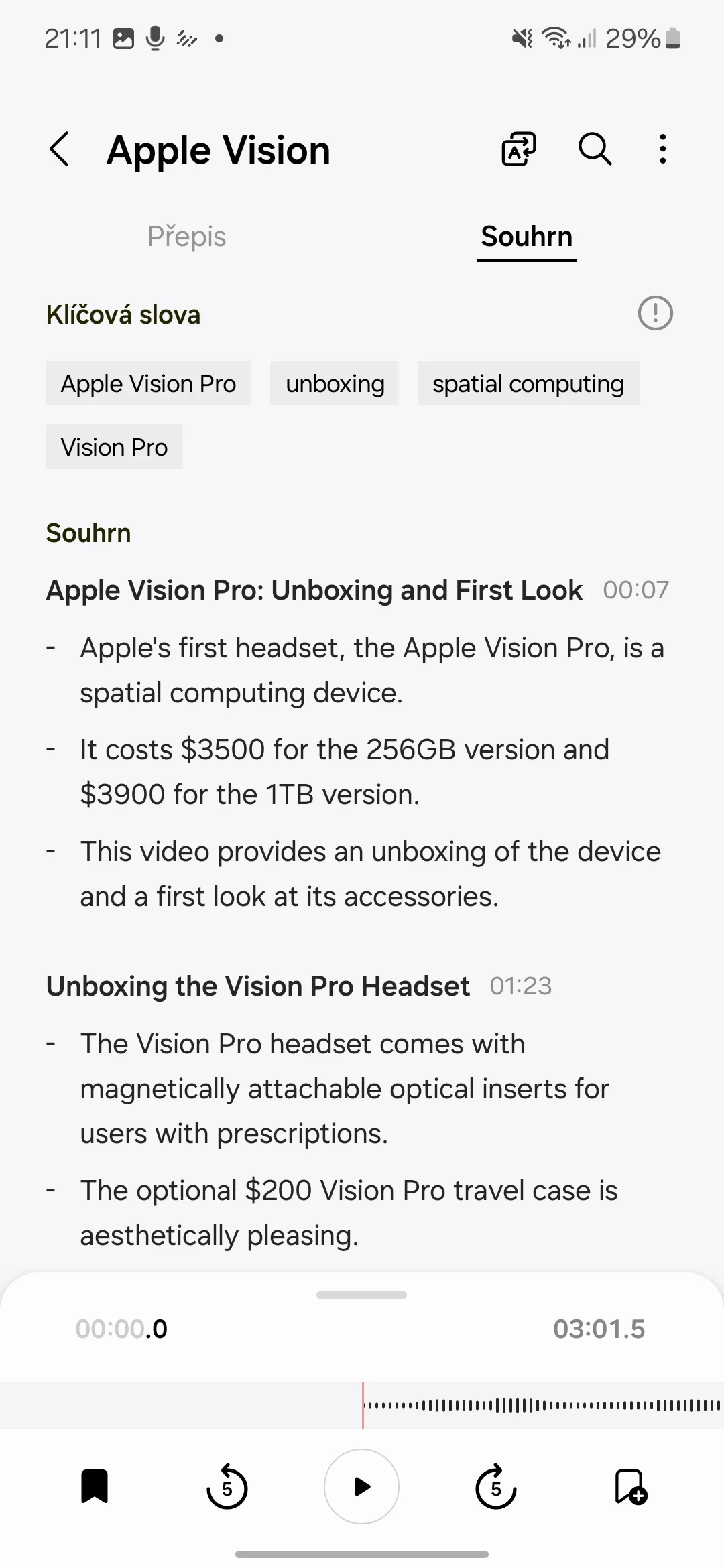
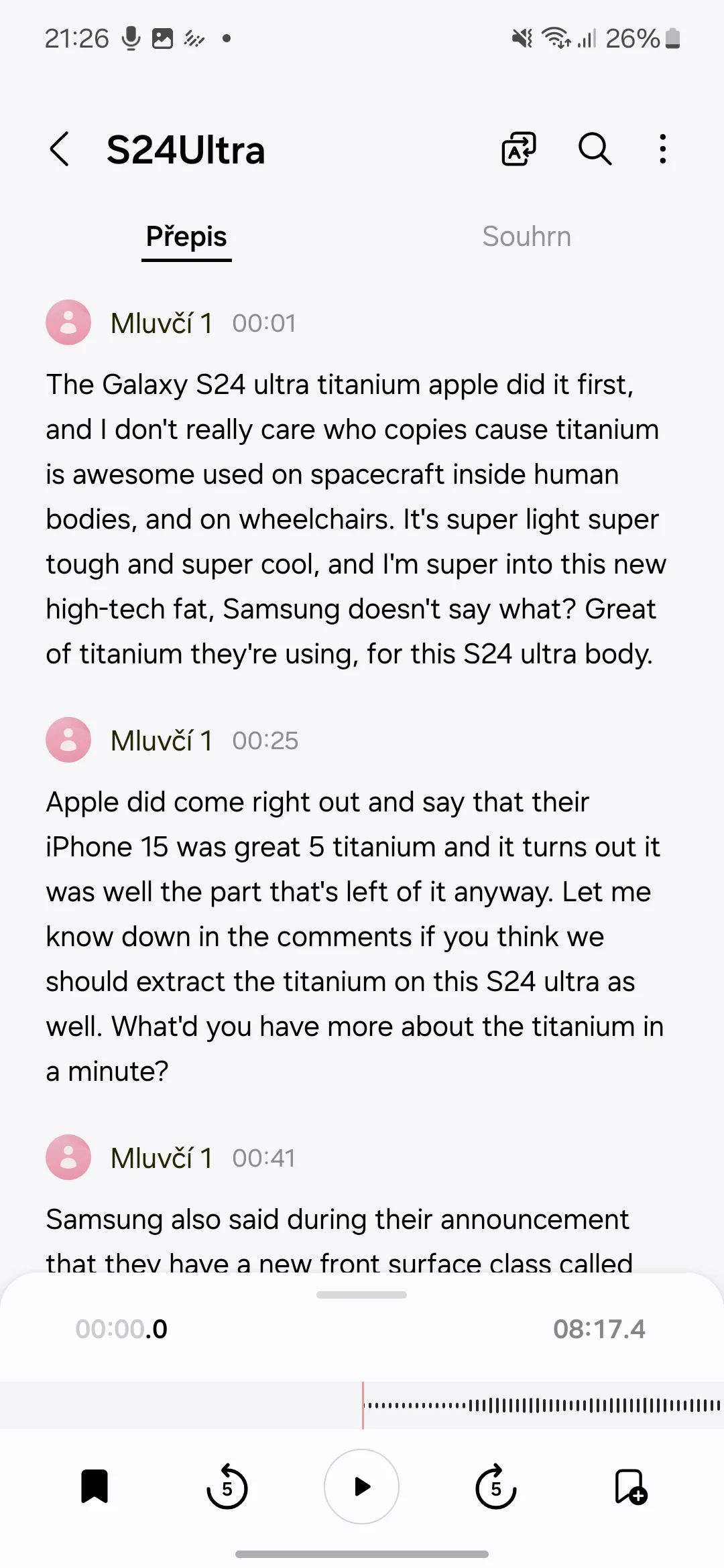
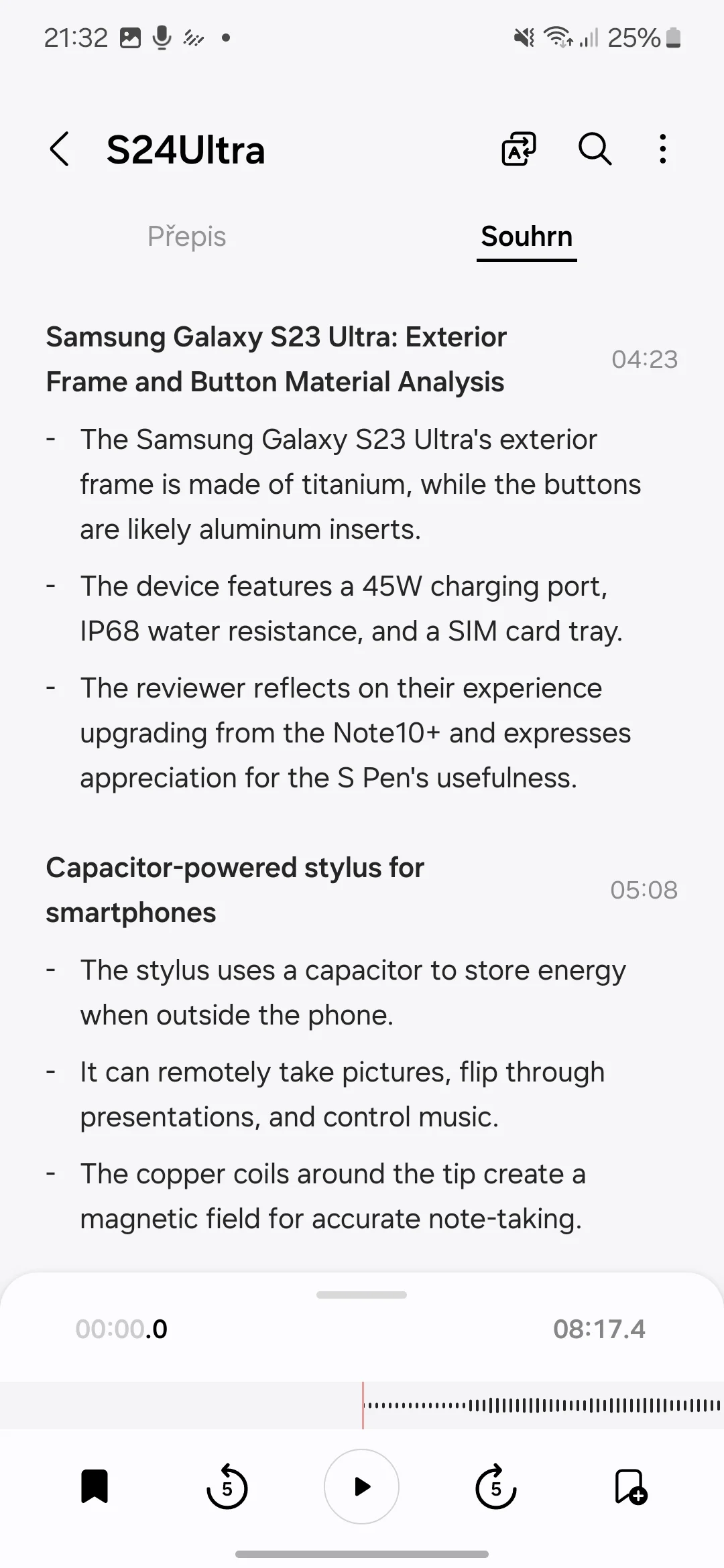
I’d be a little more careful with the summaries, though. The AI still needs checking, because it has a habit of making things up here too. For example, in a video about the Galaxy S24 Ultra durability test, one of the summary points suddenly referred to the S23 Ultra instead. I also miss having any control over summary length, since with longer recordings the summary gets too long for my taste.
Gallery
The instant slow-motion effect in the gallery, triggered by pressing and holding on any clip, is neat, but you probably won’t use it that often in practice. After all, how often do you wish a regular video had been shot in slow motion?
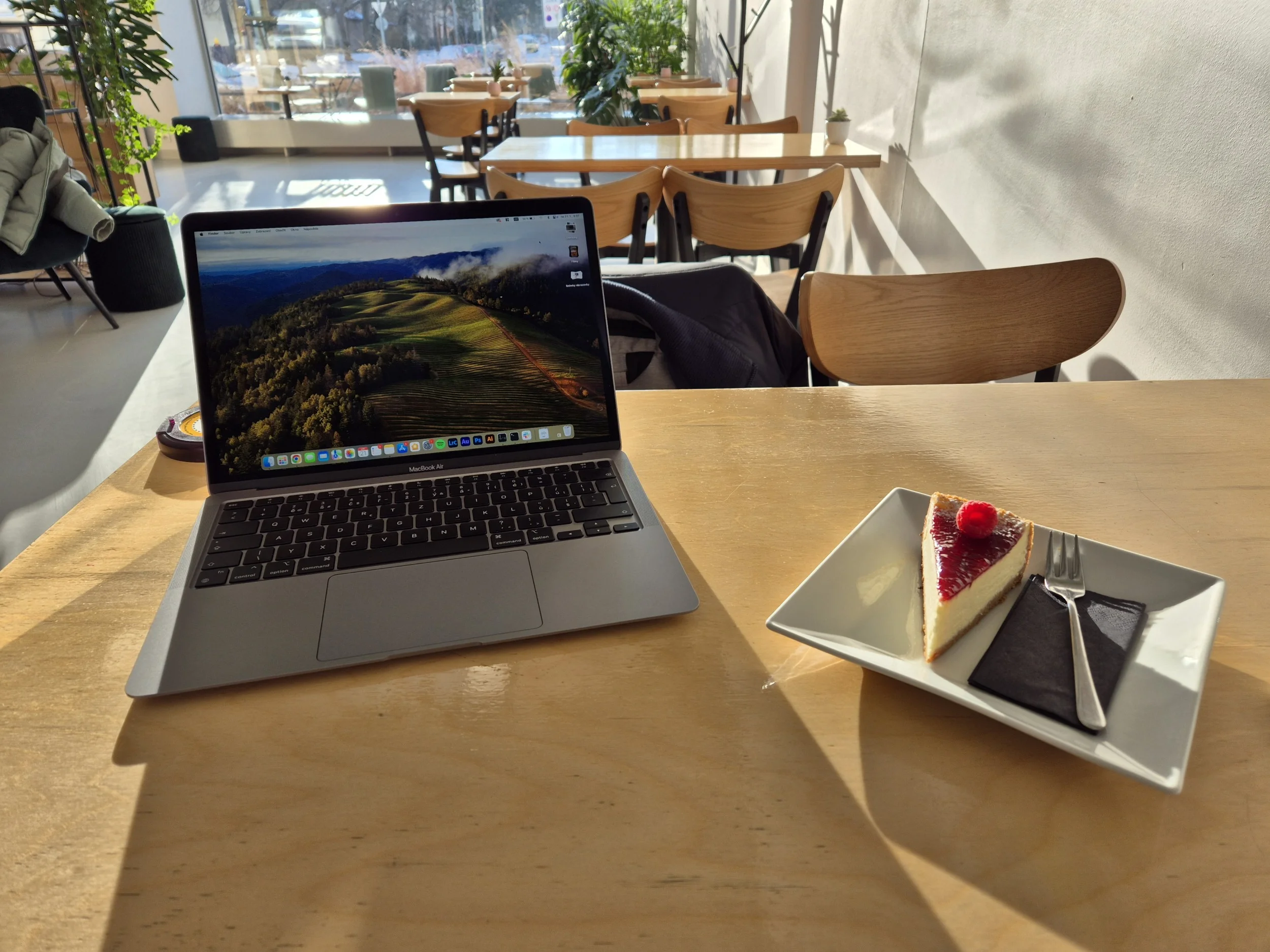
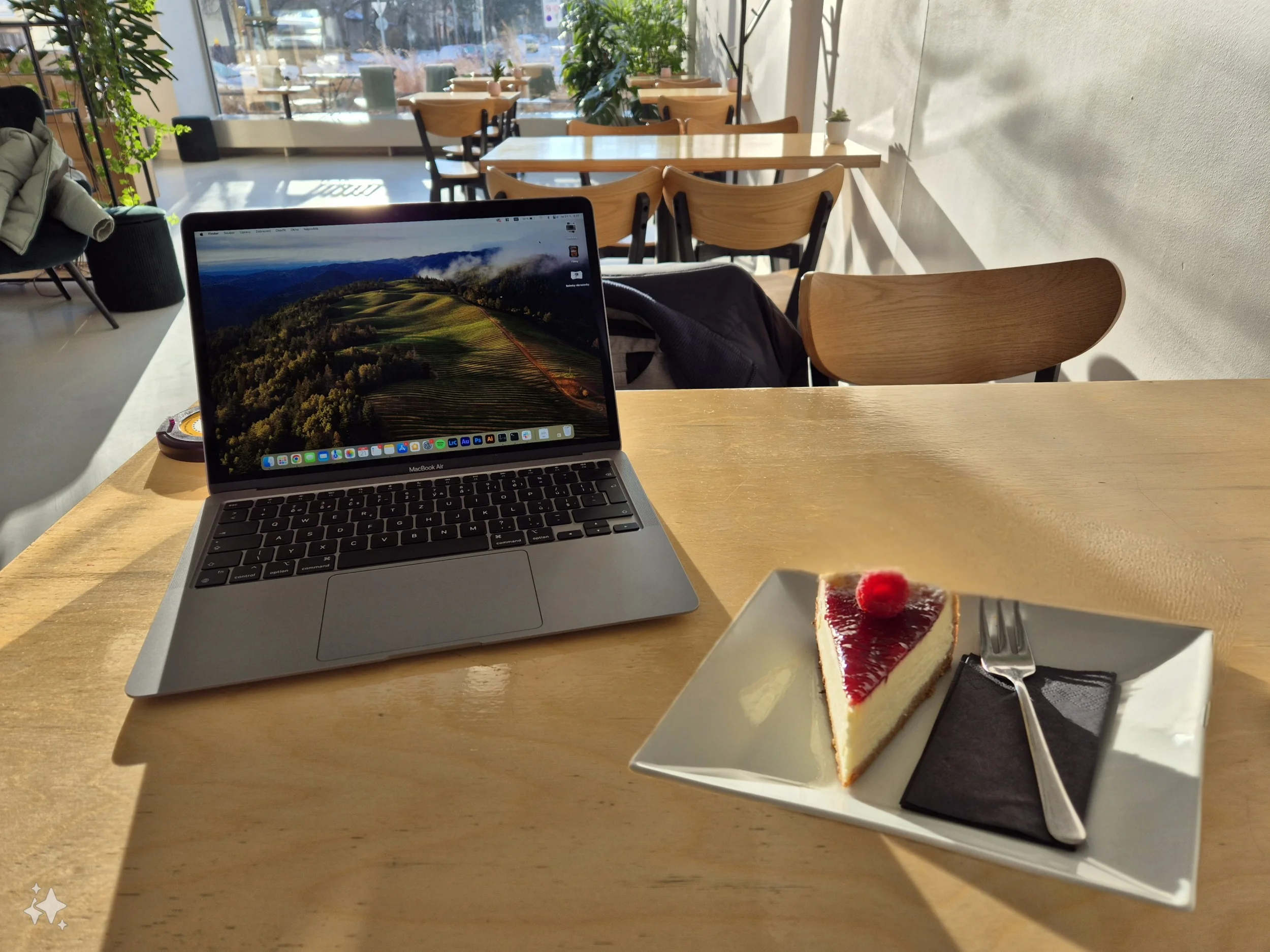
The option to grab an object in a photo and move it works reasonably well, within limits. Just don’t expect miracles. Object detection is usually excellent. Actually moving that object somewhere completely different, and having the empty space filled in afterward, is much less convincing. The AI improvises a lot here, and sometimes the results are just plain silly.
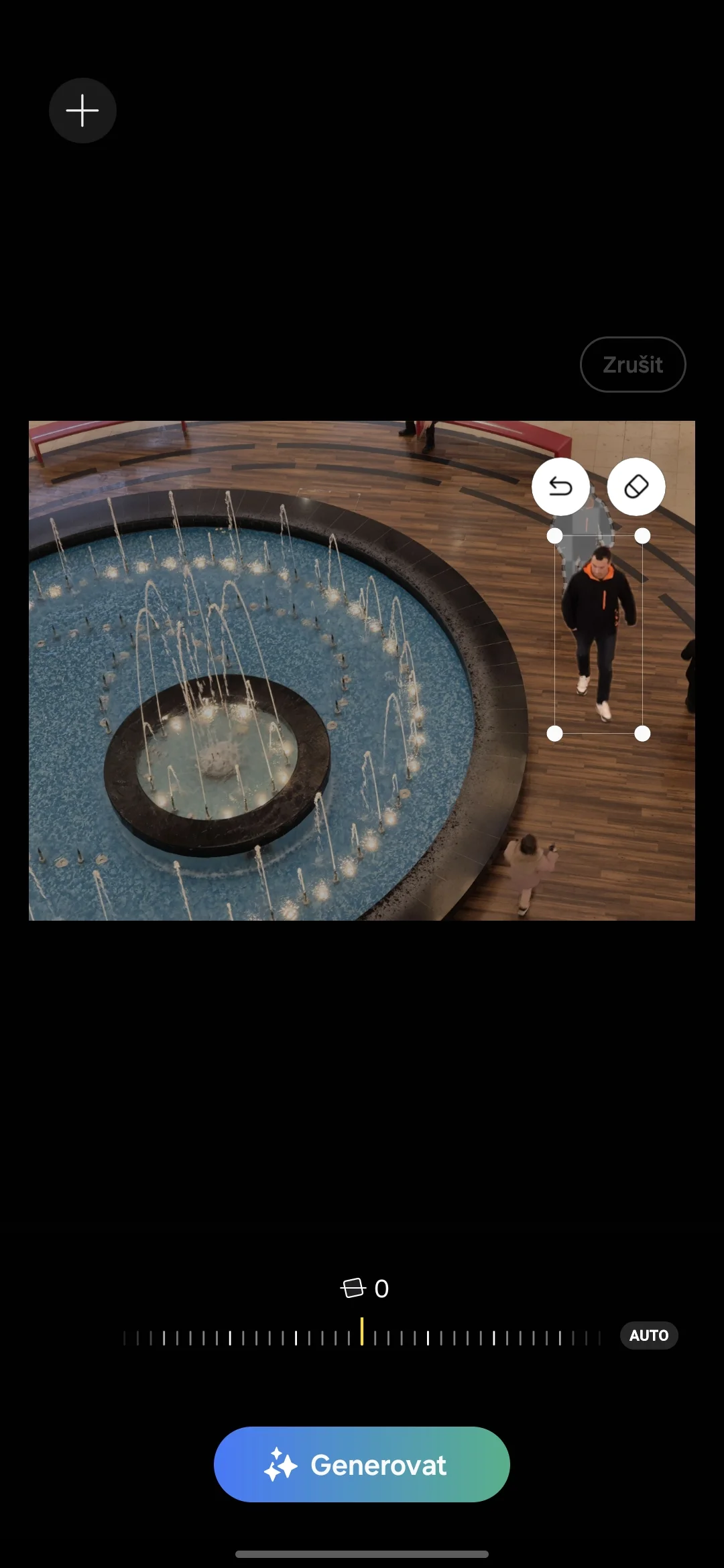
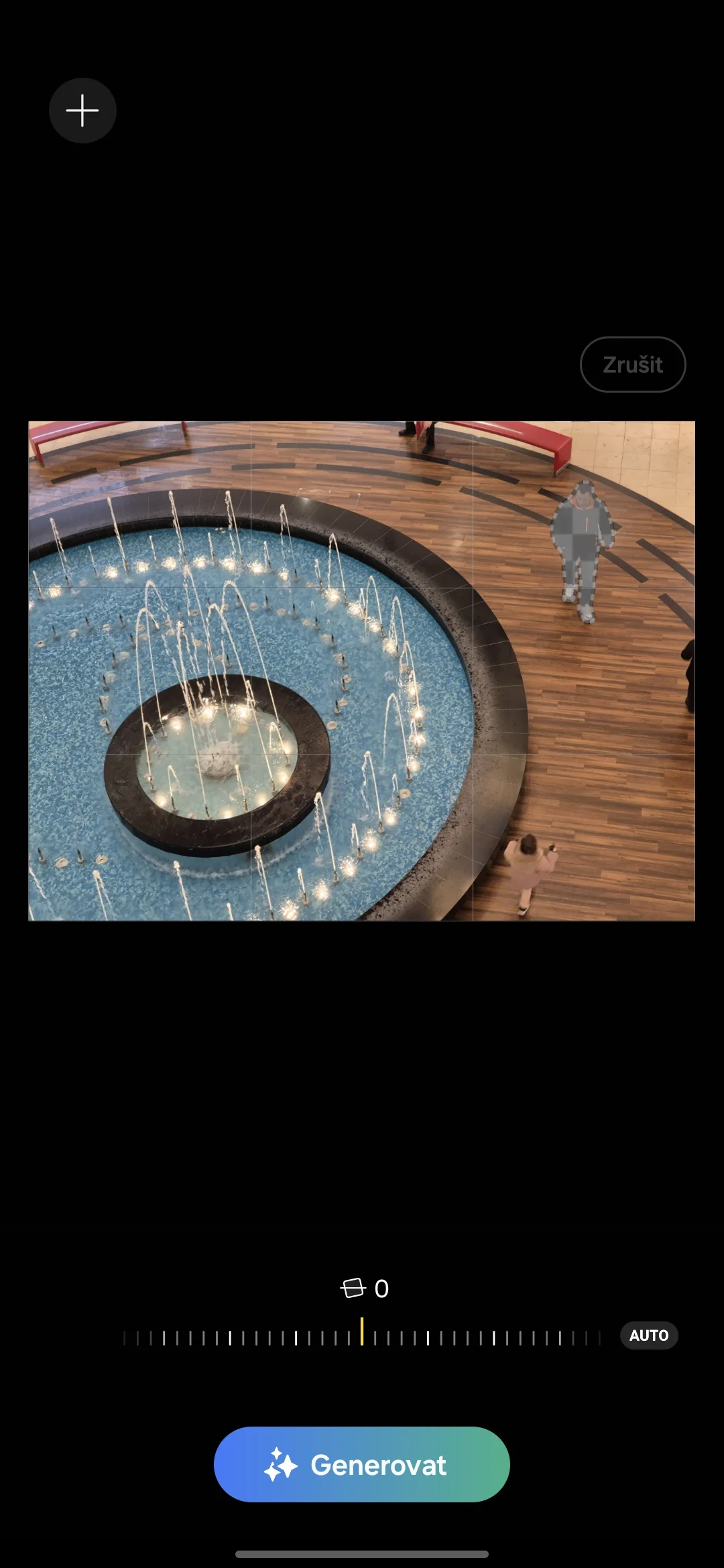
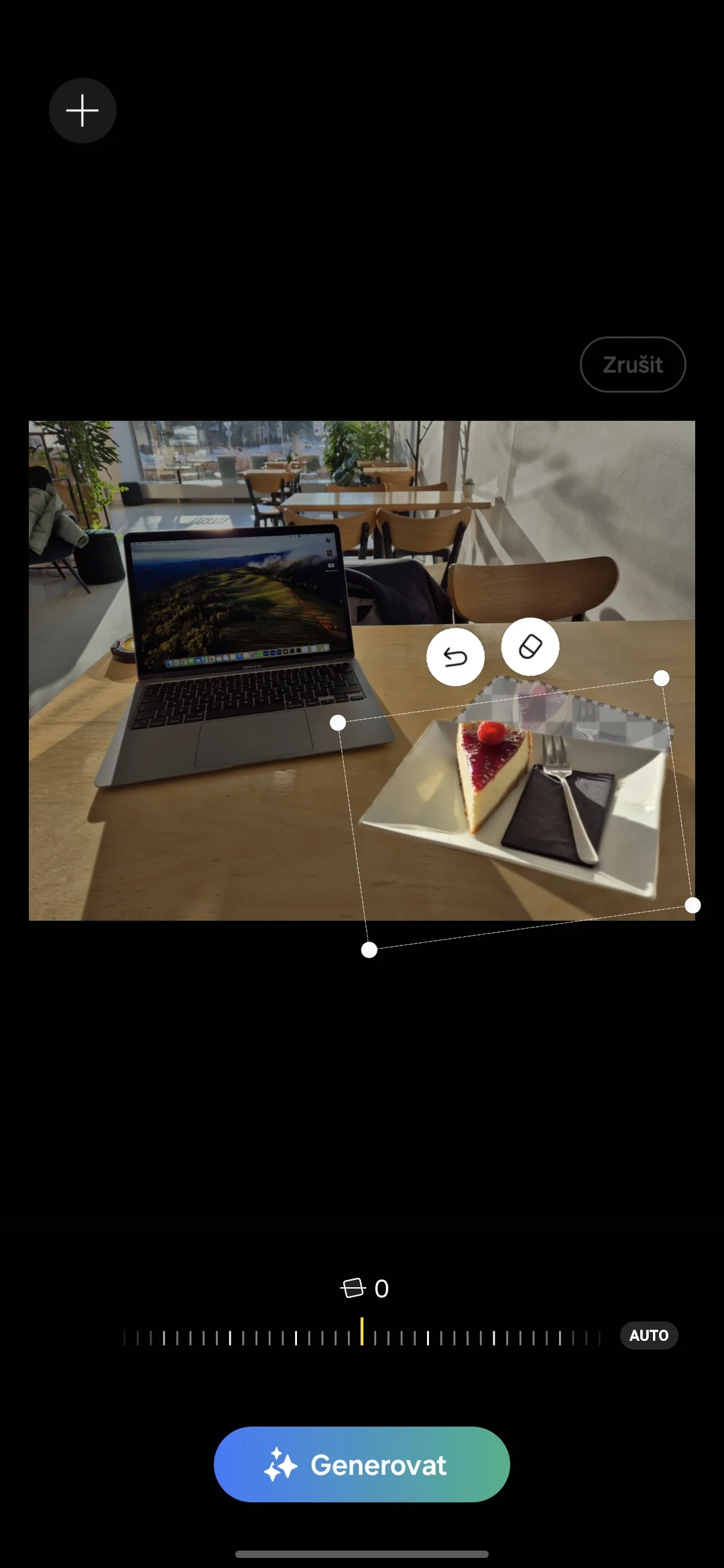
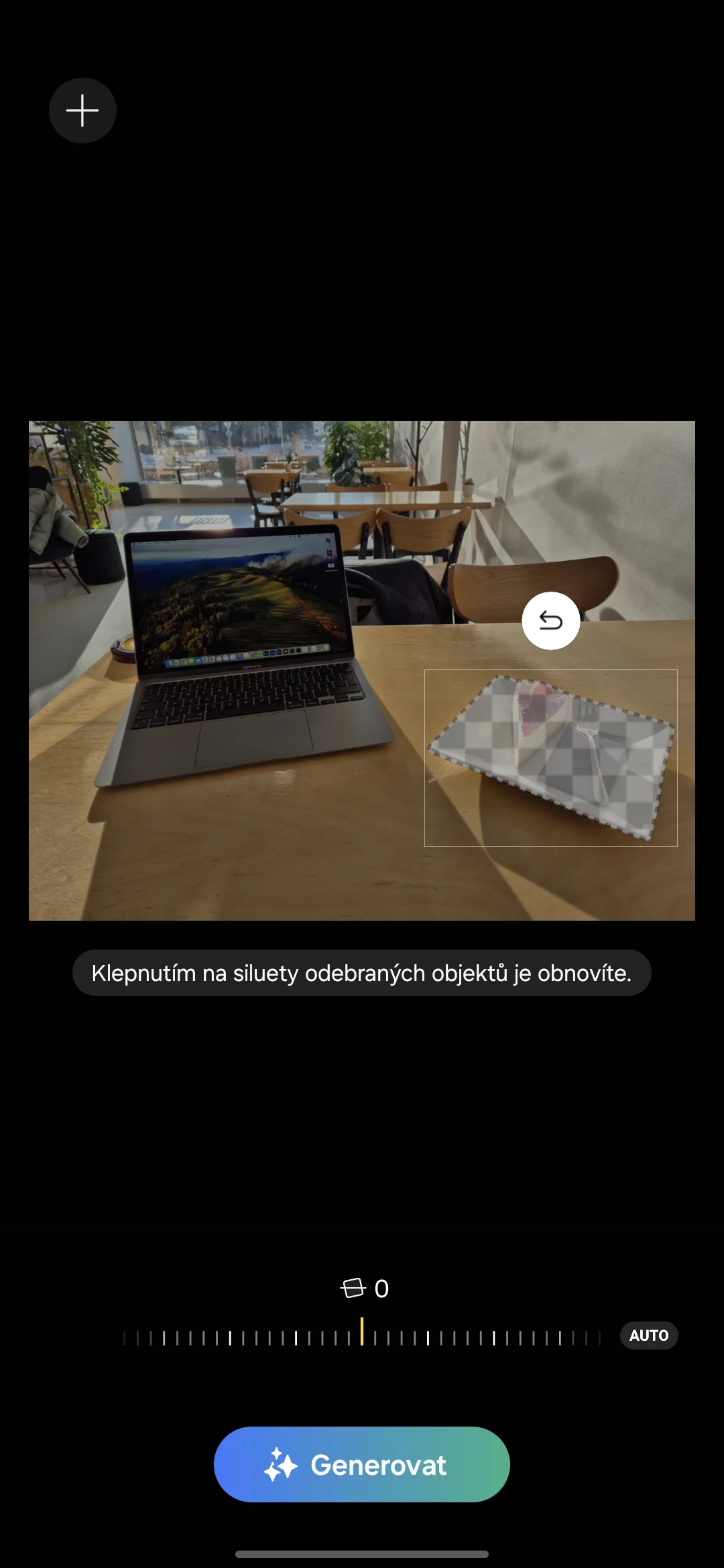
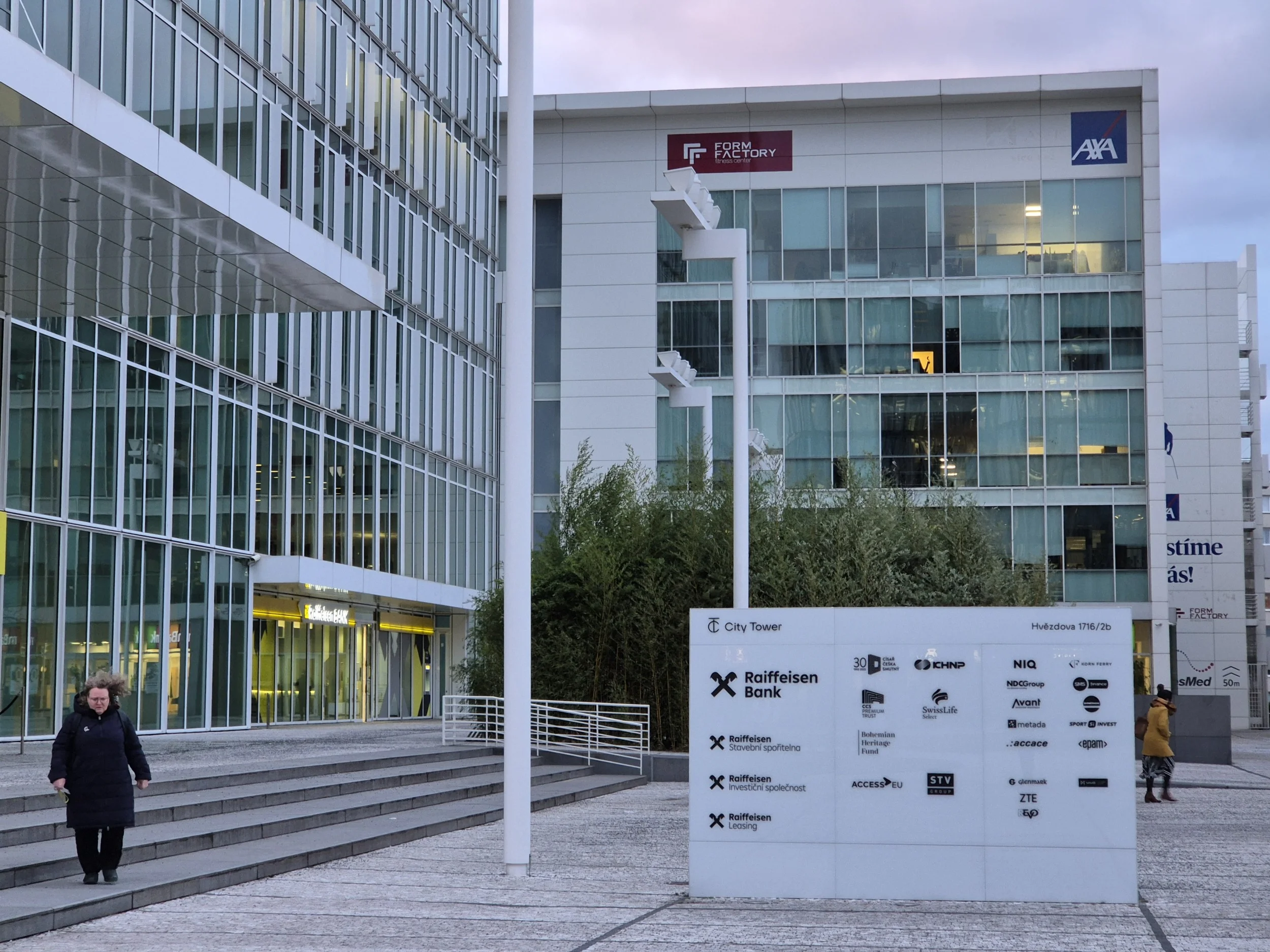
Where it does make sense is in smaller edits, where it performs pretty well. Want to make an object in a photo slightly larger? No problem. Want to nudge it a bit to the side? That usually turns out fine too. Want to remove a small unwanted object or a random person in the background? That also works most of the time. Every now and then, though, removing something will bizarrely generate the exact same thing you were trying to erase. Still, for light touch-ups, it’s useful. Yes, if you inspect the image on a big screen, you’ll spot the edit. But for social media, it’s good enough. I’ve included a few before-and-after examples below. As you can see, sometimes it nails it, and sometimes it doesn’t.














Keyboard
I wasn’t especially eager to switch to Samsung Keyboard. I simply type better on Gboard. Still, I gave it a fair shot, and in practice I didn’t use the AI features even once. You can change the tone of a written message, add emojis, or check grammar. In day-to-day use, though, I didn’t really need any of that.
One upside is that these features work in Czech, or more broadly, they offer solid regional language support. That said, the predictive text and autocorrect still aren’t perfect. What I do have to give Samsung credit for is the keyboard’s deep customization. The one thing I never figured out was how to move the emoji button. I’m used to having it right next to the space bar.
Software
Back to the phone itself. The software here is Android 14 with Samsung’s One UI 6.1 on top. The really welcome upgrade is Samsung’s extended software support: 7 years. That means the Galaxy S24 is set to receive 7 major Android versions, along with 7 years of security updates. Performance is excellent, and even with Exynos under the hood, I was genuinely impressed by the optimization. I was also a little surprised that Samsung is no longer shy about very clearly borrowing the look of iOS-style lock screen widgets.

Design
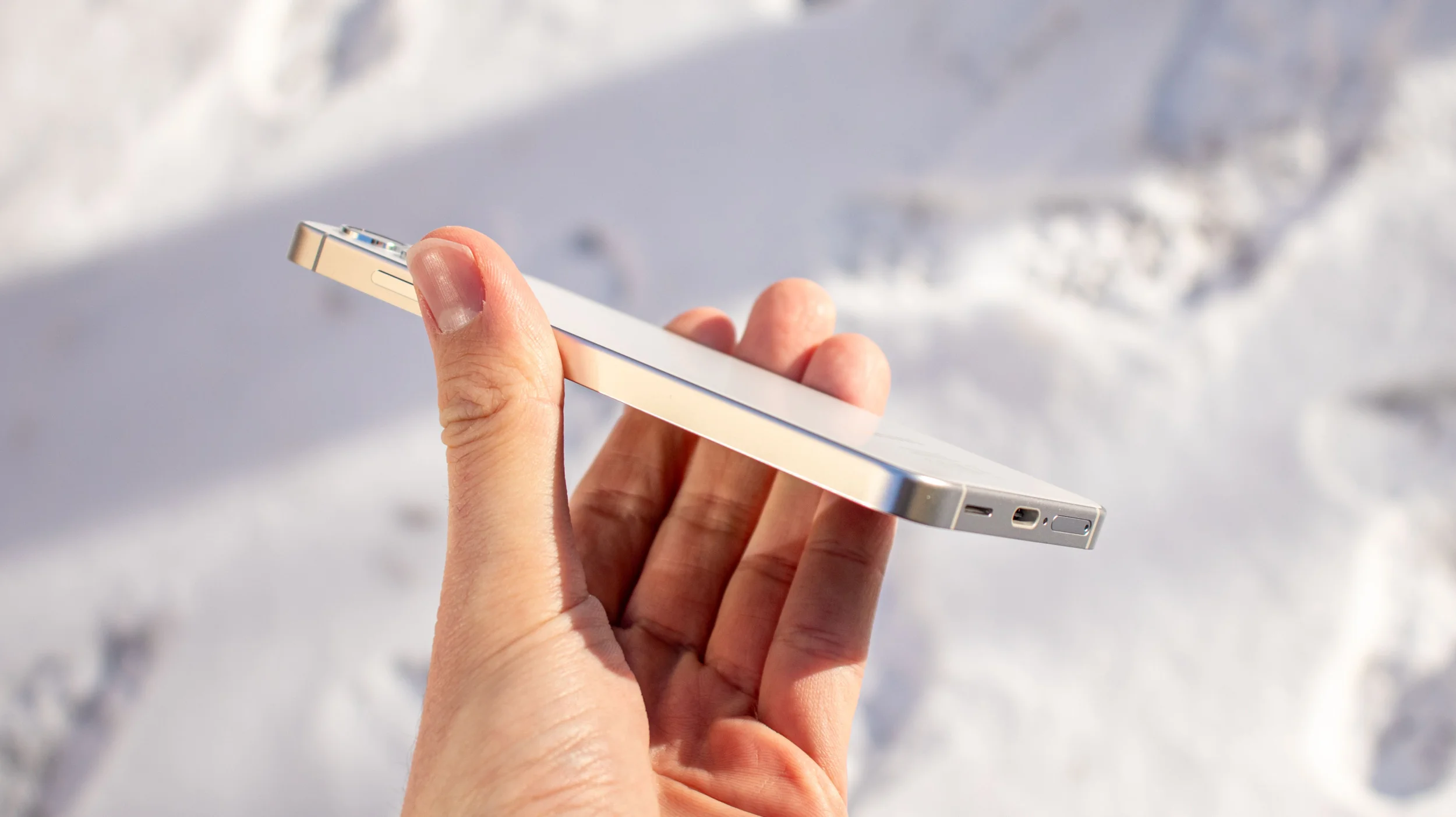
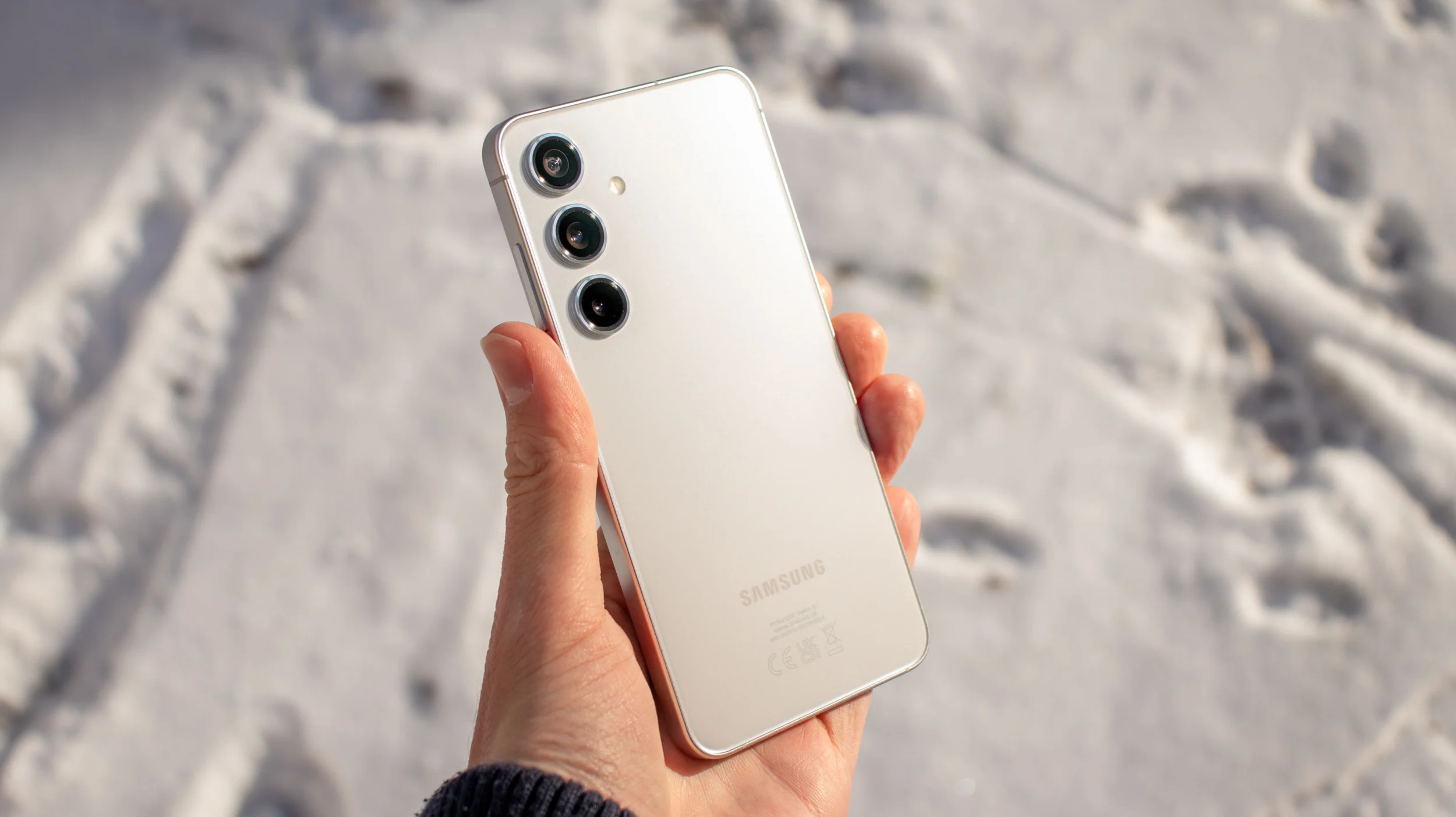
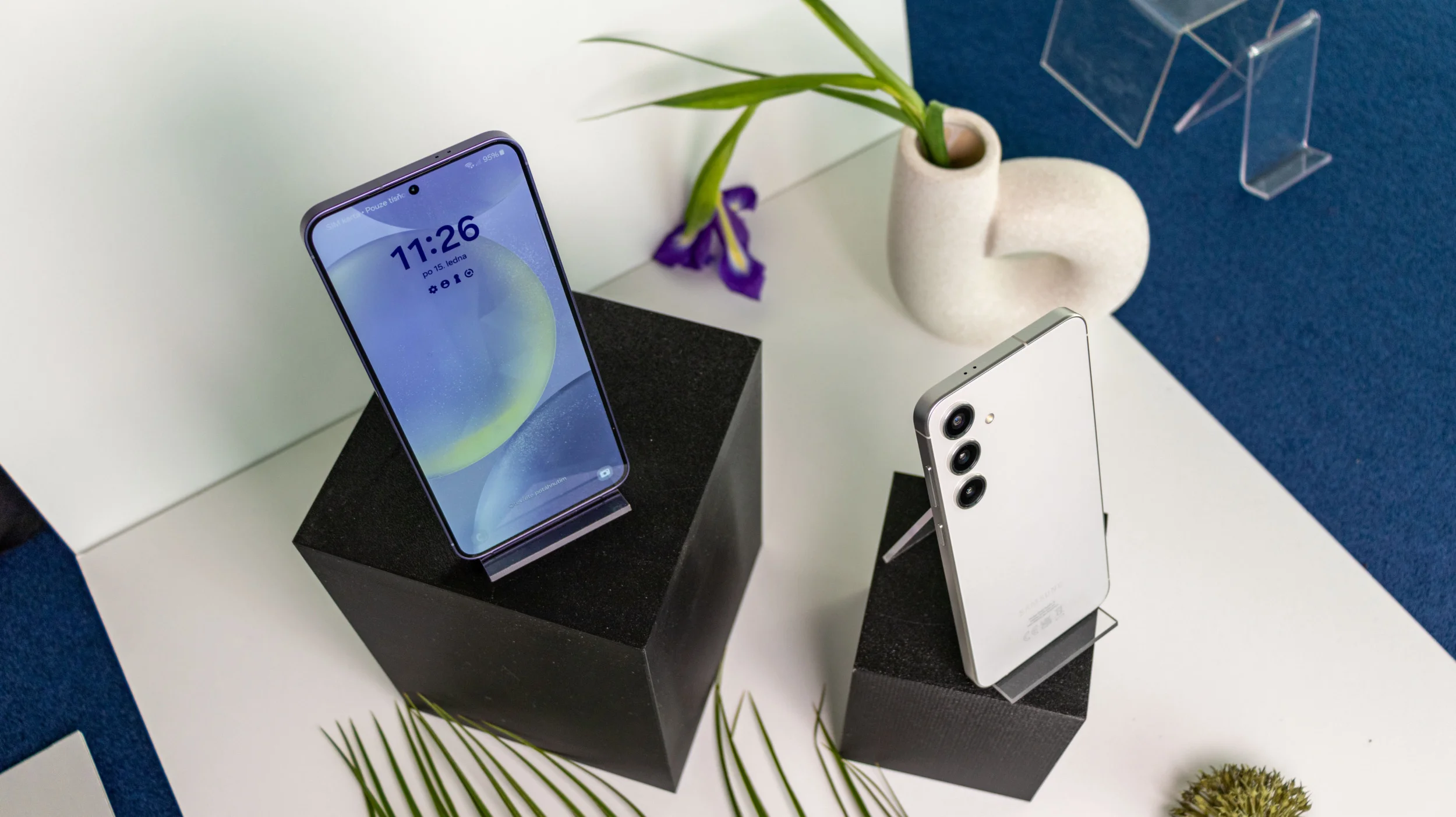
At first glance, the Galaxy S24 looks almost identical to its predecessor. On the back, you still get Samsung’s now-familiar camera layout with three lenses stacked vertically. The front looks nearly the same too, though the bezels around the display are a little slimmer this time, and fully symmetrical. It looks great.
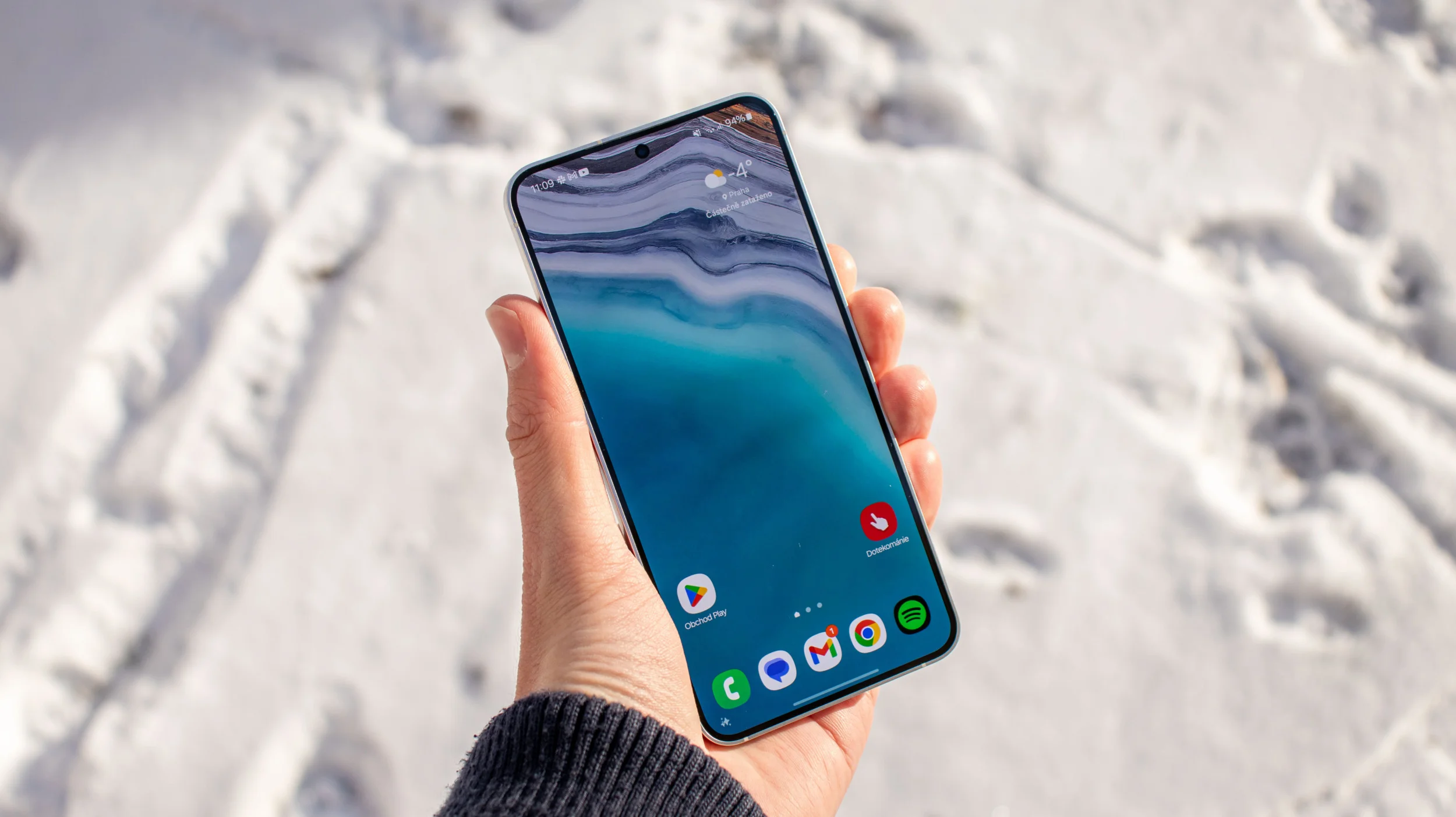
The main hardware change is the aluminum frame. It’s no longer glossy and rounded, or more accurately, no longer bulging outward. Instead, Samsung has gone with a matte finish and completely flat sides. The look is much closer to current iPhones. For a more comfortable grip, the edge where the frame meets the rear glass is slightly rounded, and I like that detail.
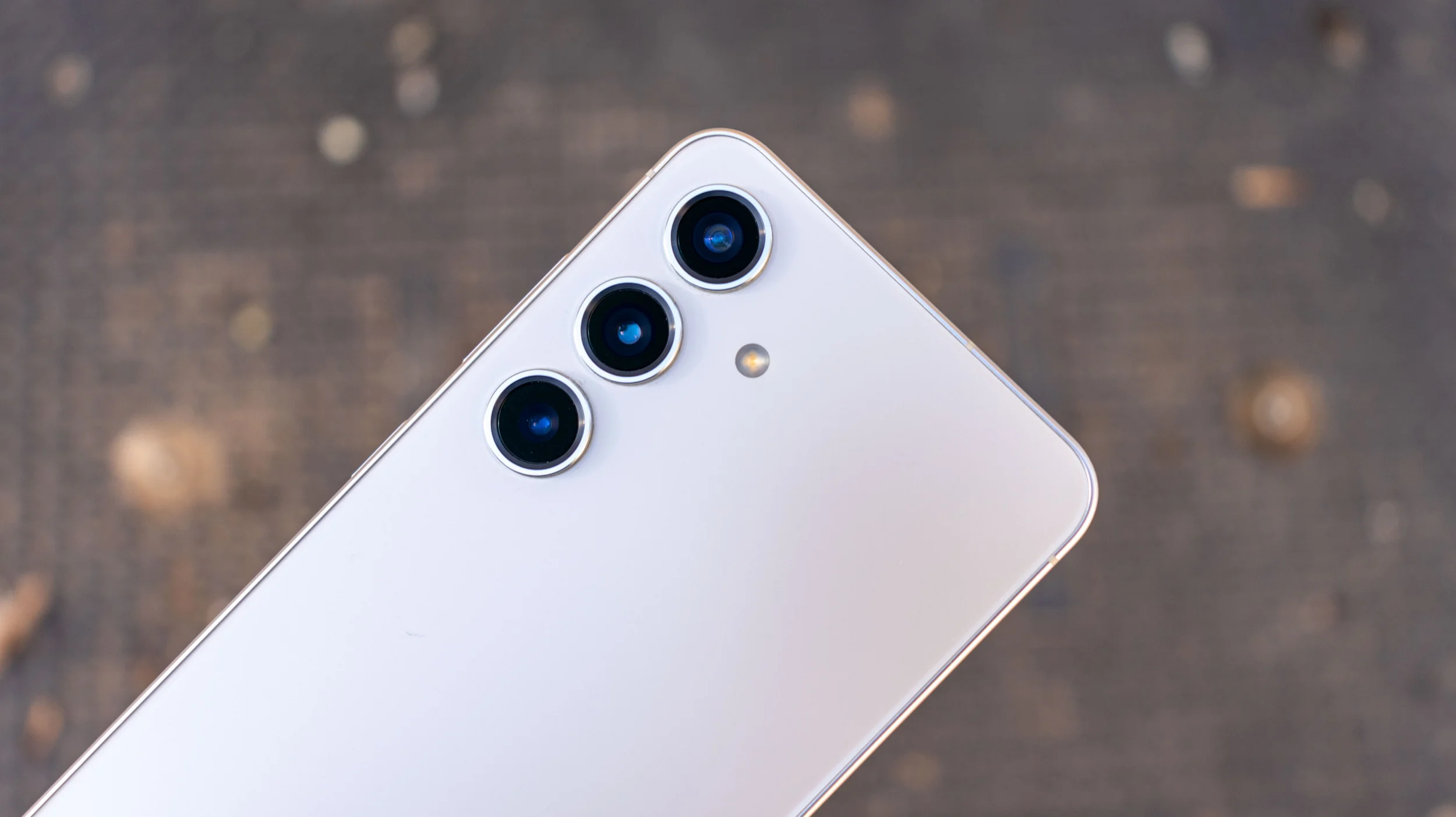
The speaker grille is new as well, though the output itself is unchanged, and the flash on the back has been moved slightly lower, by about half a centimeter.
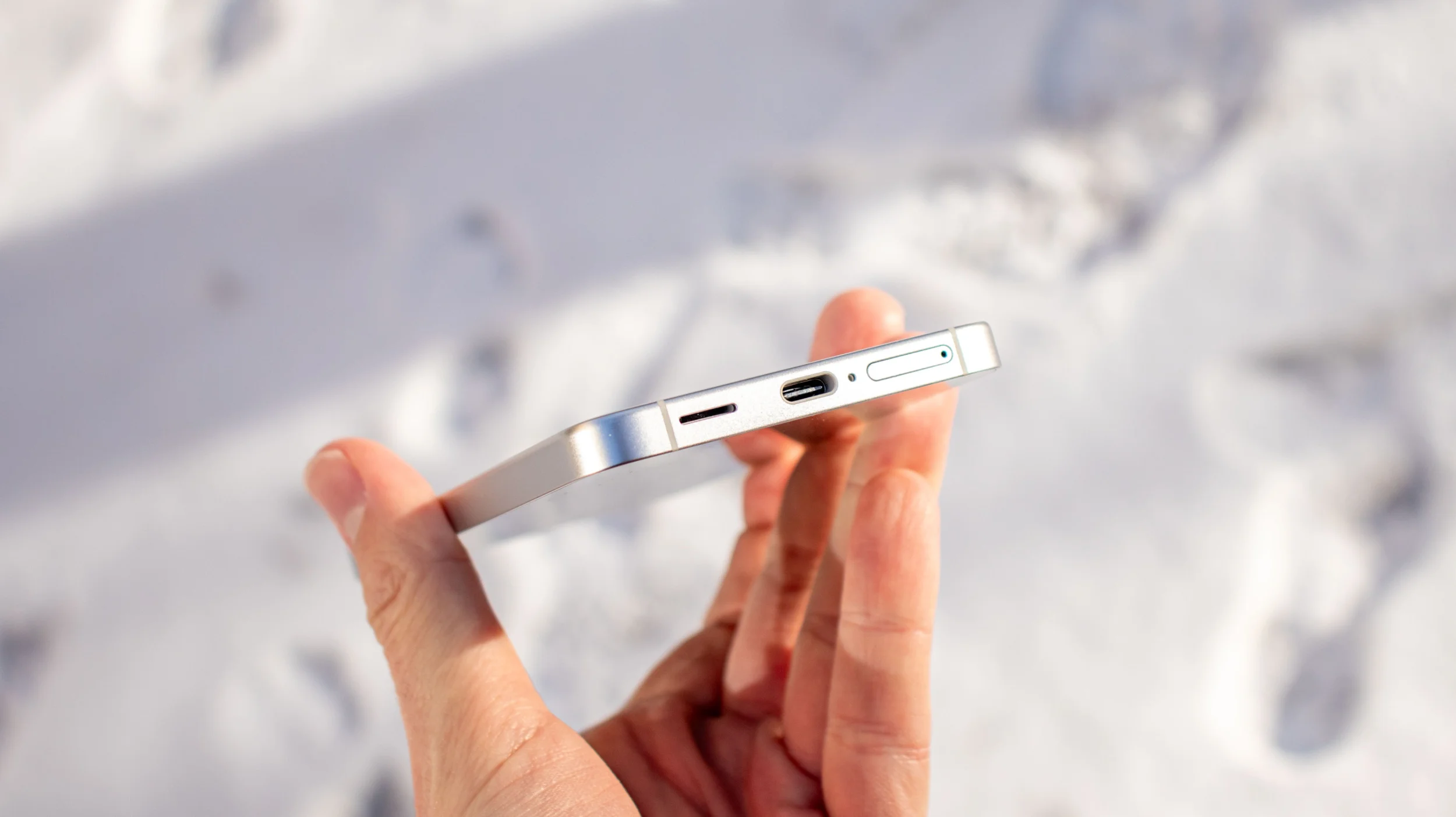
Samsung has also refreshed the color lineup. Pink has been replaced by purple, cream gives way to yellow, black is no longer quite as black, and dark green is gone entirely, replaced by gray. That’s the version we tested, though it really looks more silver than gray. In good lighting, the back panel takes on an almost white tone, and to my eye it’s a very attractive finish. This year, Samsung is also offering exclusive light blue, light green, and orange variants through its online store. There’s no shortage of options.
Overall, I see the changes as positive. They’re subtle, but the Galaxy S24 looks just different enough while still staying elegant. At the same time, it doesn’t dig into your hand as much as its predecessor. The weight is unchanged, and so is the overall size, which means the standard Galaxy S24 remains a pleasantly compact phone by today’s standards. One-handed use is still perfectly manageable.
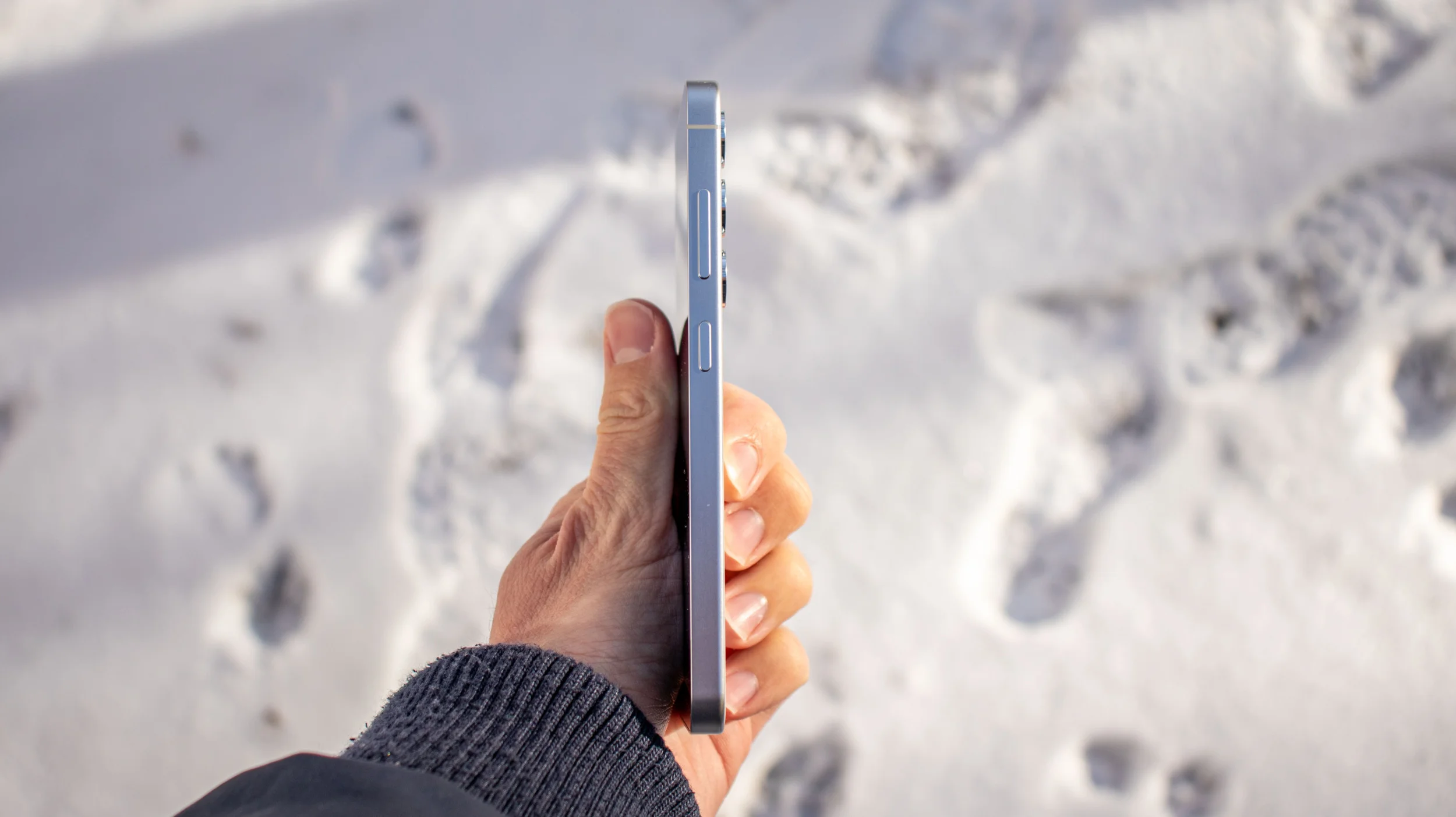
The fingerprint reader is the same as last year, and you still get IP68 water resistance and stereo speakers.
Display
Thanks to the slimmer bezels, the display has grown from 6.1 to 6.2 inches, and more importantly, it now reaches a much higher peak brightness of up to 2,600 nits, versus 1,750 nits on the S23. You can see the difference in direct sunlight, especially when viewing HDR content. And HDR support directly in the camera app and gallery is another new addition. I’m very glad to see it, because photos instantly look more vivid.
The always-on display also gets a new trick borrowed from the iPhone: it can now keep your wallpaper visible all the time. It looks very nice, but it does drain the battery a bit more. In my experience, more than on the iPhone 15 Pro. Overnight, it used about 10 percent of the battery, so it’s a good idea to schedule the always-on display to turn off while you sleep.
Hardware
This year, Samsung once again went with an in-house chip, the Exynos 2400. I still think it’s a shame the company hasn’t moved away from splitting the lineup by region. The top-tier S24 Ultra also sticks with Snapdragon, which, at least to me, suggests Samsung still sees Snapdragon as the stronger option than Exynos. Officially, though, Samsung says the two chips are on equal footing. On paper, the Exynos 2400 even has two more efficiency cores, 10 versus 8 total cores. We didn’t have both S24 variants on hand for a direct comparison, but we did compare the S23 and S24.
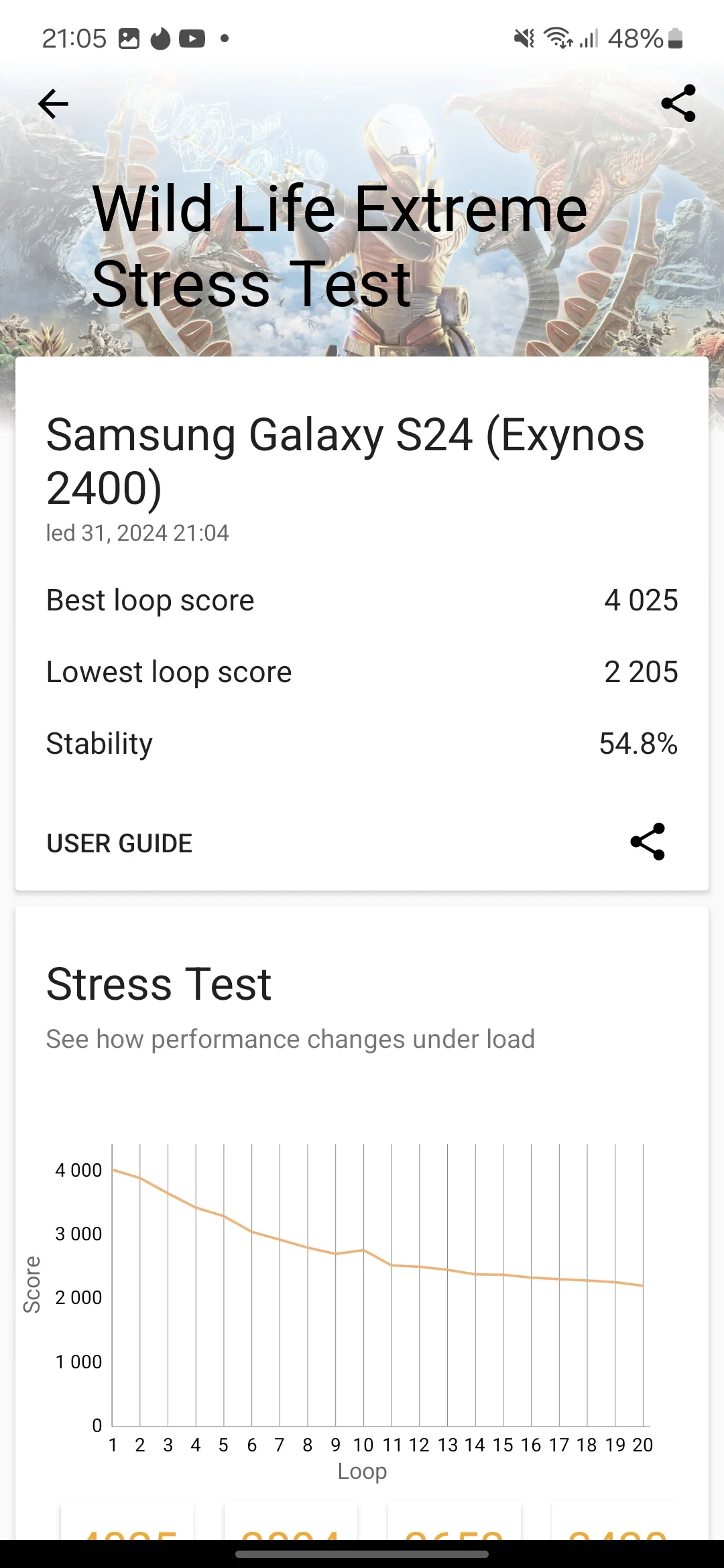
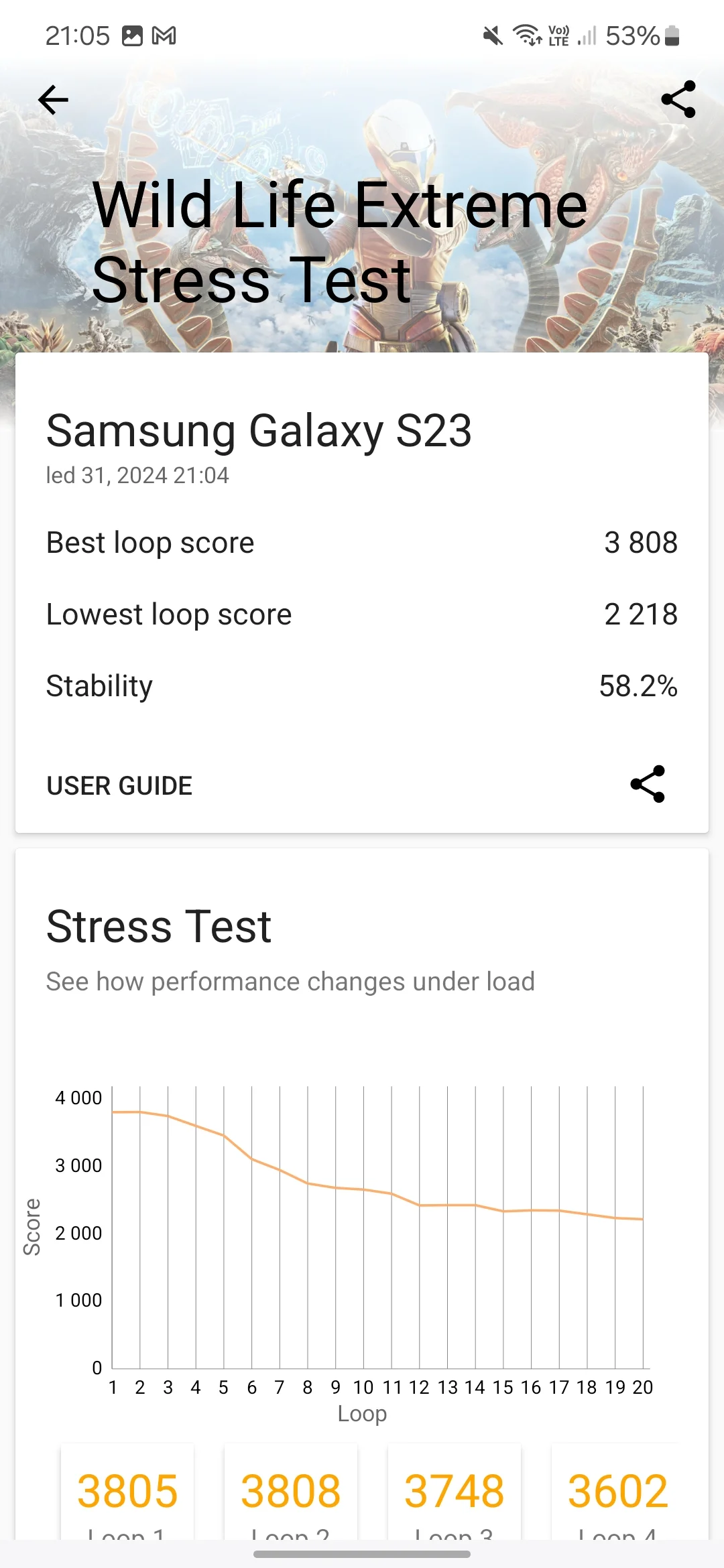
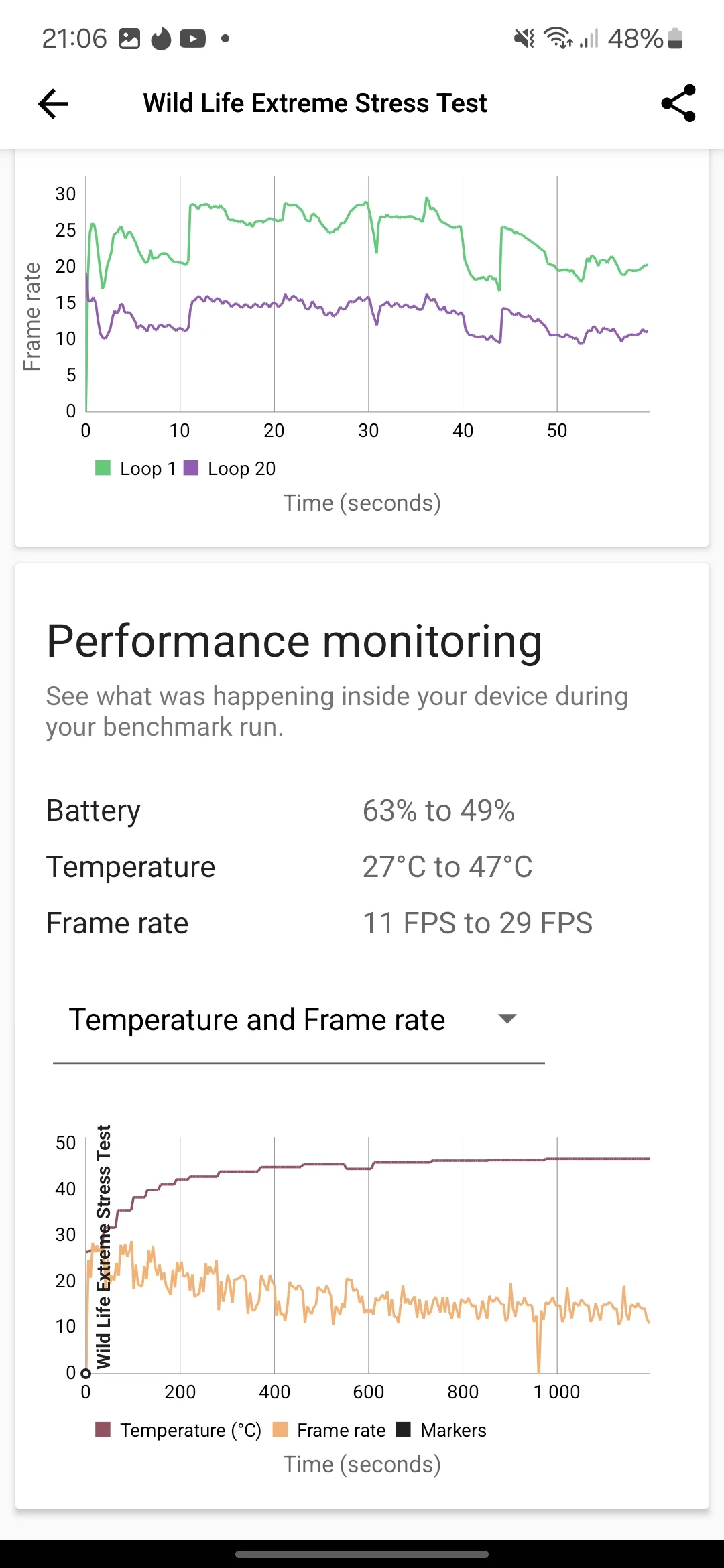
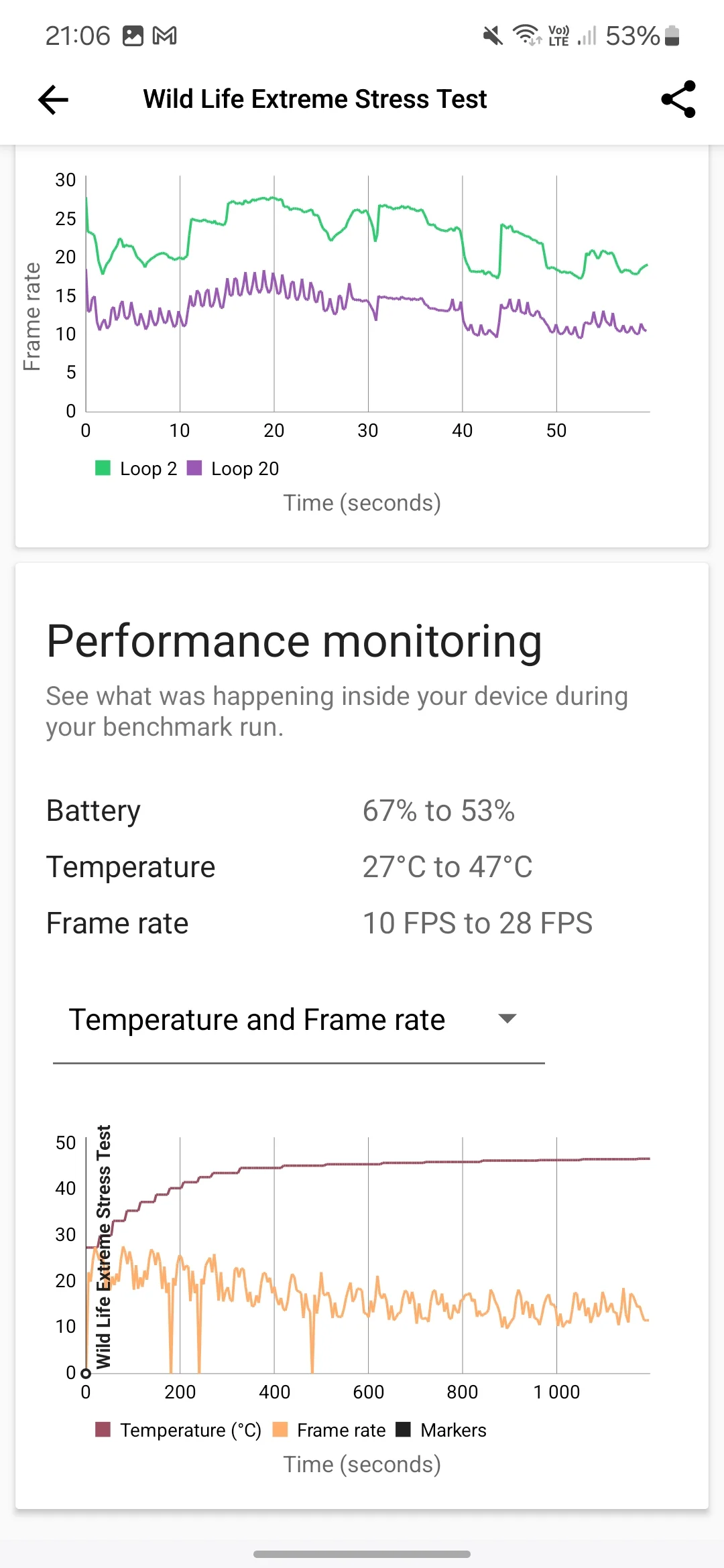
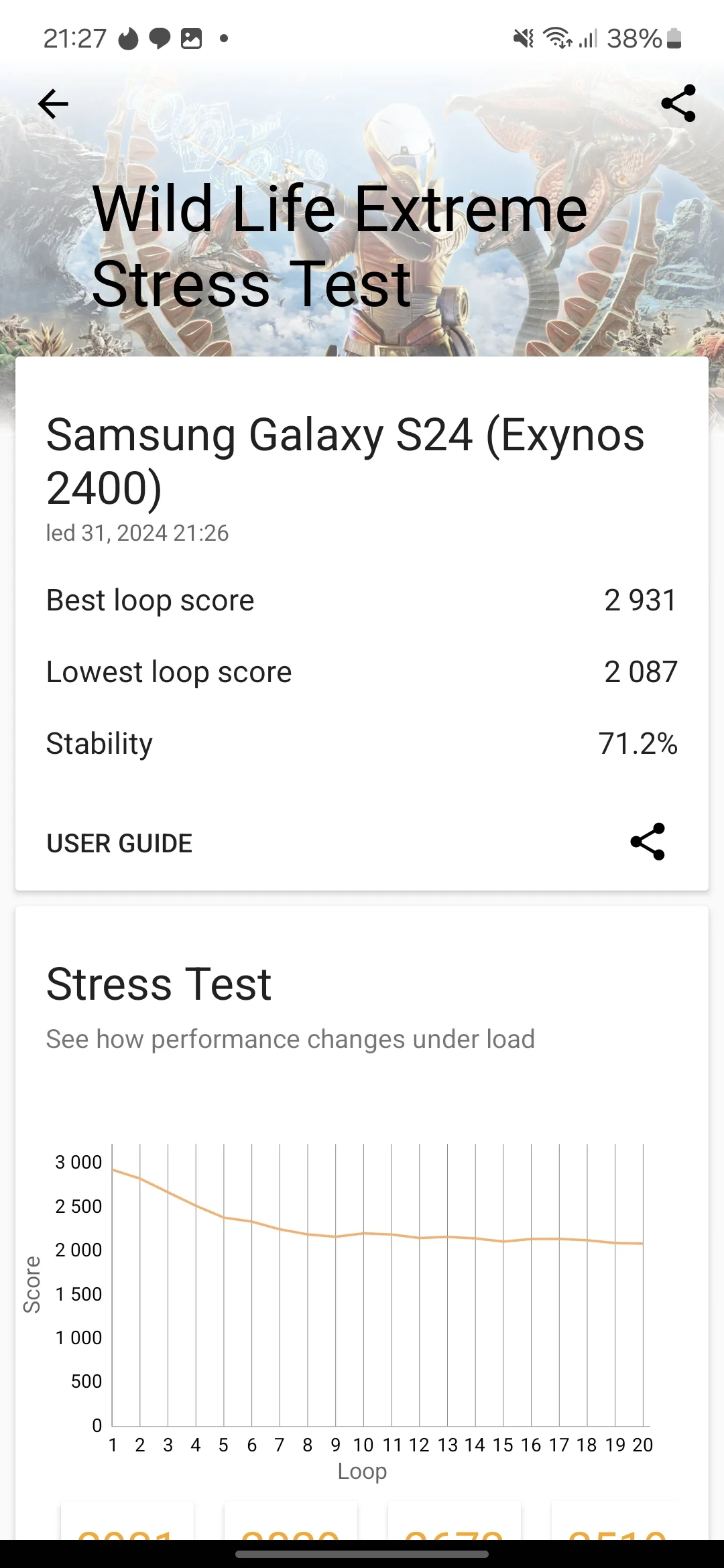
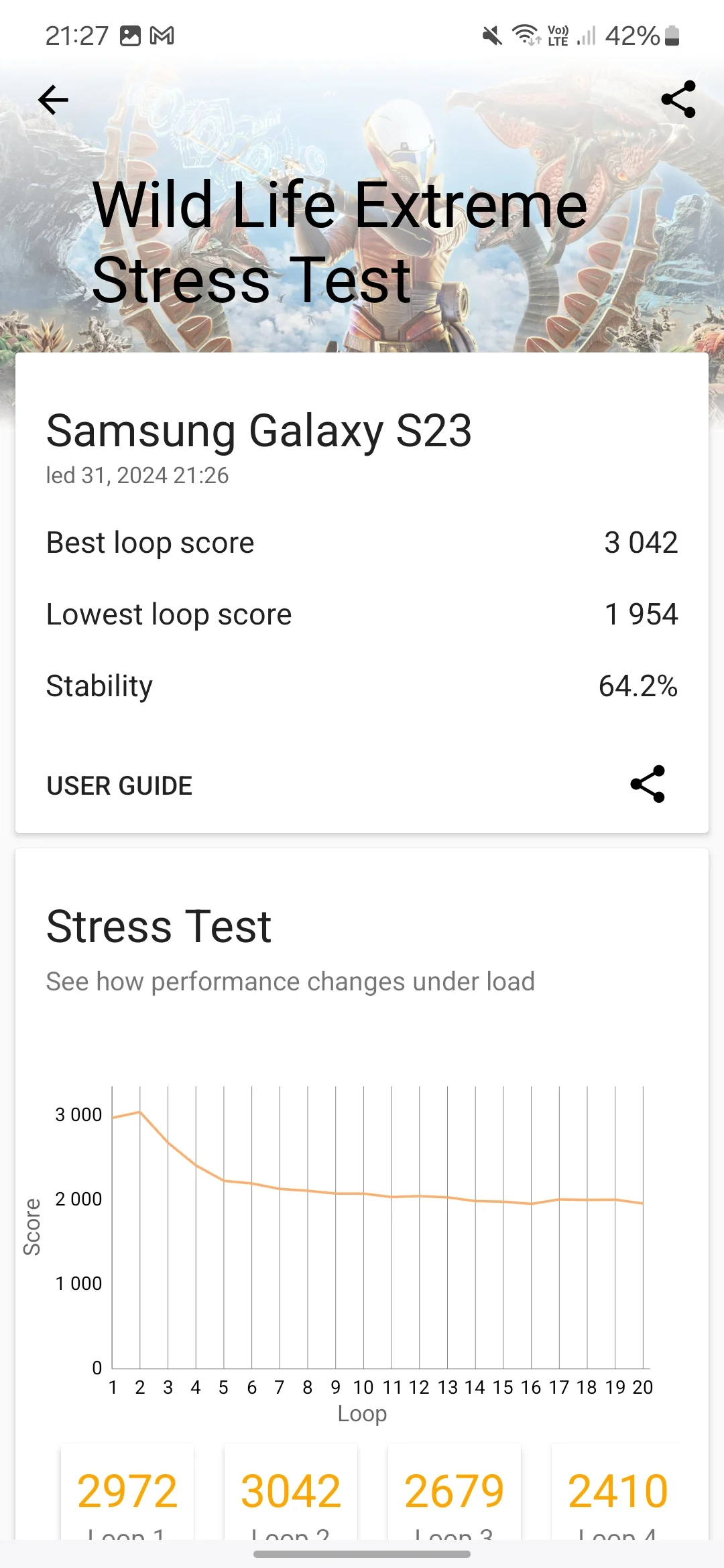
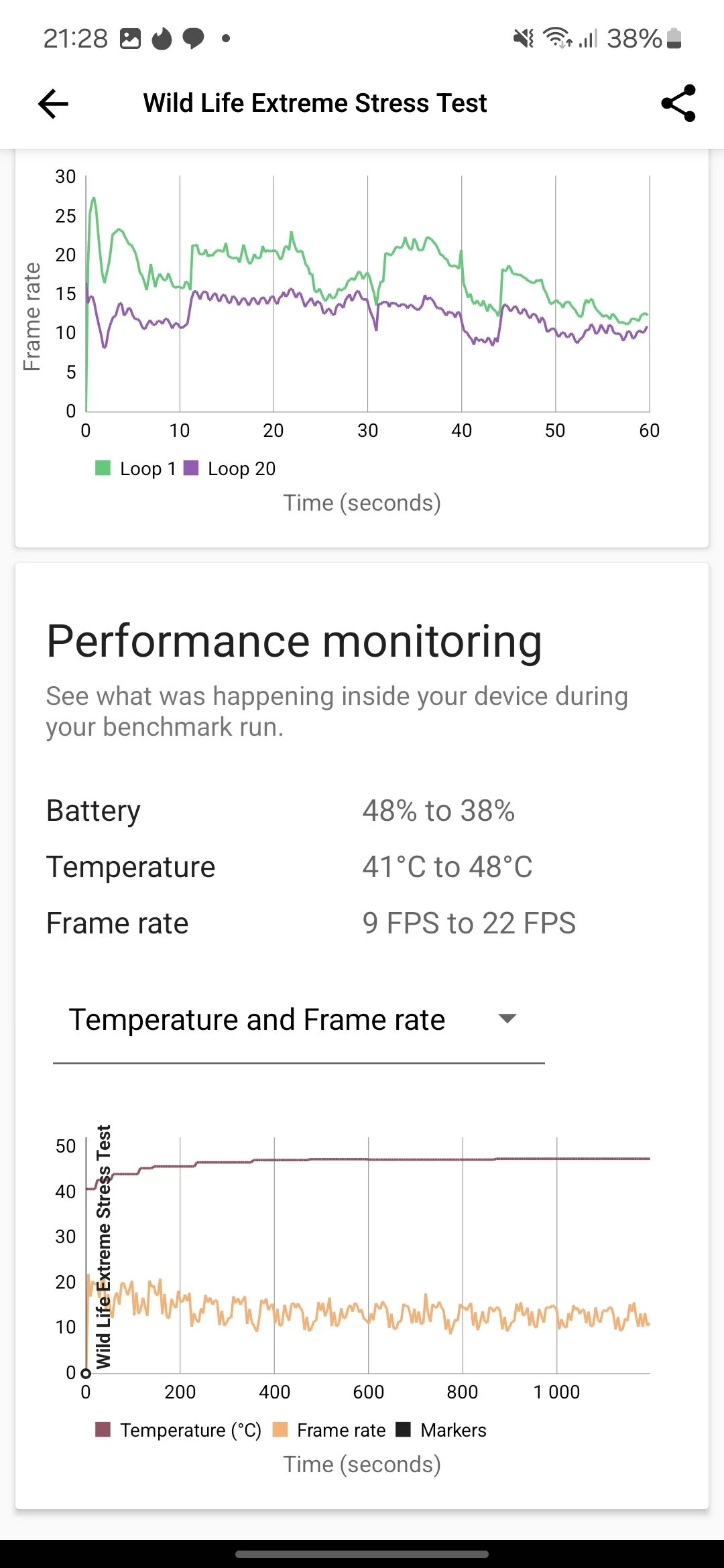
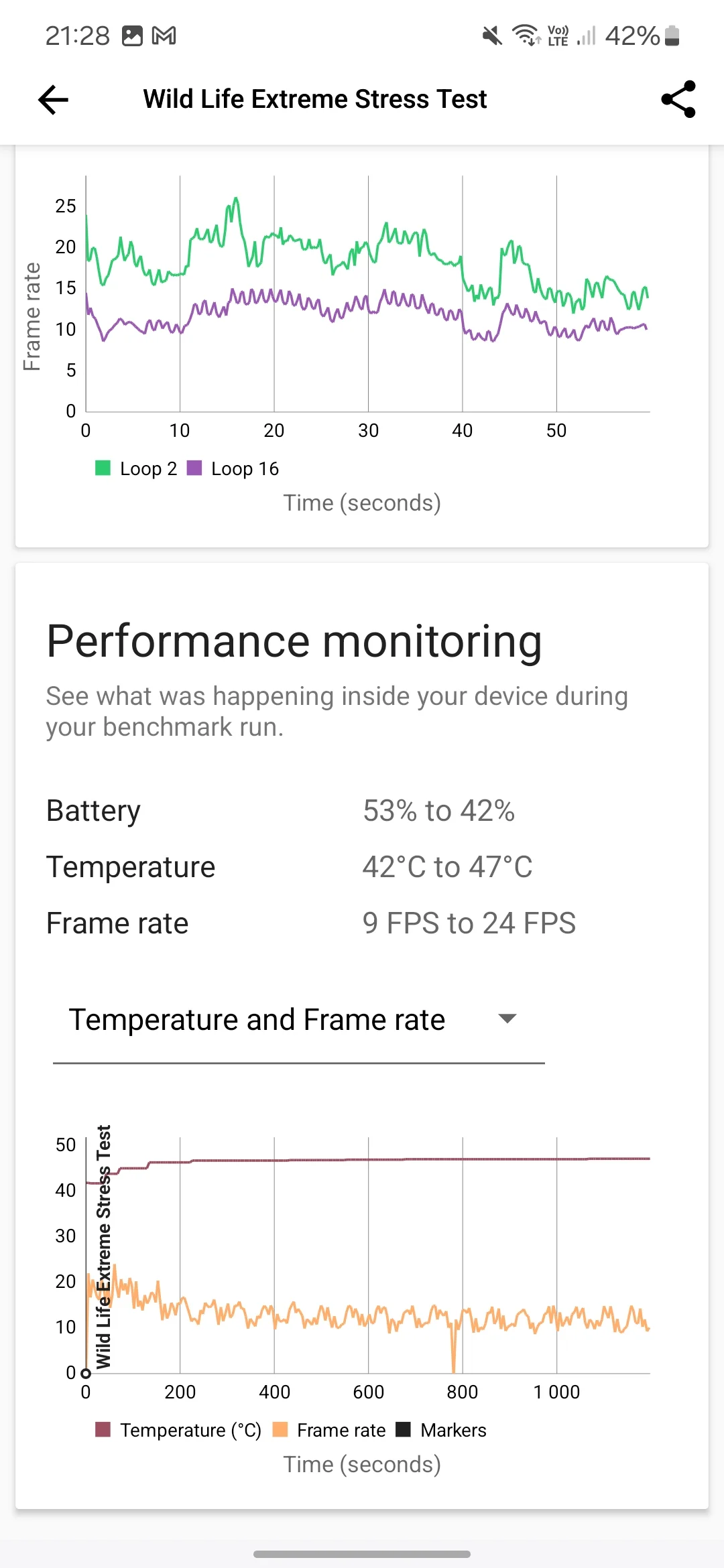
The good news is that the phone doesn’t run especially hot with the Exynos 2400. In the 3DMark Stress Test, where the phone renders demanding 3D graphics for roughly 20 minutes, it actually warmed up to exactly the same temperature as its predecessor: 47 degrees Celsius. On a second run immediately afterward, the temperature didn’t climb any higher.
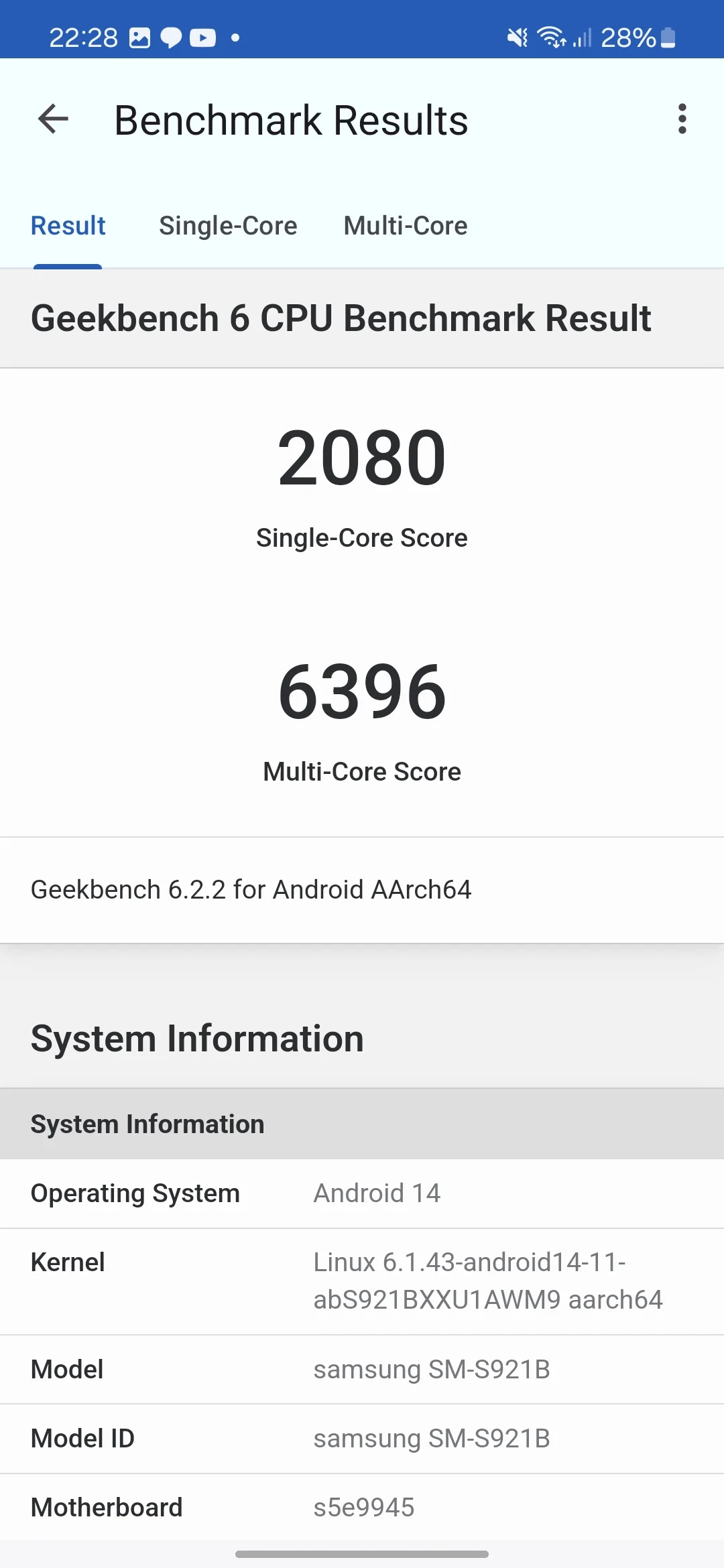
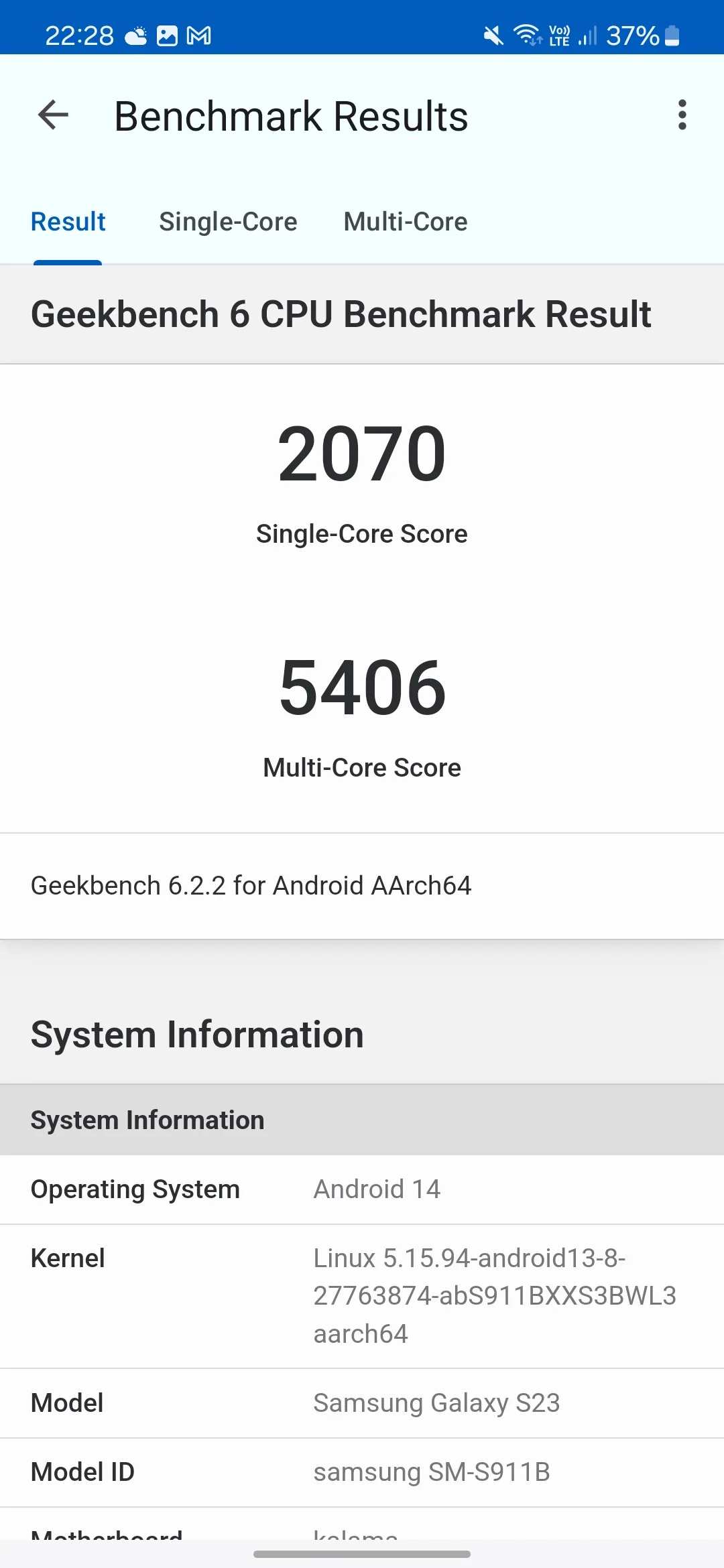
Benchmark scores are also very close, so the Exynos 2400 doesn’t deliver a major performance jump over the Snapdragon 8 Gen 2. Geekbench 6 tells the same story, with single-core performance coming in almost identical.
Galaxy S24 specs
- display: 6.2 inches, Full HD+, Dynamic AMOLED 2X, 1-120Hz
- processor: Exynos 2400
- RAM: 8GB
- storage: 256/512GB
- Android 14 + One UI 6.1
- cameras:
- rear: 50MP
- 12MP, 120°
- 10MP, 3x zoom
- front: 12MP
- rear: 50MP
- in-display fingerprint reader
- stereo speakers
- IP68
- 5G, Wi-Fi 7, Bluetooth 5.3
- dimensions: 149 x 70.6 x 7.6 mm; 167 grams
- battery: 4,000mAh + 25W USB-C, wireless charging
Battery life
I used the phone the entire time with the always-on display enabled, including wallpaper, and under heavy use the Galaxy S24 is a one-day smartphone. Still, it never died on me before the end of the day, which is worth praising. Most of the time, I still had about a third of the battery left. Less demanding users who turn off the always-on feature could probably stretch it to two days. The battery itself is also 100 mAh larger than its predecessor, coming in at exactly 4,000 mAh.
In charging, nothing has changed. You still get 25W wired charging, 15W wireless charging, and 4.5W reverse wireless charging. Samsung clearly isn’t in a rush here, and it continues to ignore the speed race some other Asian phone makers are playing.
Camera
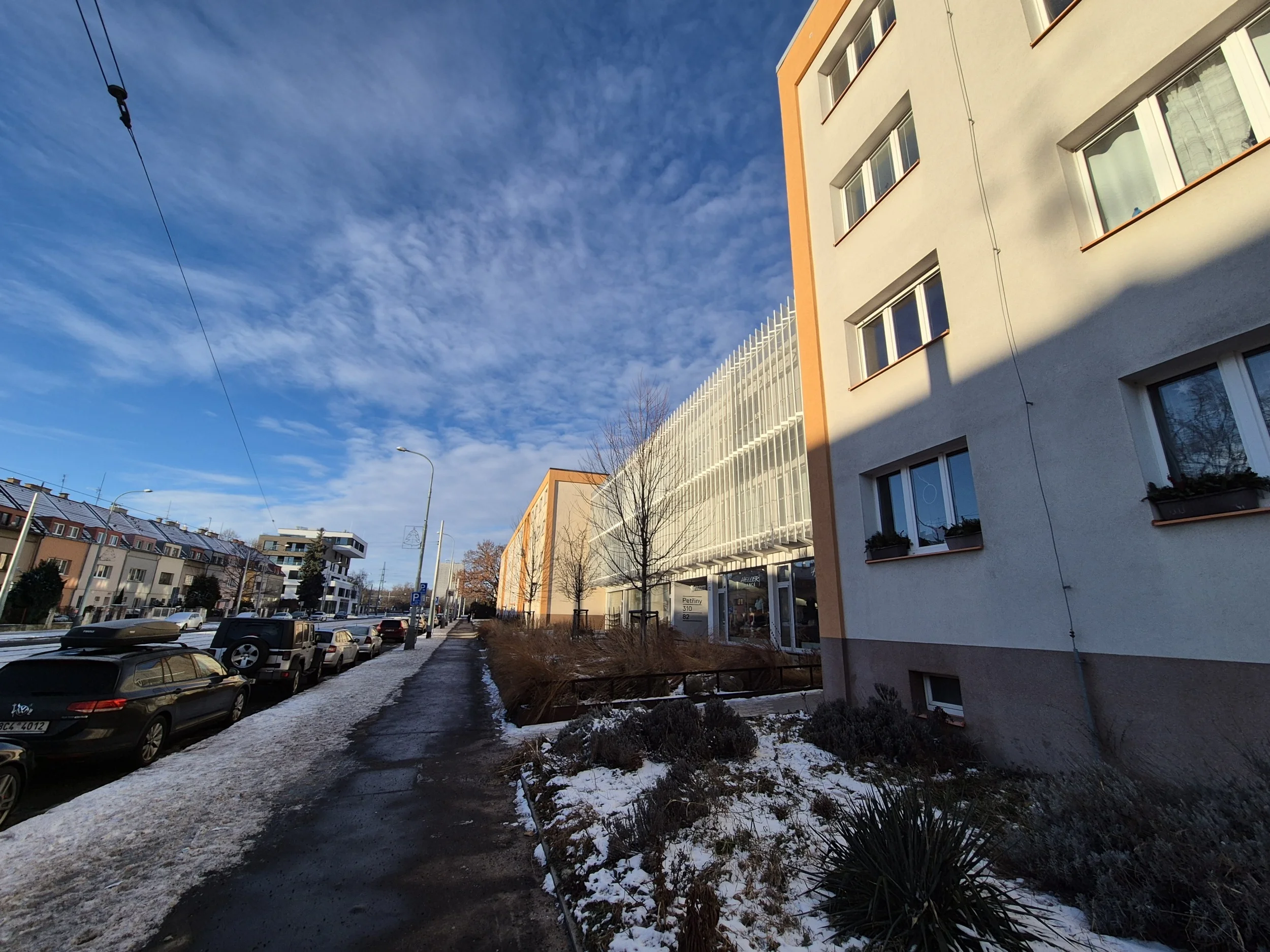
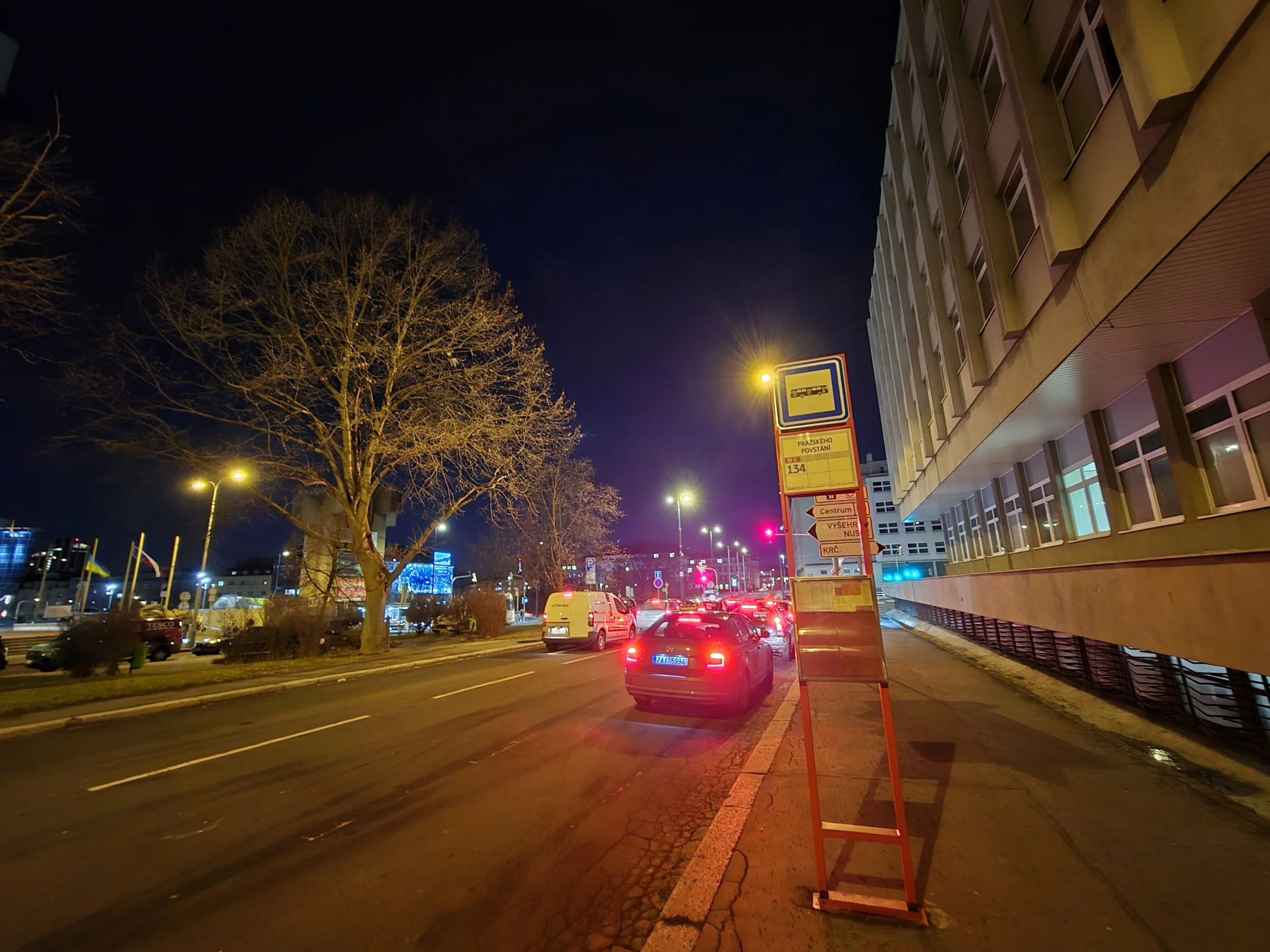
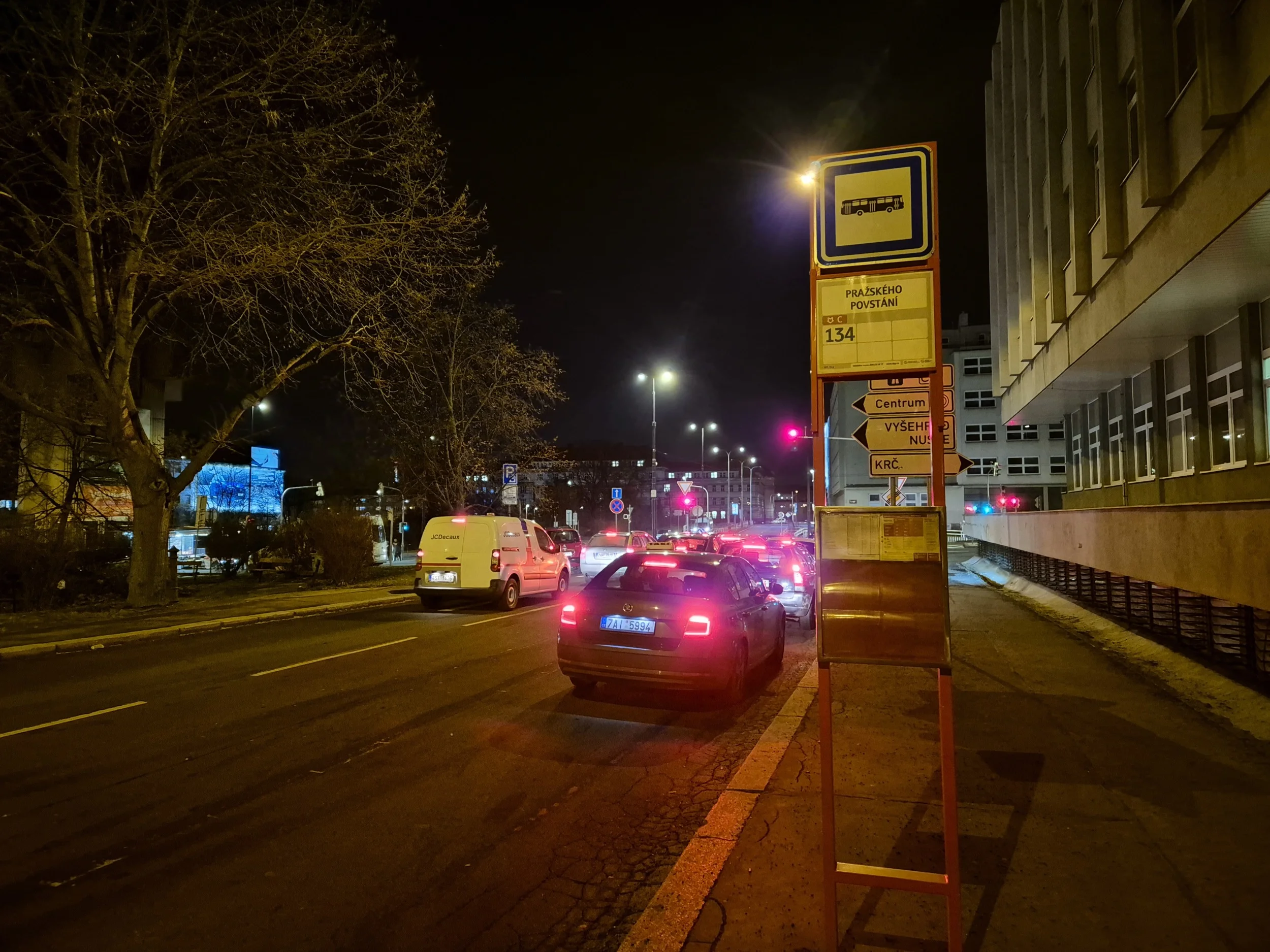
Giving the camera a full verdict right now is a bit tricky. Throughout testing, the phone was not running final software, and as our photo comparison against its predecessor showed, the results are occasionally inconsistent. The Galaxy S24 will sometimes fail to trigger HDR, for example. That happened pretty often when taking two shots back to back. On the second image, the phone would simply skip HDR. Hopefully that gets fixed.






Overall, the photos are a little softer and less aggressively sharpened, which I actually prefer. But if you’re not pixel-peeping, it’s fair to say it shoots about the same as the Galaxy S23. That makes sense, since the camera hardware is exactly the same and the software hasn’t changed much yet. If possible, we’ll try to get the Galaxy S24 back later with final software and compare it with the S23 again.













Verdict
Galaxy S24 is a very modest hardware upgrade. This year, Samsung put most of its energy into software and AI integration. The system is packed with it, and sometimes the best parts are the little things, like instant slow-motion video or generative wallpapers, both of which I genuinely enjoyed. I also quickly grew to like Circle to Search with Google, which works fast and smoothly in day-to-day use.
A lot of the Galaxy AI features come with an asterisk, though: they’re tied to Samsung’s built-in apps, and plenty of people replace those. Samsung Internet, for example, often gets swapped out for Google Chrome, myself included, and I also prefer Google’s keyboard. The live interpreter during phone calls is impressive and works well, but some regional language support is still missing. That should arrive sometime this summer. I also liked the editing tools in the gallery, though they do have limits. Overall, the AI features still feel more like extras, and early ones at that.
Back to the phone itself, because Galaxy AI is also coming to the previous Galaxy S23 models and last year’s foldables. So, is the Galaxy S24 worth buying? Yes and no. It’s clearly an excellent phone with a slightly brighter display, a slightly refined design, a slightly bigger battery, slightly better software support, and the exact same camera hardware.
That makes this a very restrained update, and I’m genuinely disappointed Samsung didn’t do more with the camera. I don’t think it’s a stretch to say the camera is one of the main reasons people buy a new phone today. Personally, I’d have no problem picking the proven Galaxy S23 with Snapdragon instead and saving some money.
Pros
- AI features show real potential
- High-quality, attractive build
- Exynos is better than expected
- Strong HDR in both photo capture and image display
- Higher-quality LTPO display with very high brightness
Cons
- Minimal camera improvements
- Exynos is back for Europe
- Too little hardware innovation overall