
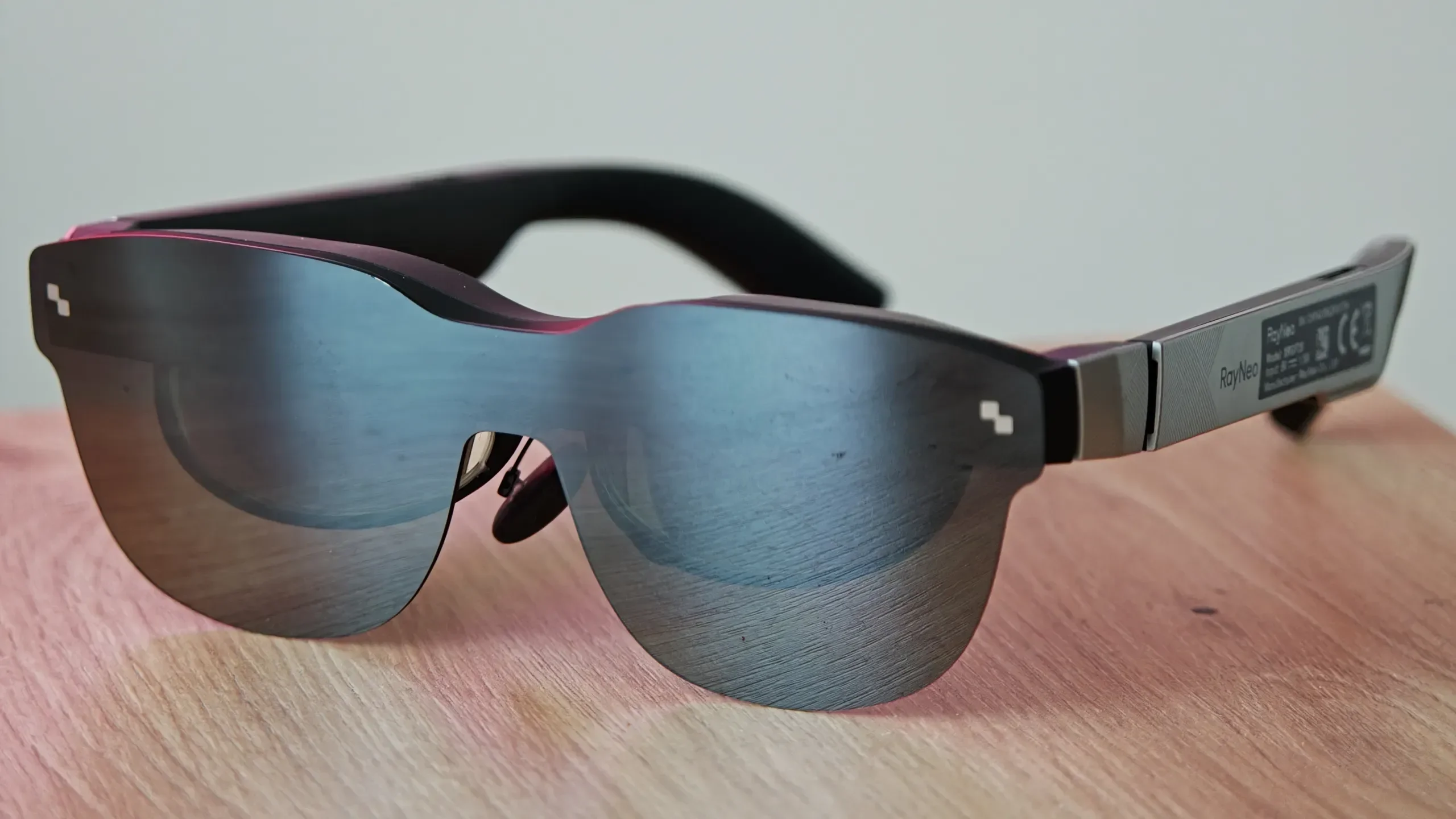
When people hear “smart glasses,” they usually picture a bulky headset strapped to your face. Something immersive, complicated, heavy, and awkward to carry around. Then there are lighter glasses with tiny displays for simple notifications, more assistant than headset. And of course, there are the camera-first glasses many people use mostly for recording video. But there’s another category entirely, and that’s where the TCL RayNeo Air 3S (in Czech) fit in.
These aren’t really AR glasses in the usual sense. They’re better understood as a wearable external display.
Bigger, but not by much
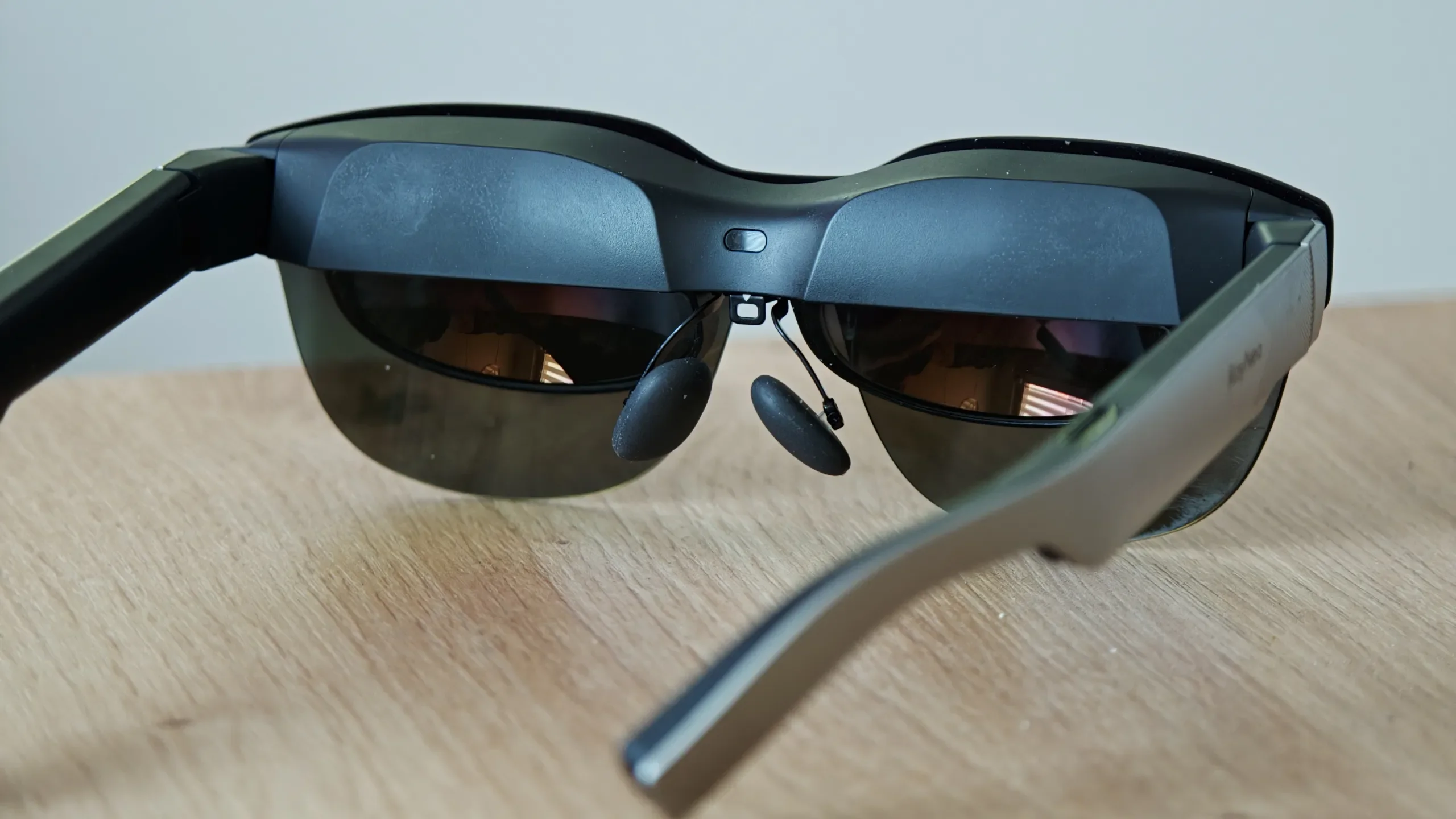
First, an important detail: the TCL RayNeo Air 3S have no processor and no battery. That’s a big reason they stay relatively light at just 76 grams. The weight is distributed well, too, so they don’t feel front-heavy or like they’re pulling backward. They wear a bit like a slightly heavier pair of regular glasses, but I had no problem keeping them on for hours without pain around the ears, nose, or neck.
Because there’s no onboard processor, they also avoid getting excessively warm. And with no battery inside, there’s nothing to charge. You just throw them in your bag and plug them into any device with USB-C and DisplayPort output when you need them.
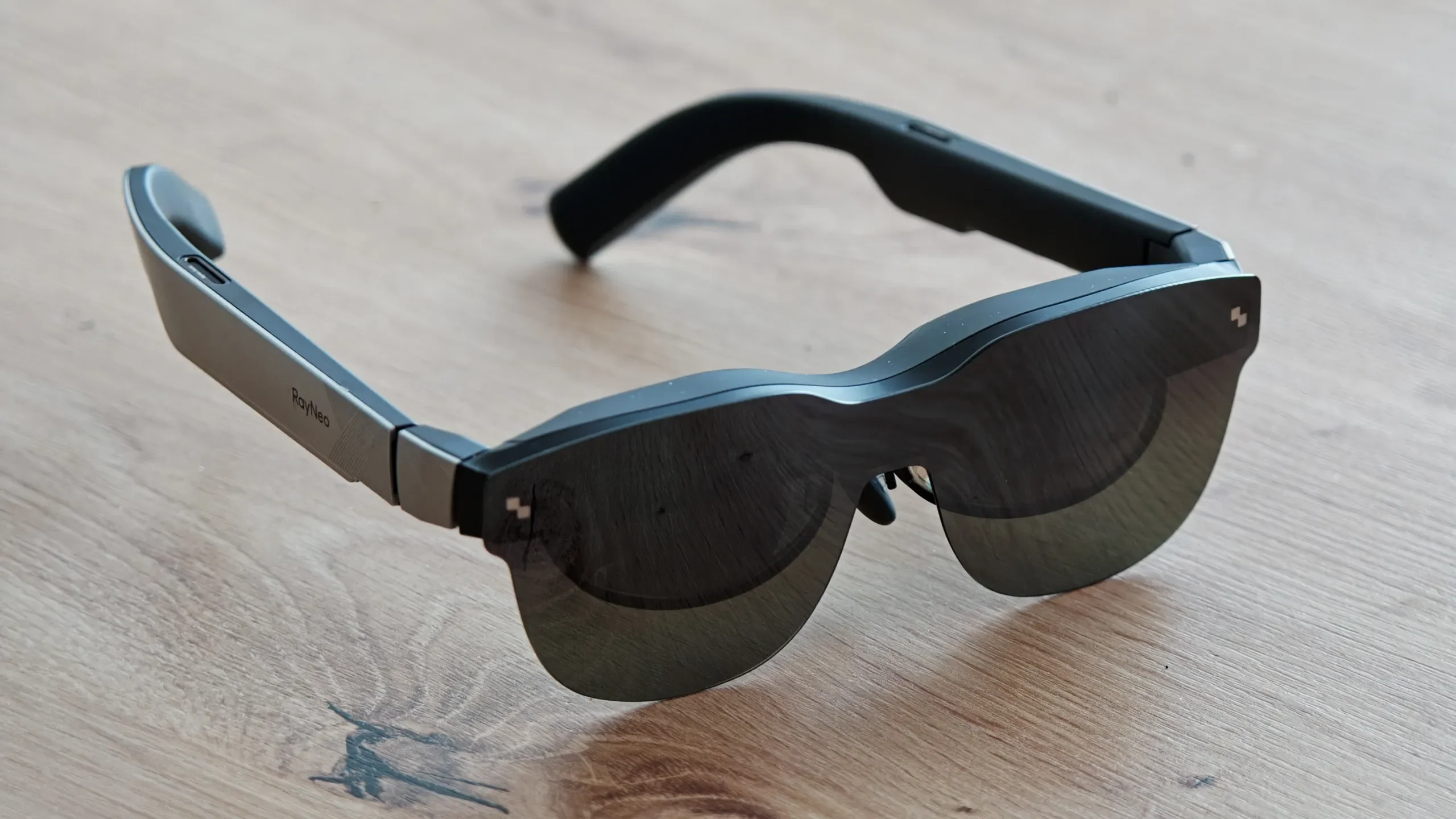
They do warm up slightly during longer sessions, though whether you notice depends on whether your forehead touches the thick upper section. In my case, it didn’t, so I barely noticed any heat while wearing them. I only really felt it when I took them off and held them in my hands.
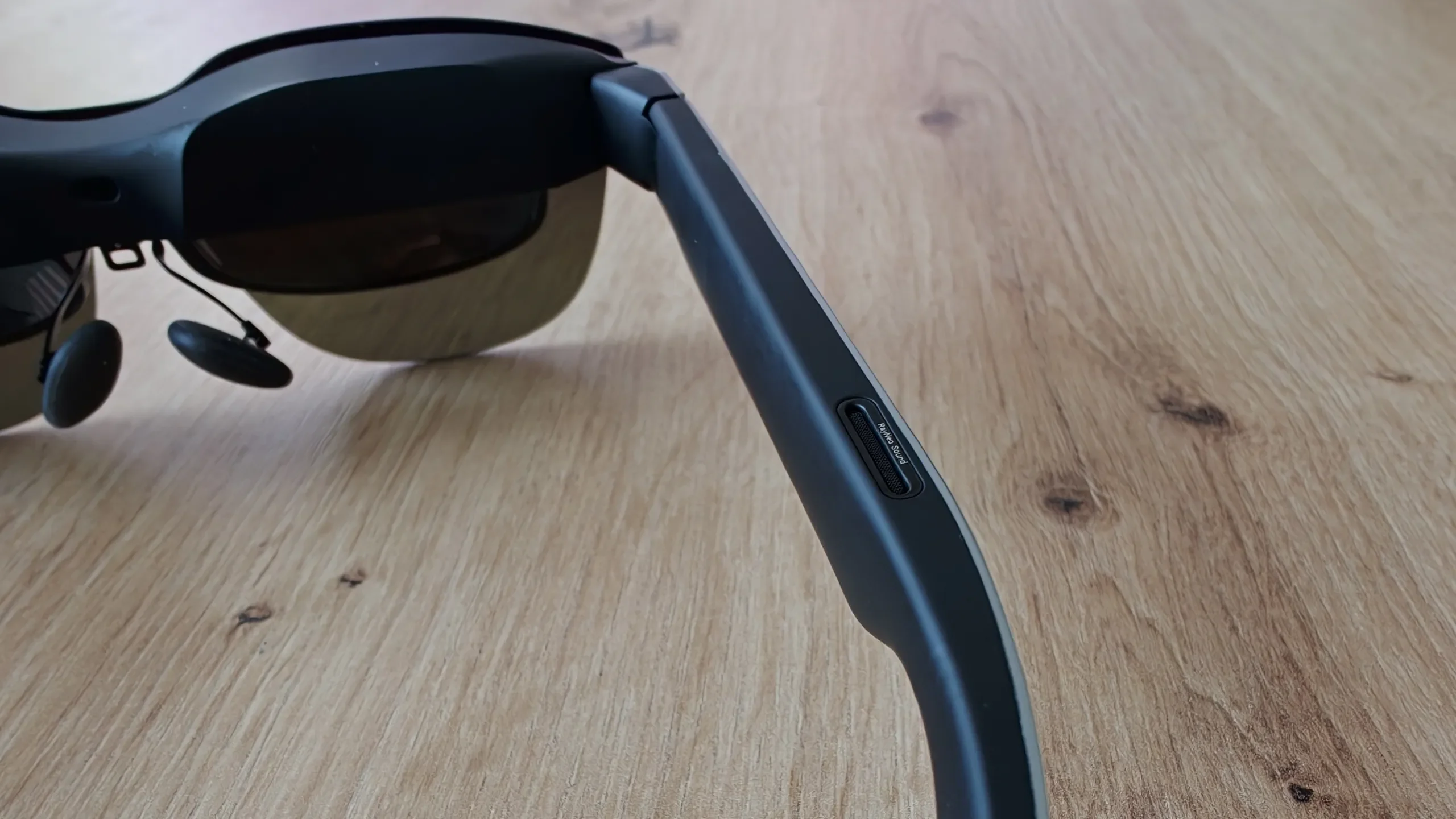
The build quality is solid. I wouldn’t call them rugged, and I wouldn’t want to test them against a hard fall, but they don’t feel cheap or flimsy. The frame has enough flexibility to adapt well to your head, and TCL includes interchangeable nose pieces.
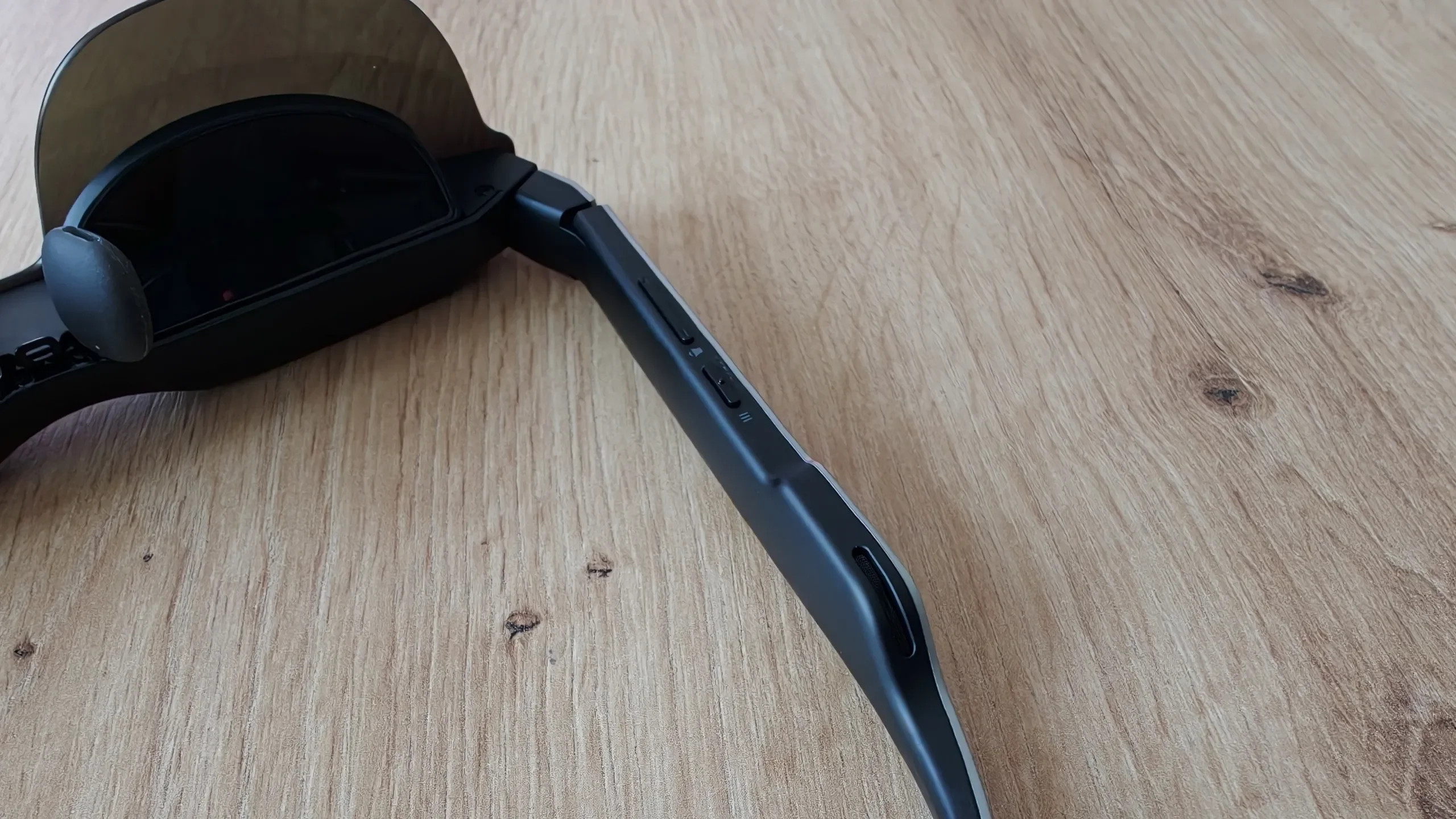
There are buttons underneath each arm:
- The left side controls volume.
- The right side controls brightness.
- There’s also a separate button for the menu, though it’s fairly limited.
From that menu, you can switch the refresh rate between 60Hz and 120Hz. You can also change the audio mode, including a whisper mode that lowers the volume from the built-in speakers aimed at your ears, though sound still leaks out into the room. TCL also includes four color modes for tuning the image.
The front doesn’t have a traditional frame around the lenses. It’s a single tinted piece of plastic, which means people can’t easily see your eyes, and it also helps darken your view a bit. Think of it like sunglasses. That said, these aren’t glasses you’ll want to wear while walking around. It’s not especially comfortable for that. Still, you can see your surroundings if the glasses are off or the brightness is turned down, so you’re not completely cut off from the world around you.
Connectivity is handled entirely through USB-C. There’s no wireless option here, which is mostly a good thing because it keeps setup simple. Plug a USB-C cable into the right arm, connect the other end to any device that supports DisplayPort over USB-C, and you’re done. Phones, tablets, laptops, and other compatible hardware all work.
It’s all about the displays
When you first put the glasses on, don’t expect a giant floating screen to instantly appear in front of you. The top section of the frame is fairly thick, and the space for the micro OLED displays is limited. It took me a little time to adjust to the viewing position and figure out where exactly to focus. You can get used to it, but it isn’t immediately natural. The first few minutes are an adjustment. You have to adapt to a different style of viewing, and the fit matters a lot. I spent some time finding the right position on my nose and behind my ears.
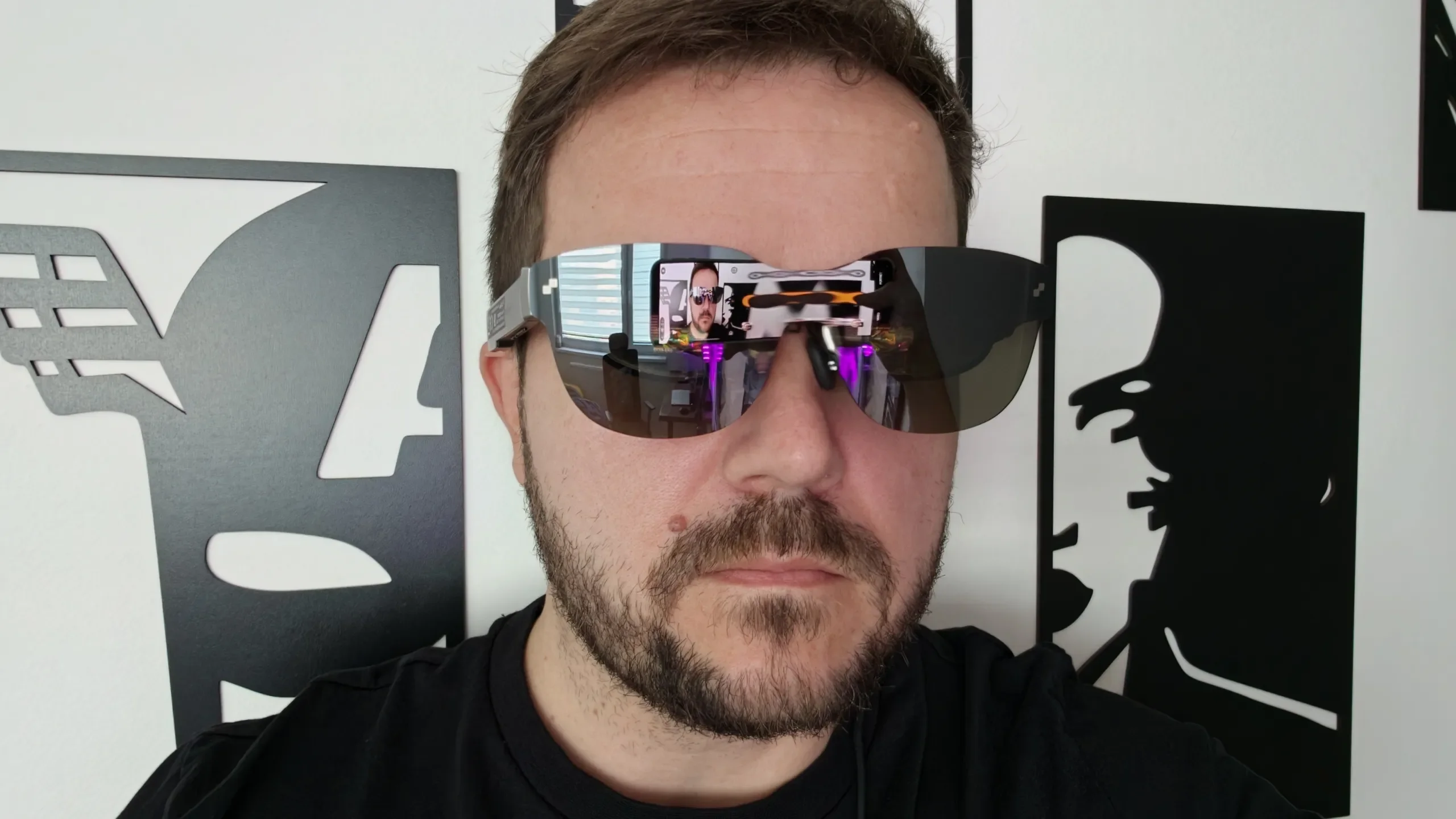
Each panel has a Full HD resolution, and the TCL RayNeo Air 3S are set to 120Hz by default. Brightness is rated at up to 650 nits. I personally used them at maximum brightness most of the time. Even though the displays are transparent, albeit tinted, the image at that setting looked clean and opaque enough that I wasn’t distracted by what was in front of me. Everything appeared sharp, bright, and appropriately detailed.
That changes outdoors in direct daylight. In those conditions, the outside world starts to bleed through the image. So if you’re imagining using these in the backyard for movie watching, especially with darker scenes, the experience won’t be great. Indoors, though, or on public transit with normal ambient lighting and no harsh light source, the picture didn’t feel transparent at all.
Big screen, normal screen
TCL says the glasses can simulate a 201-inch display, but that depends heavily on what you’re doing. When I watched movies, it did feel like I had a huge TV in front of me.
For work, though, like browsing websites or navigating content from a phone, it felt closer to using a 32-inch monitor. A lot depends on the size of interface elements. During regular productivity use, I noticed that the edges of the image weren’t perfectly sharp. If content sat all the way on the far left or right, it wasn’t especially comfortable to look at. Moving that content closer to the center helped. For video, it wasn’t much of an issue.
The sound is surprisingly good
Bone conduction might have been a better choice if TCL wanted to keep audio fully private, but it’s clear the company prioritized better spatial sound instead. And to TCL’s credit, the audio is genuinely good. It lacks bass and can sound a little flat, but it still performs well. For a more immersive experience, I usually reached for headphones anyway, but I watched plenty of videos using the built-in speakers on the TCL RayNeo Air 3S. I just wish they got a bit louder, especially in noisy environments.
TCL RayNeo Air 3S specs
- Display: HueView Micro-OLED (5th generation)
- Resolution: Full HD 1920 × 1080 pixels per eye (3840 × 1080 pixels total in 3D)
- Refresh rate: 60/120Hz (switchable, with 120Hz for gaming mode)
- Peak brightness: 650 nits (continuous stepless dimming or 20-level dimming)
- Contrast ratio: 200,000:1, panel response time under 1ms
- Color: 98% DCI-P3, 145% sRGB, factory calibrated to ΔE < 2
- Display certification: IMAX Enhanced
- Optics and virtual image:
- Image size: equivalent to a 201-inch screen (at a virtual distance of 6 meters)
- Field of view (FOV): 46°
- EyeBox: 14 × 7 mm (optical zone for a sharp image without blurry edges)
- Eye care:
- Brightness control: OptiCare 3840Hz DC+PWM hybrid dimming (to reduce flicker)
- Health certifications: TÜV Rheinland and TÜV SÜD (hardware-level low blue light and flicker reduction)
- Audio and privacy:
- Speakers: 4 integrated drivers built into the arms
- Acoustics: Dual Opposing Acoustic Chamber (for a wider effect and fuller sound)
- Privacy: Whisper Mode 2.0 (phase-canceling audio to reduce sound leakage)
- Ergonomics and design:
- Weight: 76 grams (without cable)
- Weight distribution: balanced 46.7% front / 53.3% rear split (to reduce pressure on the bridge of the nose)
- Adjustability: 9-point FlexiFit system (adjustable arm angle and 3 nose pad positions)
- Connectivity, controls, and power:
- Interface: USB-C with DisplayPort Alternate Mode (DP Alt Mode) support
- Power: no built-in battery, draws power directly from the connected host device (phone, laptop, or game console)
- Controls: switch between 2D and 3D mode by pressing the volume buttons (left arm) and brightness buttons (right arm) at the same time
No real app ecosystem
TCL RayNeo Air 3S both do and don’t have an official app. There’s nothing in the Play Store, but TCL does offer one directly on its website, so you have to sideload it manually. The problem is that it barely does anything. The company’s site suggests a broader software environment, but after installing it, I could only watch demo videos and browse photos and videos from my own gallery. That feels like wasted potential, and it’s a real letdown.
That’s also why I have to be clear: the TCL RayNeo Air 3S are not really AR glasses. They’re much closer to a portable replacement for a monitor or TV. I used them primarily with my Pixel 11 Pro, where there are two modes. The first is simple mirroring, so whatever appears on the phone also appears in the glasses. The downside is obvious: you can’t turn off the phone’s display. If the phone screen goes off, the glasses shut off too.
The second option is screen extension, essentially an external display mode. In that setup, you need to move an app over to the external display area shown through the TCL RayNeo Air 3S. A lot depends on the phone and what it supports. Unfortunately, the Pixel 11 Pro doesn’t offer much flexibility here, so if you stop actively using it, the glasses eventually power down.
That’s a fair number of limitations, and the unfinished companion app lands firmly in the negatives column. Still, I found one setup where these glasses really clicked. I connected a wireless keyboard and mouse to my phone, which made it comfortable to control content and browse the web. Android was running in desktop mode, and at the same time the phone’s own display turned off, so I could keep working directly in the glasses.

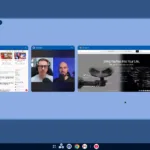
For mirrored content, you can also use third-party apps to turn off the phone display, or simply drop the screen brightness to the minimum to save at least a bit of battery.
TCL RayNeo Air 3S review: A portable private screen
I wouldn’t really call the TCL RayNeo Air 3S AR glasses, or even especially smart glasses. At their core, they’re an ultra-portable monitor for just about any device with USB-C and DisplayPort support. Pricing lands at around 11,000 CZK (approx. $505 / €452), which is a lot, but this is still a sophisticated piece of hardware with impressively good image quality for its size. The bigger question is who these glasses are actually for.
From my perspective, I can easily picture taking the TCL RayNeo Air 3S on every train or plane trip, and probably on long bus rides too. Add a fast wireless power bank and travel gets a lot less boring. The second obvious use case is working while traveling, somewhere outside the office or home. Pair them with a wireless keyboard and mouse, plus the right phone, and you get a genuinely compelling setup for quick mobile work.
I can also see them working as a personal home theater if you don’t own a TV or projector. The TCL RayNeo Air 3S are straightforward to use and deliver a very nice image. Still, these are the kind of glasses you really need to try first, just to make sure they actually fit your face and your use case.
Pros
- Low weight (76 grams) and good balance for comfortable wear
- No battery or processor, which means no charging and less heat
- Very high-quality image
- Simple USB-C connection with true plug-and-play setup
Cons
- Half-baked companion app with limited software functionality
- Image edges aren’t completely sharp for productivity work
- High price for a device that’s limited to external-display duty
Community Discussion 0 COMMENTS