
Over the past two years, we reviewed vivo’s last two flagship phones, the X80 Pro (in Czech) and X90 Pro (in Czech). Now it’s time for the latest one, the vivo X100 Pro. It’s genuinely hard to find major faults here. The weak spots are minor, and most of them feel like the kind of issues software updates could smooth out over time.
From a hardware standpoint, though, the vivo X100 Pro impresses almost everywhere. It packs LPDDR5T RAM, UFS 4.0 storage, Wi-Fi 7, a dedicated V3 imaging chip, five excellent portrait modes, ultra-stable video, realistic scene-aware post-processing, strong stereo speakers, Bluetooth 5.4, support for six positioning systems, and three 50MP cameras. In raw specs alone, this is about as loaded as a phone gets right now.
Standout features: cameras and display
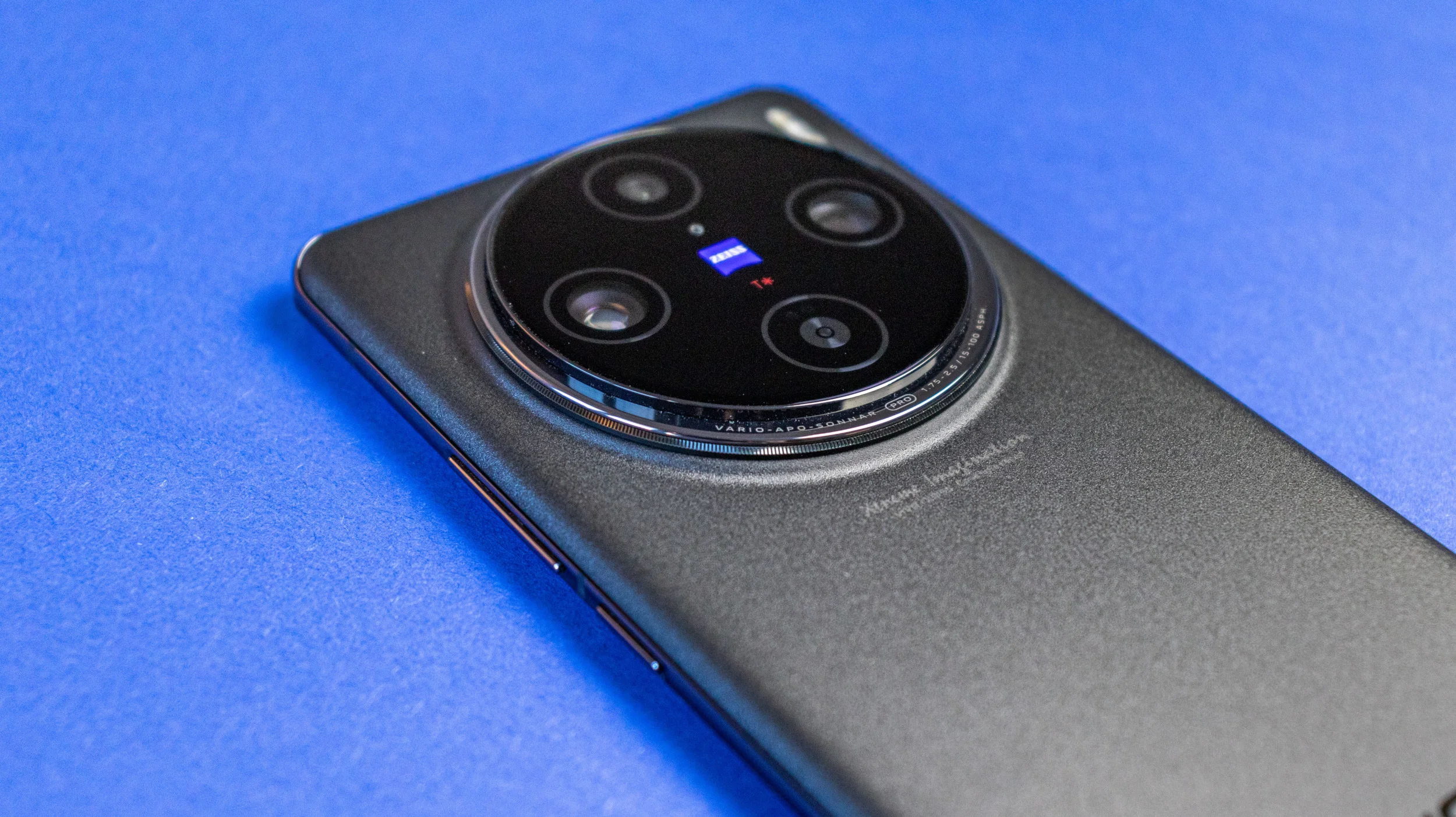
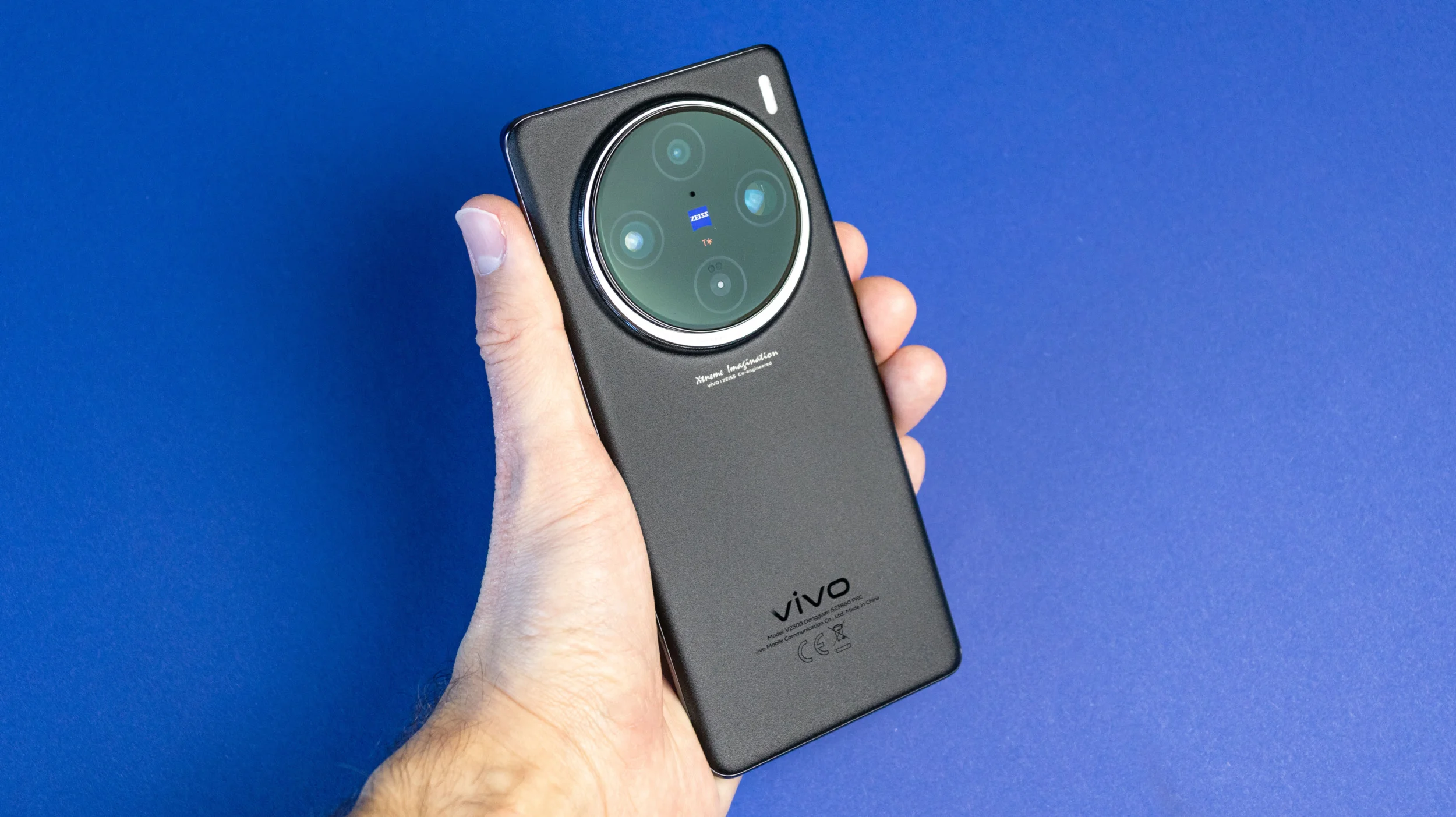
The camera module is the phone’s defining visual feature, and it takes up a huge chunk of the back. Right out of the box, it’s a little intimidating. The first time you pick it up, it’s not exactly comforting either. The uneven weight distribution is obvious, especially since both the phone’s finish and the included case are slippery. Give it a few days and you adjust, but this is a device that demands more care, and ideally a better case, because the goal is simple: don’t let it slip.
You also need to hold it firmly. The camera housing is big and heavy enough that it can tip the phone out of your palm if you’re careless. The center of gravity just doesn’t sit where your hand expects it to.
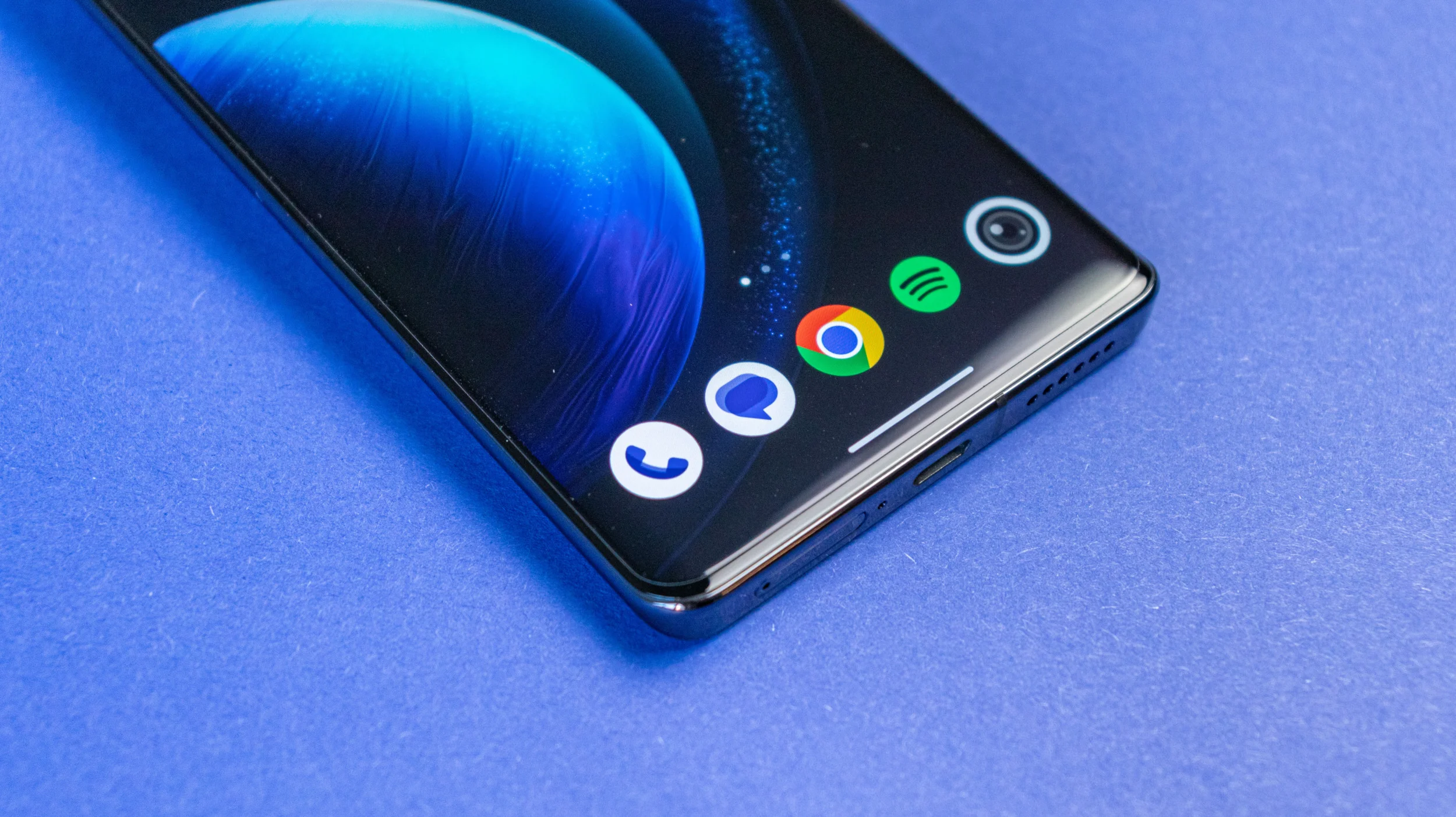
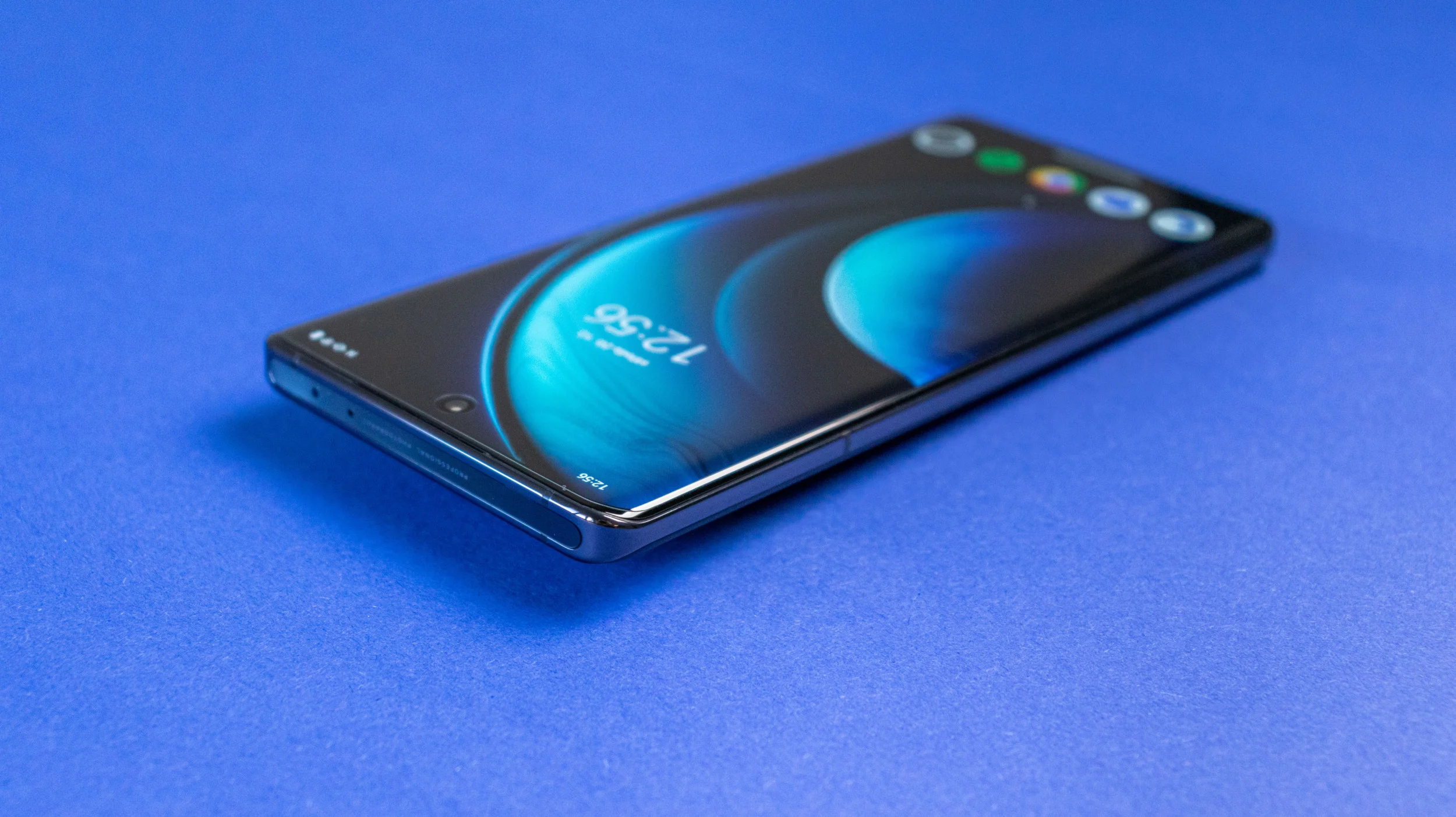
The 6.78-inch display is another highlight. The bezels are minimal, the side curves are subtle, and the panel delivers gorgeous color, high brightness, and excellent contrast. It makes a strong first impression, even with its “only” FHD+ resolution, and LTPO is finally here too. Peak brightness tops out at 3,000 nits, which looks fantastic outdoors in direct sunlight.
There’s a screen protector applied at the factory, though scratches start showing up on it after just a few days. Still, I wouldn’t want to carry this phone without both that film and a case for two simple reasons: I don’t like scratching up a device this attractive, and I definitely don’t want to scratch up one this expensive.
Price and competition
Calling it expensive is fair. The phone should sell for more than 25,000 CZK (approx. $1,155 / €1,029). And honestly, that price is almost defensible. For that money, the vivo X100 Pro delivers what I’d call the second-best mobile photography results on the market, behind the Oppo Find X7 Ultra. It also offers solid battery life with around seven hours of screen-on time, and it’s one of the fastest phones you can buy.
The bigger issue is support. This is the kind of phone people buy for roughly three years, which also happens to be the length of vivo’s software support. At this price, that’s hard to excuse. Even with that major drawback, the X100 Pro still brings a lot to the table.
Other possible rivals include the OnePlus Open, last year’s iQOO 12, and the Xiaomi 14 Pro. The upcoming Samsung Galaxy S24 Ultra and OnePlus 12 are worth watching too. So far, Samsung doesn’t look poised to dominate mobile photography. The iPhone 15 Pro Max is also a fair comparison point. I’m leaving Huawei devices out of this comparison because of the company’s sanctions-related limitations and broader reputation issues.
vivo X100 Pro specs
- Display: 6.78 inches, 2800 × 1260 pixels (1.5K), LTPO, AMOLED, HDR10+, 120Hz, up to 3,000 nits
- Processor: Dimensity 9300 (4nm) and vivo V3 (6nm)
- RAM: 16GB LPDDR5T and storage: 512GB
- Android 14 + Funtouch OS 14
- Dual SIM (nano + nano/eSIM on the second slot)
- Cameras:
- Rear: 50MP, f/1.75, OIS (1-inch Sony IMX989)
- 50MP, 150°
- 50MP, OIS, zoom + macro
- Front: 32MP
- 1-inch IMX989 sensor (same as the vivo X90 Pro)
- Rear: 50MP, f/1.75, OIS (1-inch Sony IMX989)
- In-display fingerprint reader, IR blaster
- USB Type-C audio, stereo speakers, Hi-Fi audio
- IP68
- 5G SA/NSA, Dual 4G VoLTE, Wi-Fi 7 802.11 be, Bluetooth 5.4, GPS: L1+L5, Beidou: B1C+B1I+B2a+B2b, GLONASS: G1, Galileo: E1+E5a+E5b, QZSS: L1+L5, NavIC: L5, USB Type-C, NFC
- Dimensions: 164.05 × 75.28 × 8.91 mm; 225 grams
- Battery: 5,400mAh + 120W USB-C, 50W wireless
A performance beast
The latest MediaTek Dimensity 9300 makes its presence felt. Geekbench results say plenty on their own: it beats basically every Android rival. Against the iPhone 15 Pro Max, it lands in roughly the same class. Single-core performance trails by about 800 points, but in multi-core it comes out around 150 points ahead. The tested version includes 16GB of RAM, 16GB of virtual RAM, and 512GB of storage. Higher-storage variants also use the newer LPDDR5T memory standard.
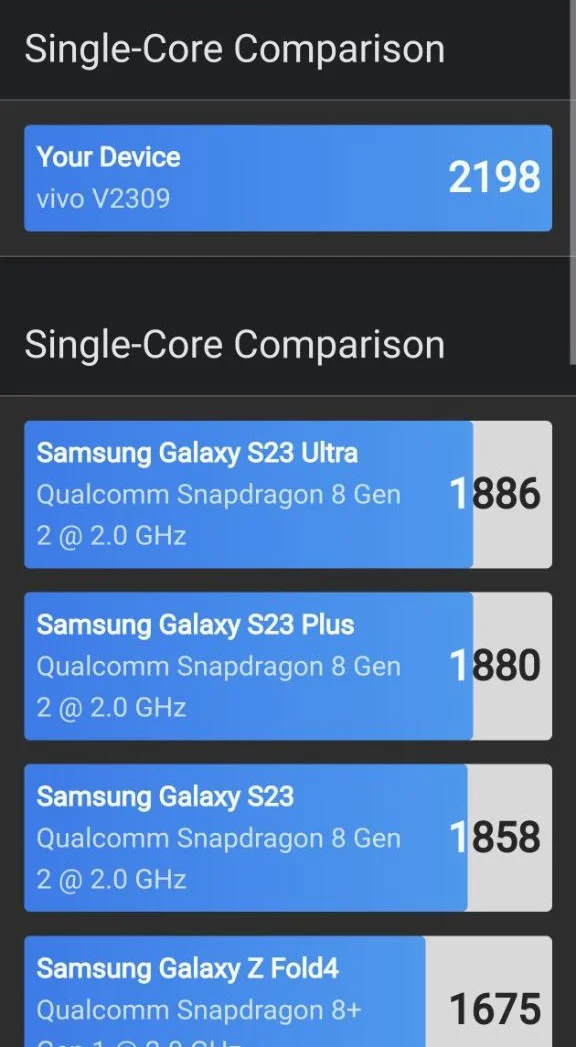
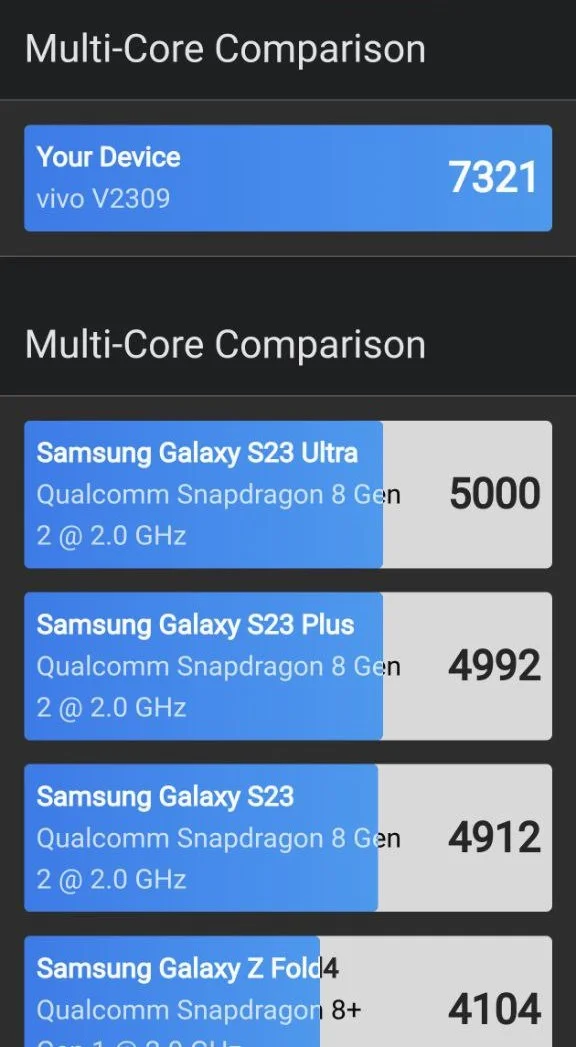
Geekbench 6 results for the vivo X100 Pro.
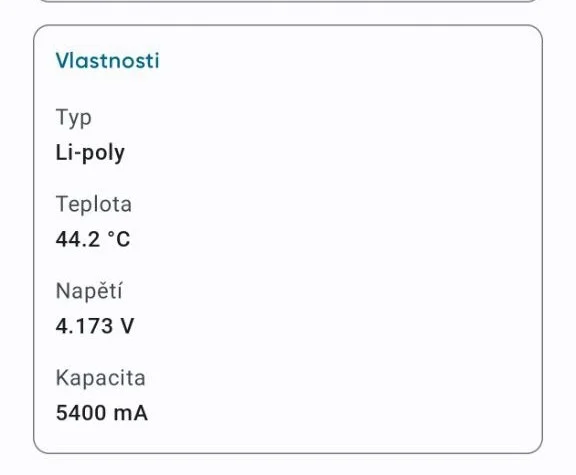
I didn’t run into overheating in day-to-day use. I only felt noticeable heat around the camera sensors during longer video recording sessions, typically after three minutes or more. In games, it took tens of minutes before the back of the phone started to feel properly warm. That said, the software version installed on my review unit initially didn’t do a great job keeping temperatures in check. During large data downloads, the vivo heated up to 44 degrees Celsius. That was oddly welcome during freezing December weather, especially in a bedroom aired out to a chilly 19 degrees Celsius before sleep. The heat also stuck around during almost any moderately demanding task. Thankfully, an update fixed the issue. On the newer version, even under heavy load, temperatures stayed within 35 degrees Celsius.
On some phones, I can clearly tell when game mode is on and when it isn’t. That’s not really the case with the vivo X100 Pro. Performance is so strong that the difference is hard to spot. It feels a bit like comparing a 120Hz display with a 144Hz one, at some point the gap just stops being obvious. The performance drop does become very clear once battery saver kicks in, though. Suddenly, it no longer feels like you’re using a phone that costs more than 25,000 CZK (approx. $1,155 / €1,029), but something closer to the 6,000 CZK range (approx. $277 / €247).
Design, buttons, and speakers
The phone’s biggest ergonomic issue is its center of gravity, which sits near the massive camera module. In the hand, it feels top-heavy, so you need to hold it firmly. On the flip side, when the phone is lying on a surface, the camera bump acts like a built-in stand and angles the display slightly toward your eyes. Since I mostly use my phone in hand and while walking, that weight distribution is a real limitation for me, especially in winter, when cold hands don’t have the same feel or grip. You can get used to the unusual balance, but the thought that the phone might slip never really goes away. During long walks, your wrist can start to feel it too. If you spend a lot of time playing something like Pokémon Go, that could be a problem.
I mostly use my phone for work, writing emails, editing documents and spreadsheets, and of course taking photos. Then there’s the usual social media scrolling. For those tasks, the unusual weight distribution isn’t a major obstacle. If anything, the phone encourages two-handed use. If you’re walking and using it one-handed, reaching toward the top of the screen can make it tip in your palm like a seesaw. I used to have issues with phones weighing just under 200 grams. The X100 Pro comes in at 225 g without a case, and that is something you can adapt to. Still, I hope phones don’t keep getting heavier from here.
Asymmetry is the sore spot
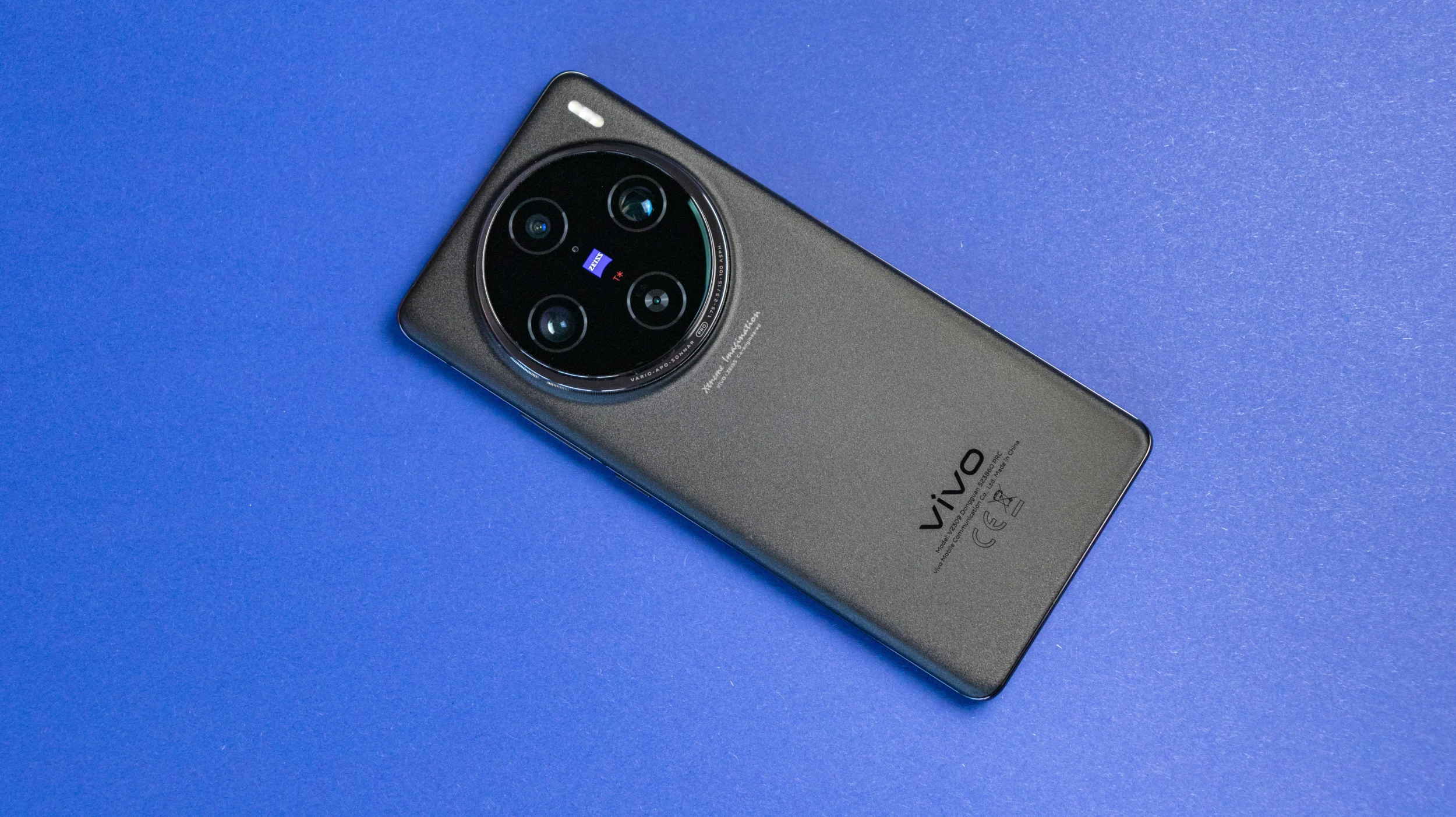
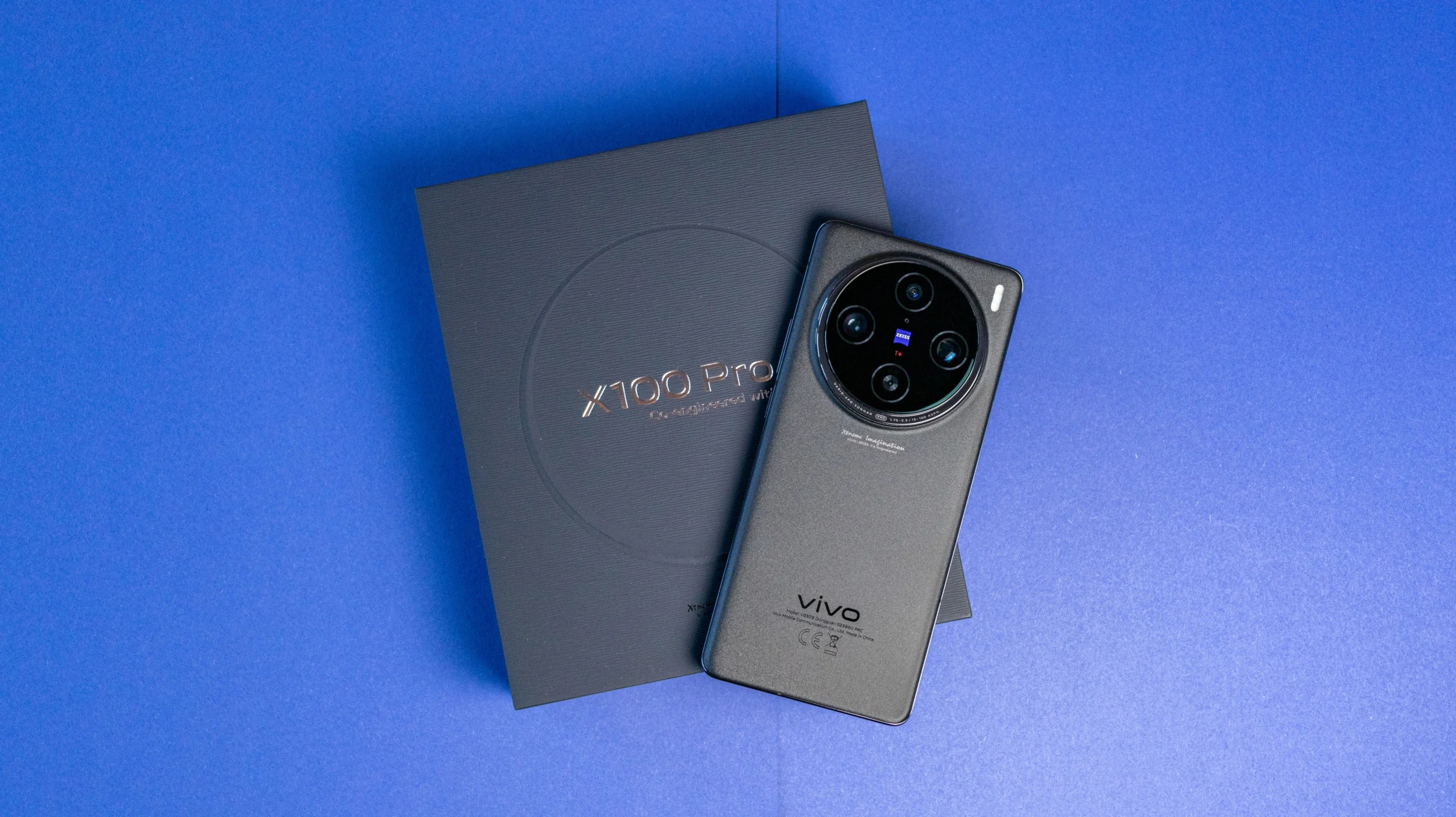
One downside of the huge camera bump is that the phone is hard to use without a case. When you place the X100 Pro on a table, it rests on the camera glass, which means scratches are a real risk. And scratched lens protection glass is bad news. Thankfully, the included protective case raises the camera area a bit more, so the phone rests on the case instead of the glass. Otherwise, the hardware design is genuinely attractive. The curved display up front looks premium, with very slim visible bezels, while the aluminum frame has tasteful antenna lines. On the review unit, the dark glass back also helps sell the flagship feel.
Vivo also couldn’t resist placing a bold blue Zeiss logo on the back, highlighting the company’s optics partnership. If I shake the phone, I can hear a faint plastic rattling from the camera area. Most likely, that’s the OIS, or optical image stabilization, hardware.
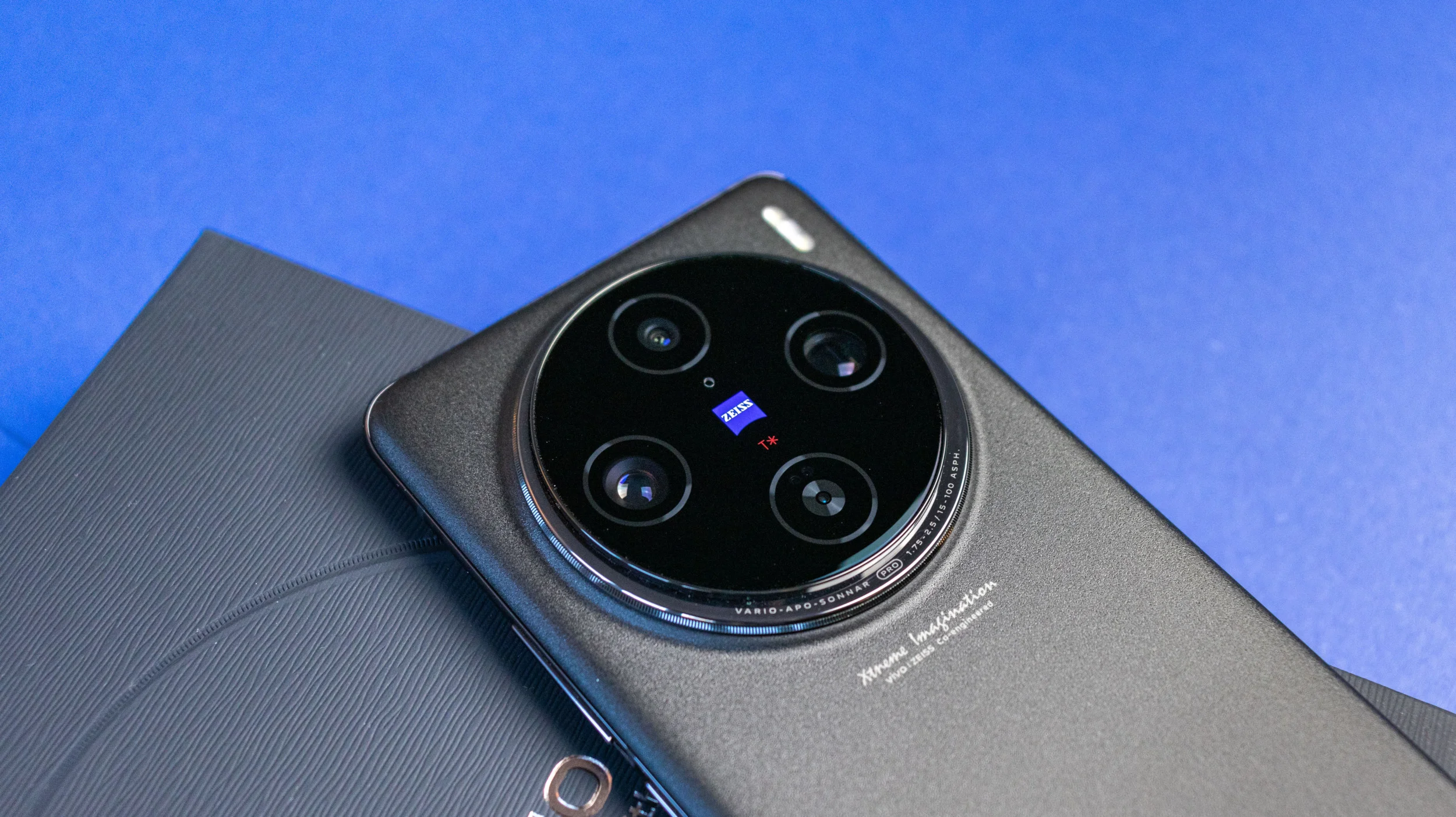
Finally, symmetrical cameras, replaced by asymmetry somewhere else
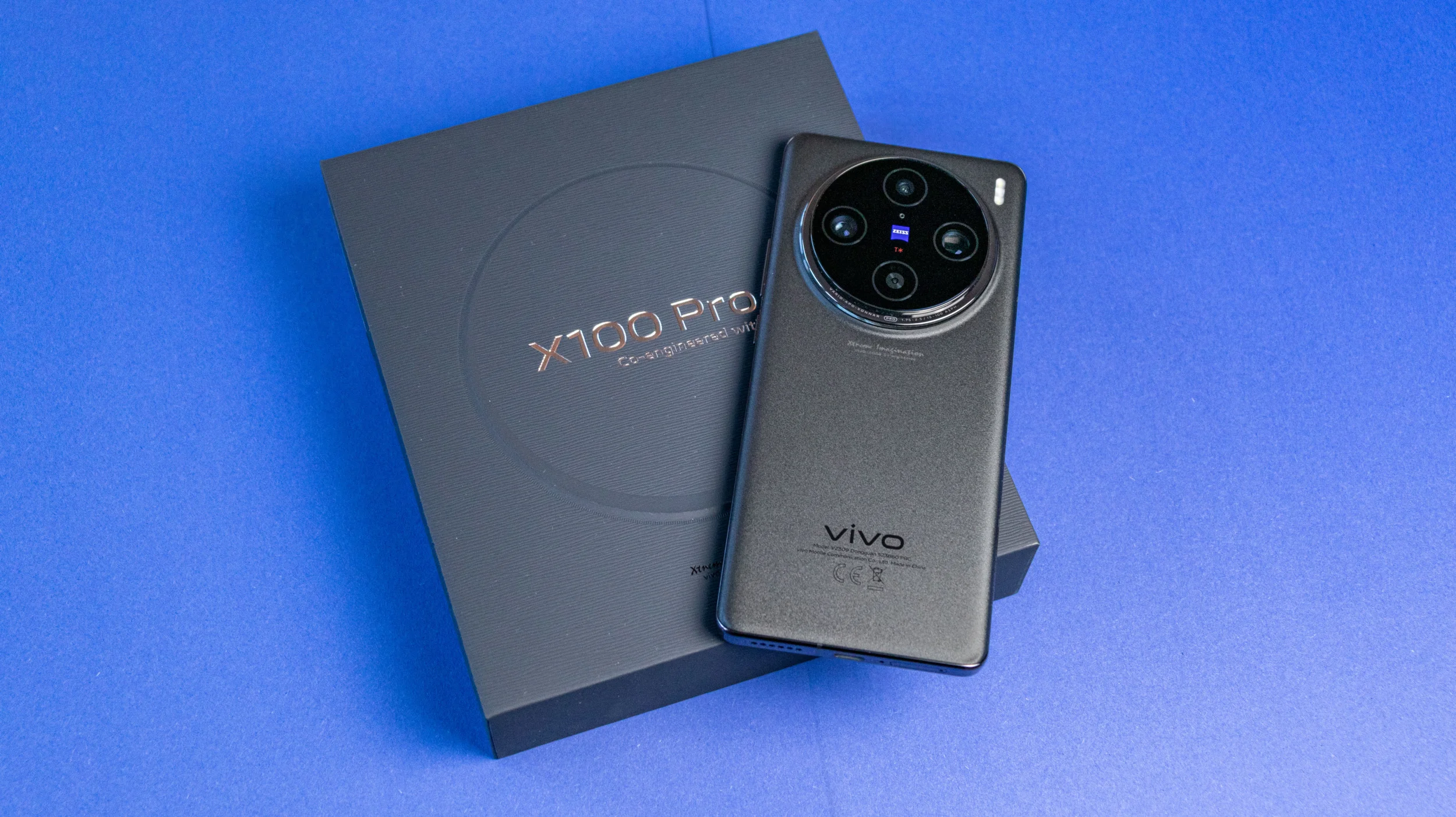
The circular camera plate will bother anyone who likes clean, orderly design. On the X80 Pro, the individual sensors were arranged irregularly, and it looked awkward. The newer X90 Pro fixed that with a symmetrical layout. On this latest model, the lenses themselves are symmetrical, but the circular camera section rises about 2 to 3 millimeters above a larger base ring. And that’s where the asymmetry comes in. The camera circle is mounted off-center within that base ring. Vivo treats this as a design feature and calls it Sun Halo, a reference to solar halo phenomena. The off-center section creates space for text describing the camera system and some of its features. Beneath the rings, there’s also a vivo and Zeiss slogan.
The asymmetry extends to the flash, which sits outside the main camera area. The ring itself also sometimes gets in the way of my index finger, which I tend to place higher up to support the phone. As a result, I often smudge the camera glass. Unfortunately, that happens almost every time I pull the phone out of or put it back into a pocket, because the camera housing really is enormous, both in width and height.
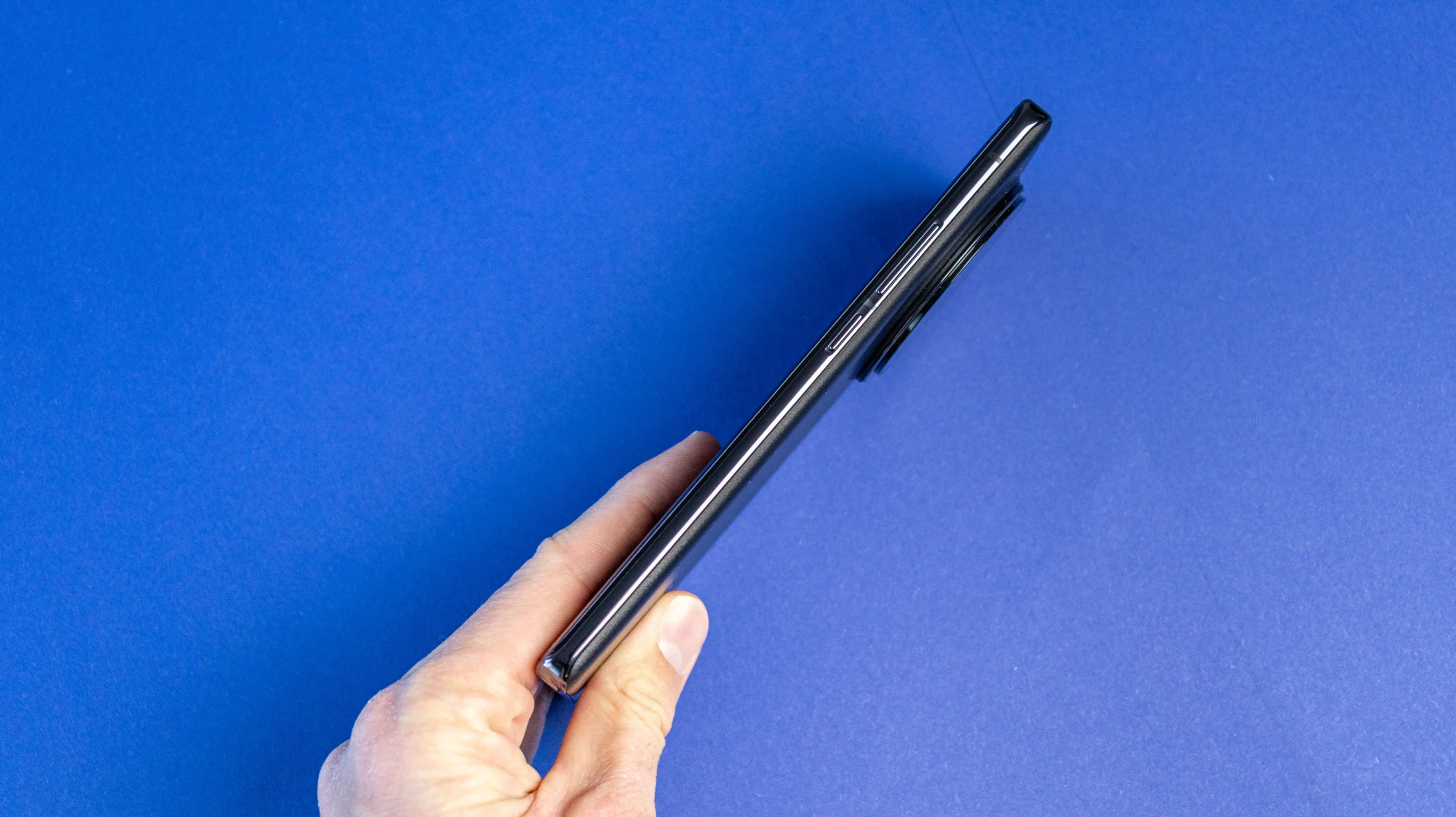
Buttons, speakers, and durability
Vivo sticks with its usual side-button layout, with both buttons on the same side. That means anyone who takes screenshots with hardware keys, or needs to power the phone off using the power button plus volume down combo, will usually need both hands. The fingerprint reader sits very low in the middle of the display. I personally prefer sensors placed a bit higher, but since face unlock works very well here, I rarely ended up unlocking it with my finger. When I did, unlocking was quick and reliable, even though the phone uses an optical sensor rather than an ultrasonic one. One drawback: you can’t fully disable the animation that shows the fingerprint reader’s position.

Vivo includes one speaker on the bottom and a tiny, barely visible second one up top. It’s a stereo setup, and while you probably won’t use it for serious listening, it does a very good job when you don’t have headphones or an external speaker nearby. Maximum volume won’t blow your ears out, but the sound quality is surprisingly polished. Phone speakers often get criticized for sounding thin and plasticky; that wasn’t the case here. Audio is clean, without hiss, bass isn’t artificially boosted, vocals don’t get buried, and the highs sound fairly natural. For a phone, it’s an impressive result. Up top, there’s also a slogan about professional photography, along with an infrared port.
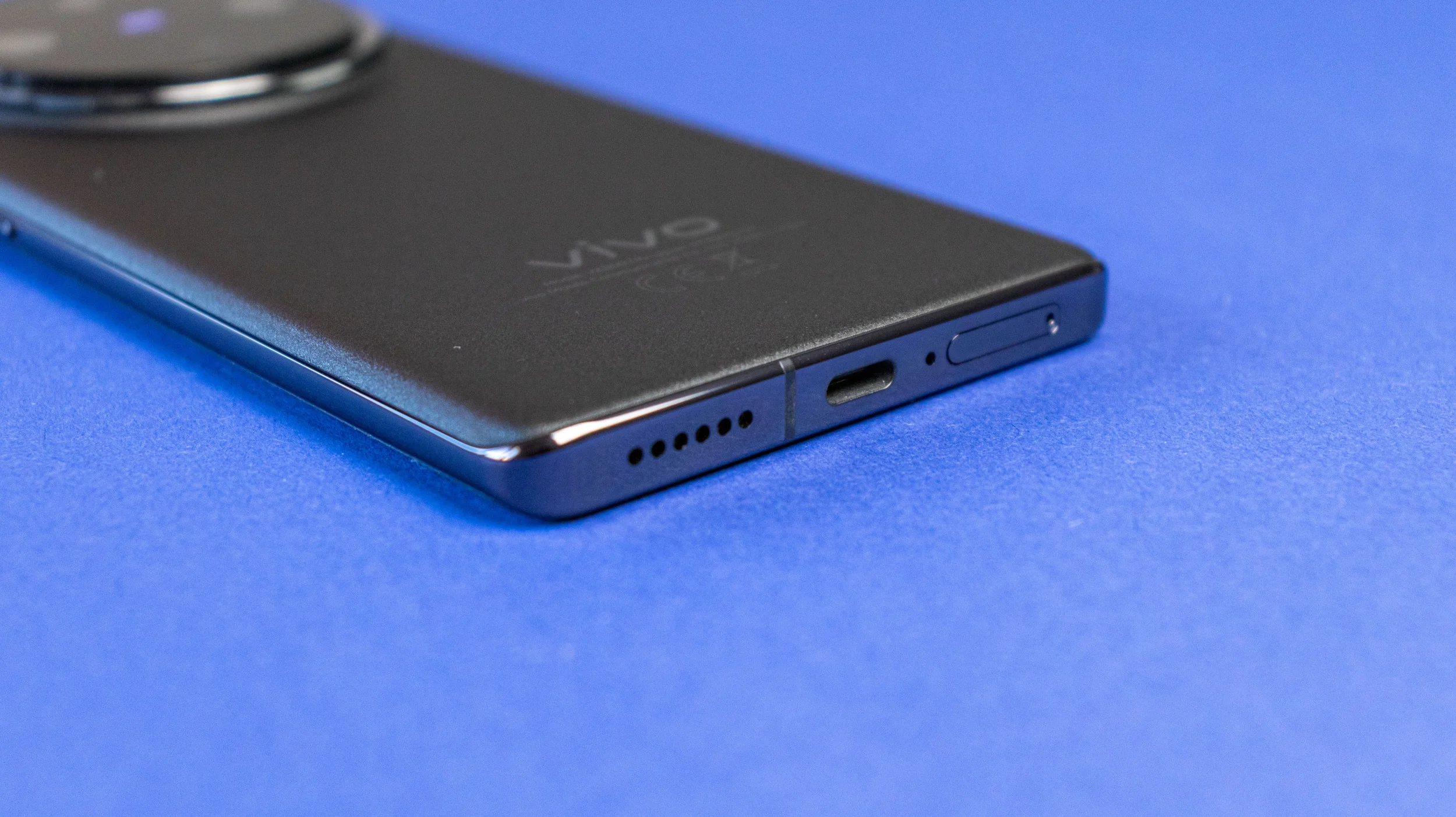
As for durability, I wasn’t eager to test it the hard way. The phone does use Gorilla Glass, but from experience, I’m never fully confident in the mix of a metal frame and glass construction. One thing is certain: aluminum scratches easily, and the finish around the charging port will likely start wearing down before long. The phone carries an IP68 water-resistance rating. You can see some of that protection in places like the dual nano-SIM tray, which uses a rubber gasket. What the internal construction really looks like, though, will have to wait for a teardown video. JerryRigEverything feels like the obvious candidate.
Fun with FunTouch OS 14?
It could be. A lot of fun, actually. But that’s harder to celebrate when vivo is only promising three years of Android version updates. Security updates run one year longer, for a total of four years. The X100 Pro launched with Android 14, should top out at Android 17, and security support is expected to end in November 2027, four years after its debut.
I’m a little worried owners will be lucky if this phone even gets Android 16 on time, because the vivo X80 Pro launched with Android 12 in 2022, and as of January 2024 it was still on Android 13. With less than a year and a half of support left, newer system updates have taken longer and longer to arrive on older models. Vivo hasn’t always delivered updates within the timelines it publicly promised.
If a phone that’s only a year and a half old is already seeing quarterly delays after a new Android release, it’s fair to ask what happens another year and a half from now, when it becomes a lower-priority device internally. I expect the same pattern here. That said, I do think vivo will at least follow through on security updates through the end of 2027.
For the company’s flagship phone, this level of support is hard to defend. The competition now offers four or five years of major Android updates. Google and Samsung have moved to seven years, and Fairphone goes even further with eight. Three years is a real disappointment on a phone in this price tier, and it’s really the one serious issue prospective buyers should weigh carefully. Beyond that, there just isn’t another flaw on this phone that rises to the same level.
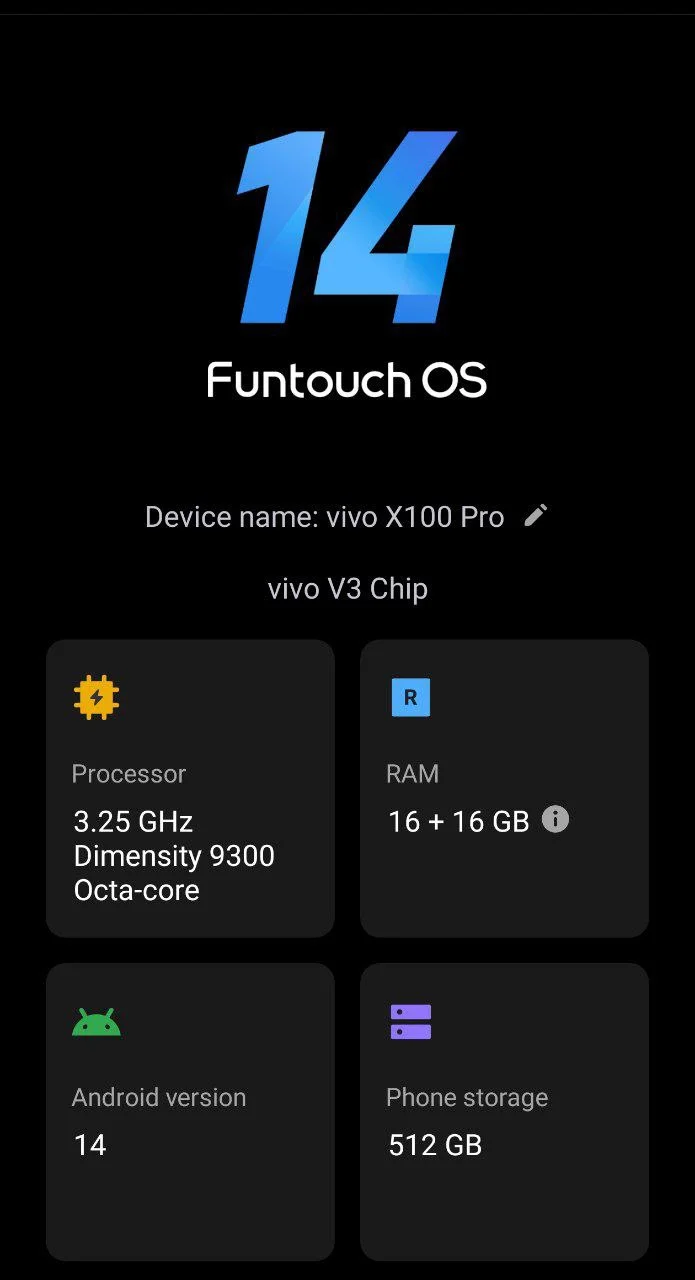
System launcher and quick settings panel
As long as the software stays current and supported, FunTouch OS 14 is actually pretty pleasant to use. The interface has a restrained design, there are no ads, and it doesn’t feel cluttered. It’s easy to navigate, and most users will quickly understand how it works. Personally, though, I never really clicked with it, not in version 12, 13, or 14. I’ve always used a different launcher, and I’ve tried plenty of them.
I stuck with the NothingOS Launcher the longest, until it stopped being available. Right now I’m using the minimalist OLauncher. A lot of this comes down to habit, and using the system settings themselves is completely straightforward. One thing I really liked, for example, was the music widget. That’s probably the standout.
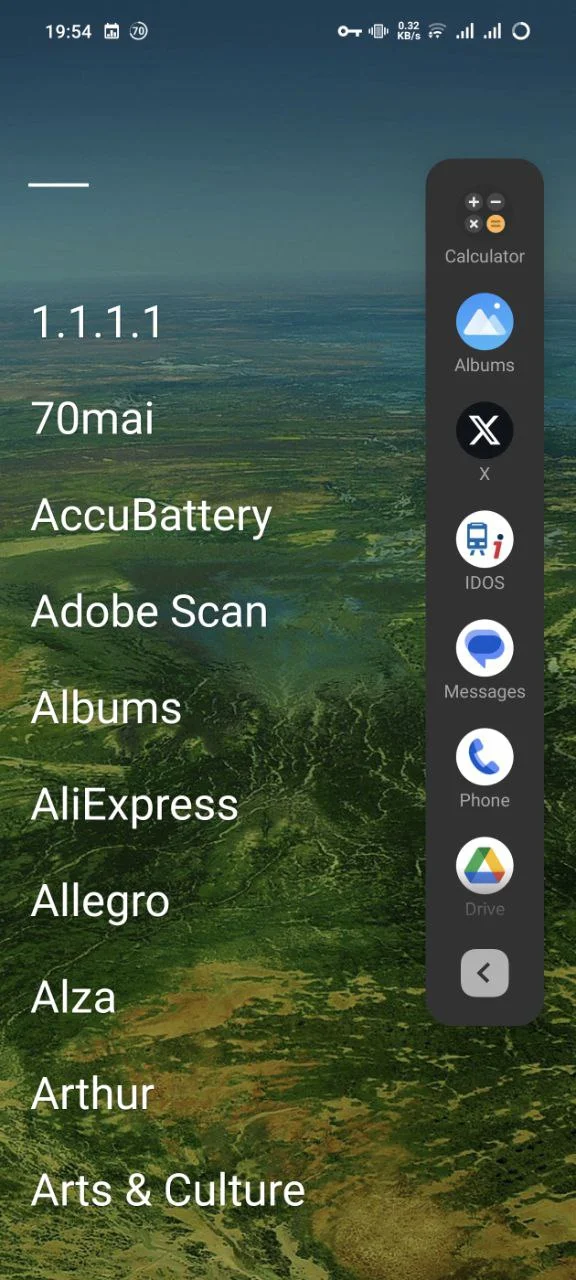 Example of the side quick-access panel.
What the phone’s settings look like, of course, isn’t something a launcher can change. Thankfully, vivo handled that part very well. It’s easy to navigate, the categories are logical, and search works with real precision. The quick settings and notification shade also deserve praise. The visual design is excellent, there are plenty of color combinations, and vivo’s added features, like S-capture, screen recording, Extra Dim, and Ultra Game Mode, all work very well. You also get a daily mobile data usage indicator and an indicator for apps that are constantly running.
I did occasionally run into issues with auto-brightness, which sometimes flickered around unpredictably, but the first update fixed that bug. The system also briefly stuttered a few times when rotating the screen, and I saw a recurring issue with dark mode, where it would switch from dark to light and back again within a few seconds.
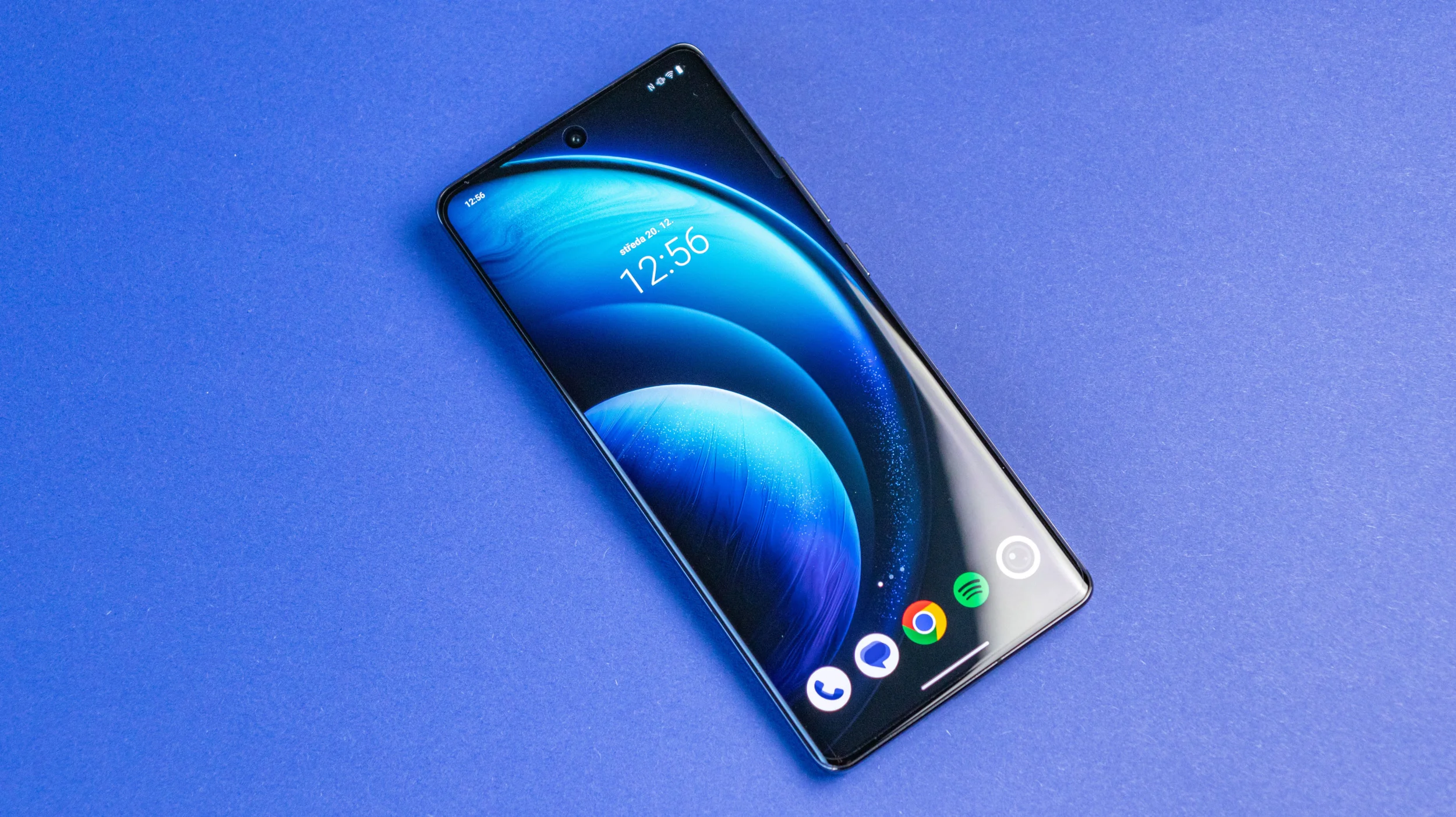
FunTouch OS features that stand out
The recent apps screen is smartly designed, even if it shows a blank background instead of live app cards. Users can easily choose whether they want a larger view of recent apps or a denser layout that fits as many as possible on screen. I still can’t get used to the so-called action button not being tied to the power key, but instead triggered by a double-press of volume down. If I repeatedly press the power button quickly, I end up in the emergency call shortcut. There’s no way to change that behavior, so you simply have to learn the volume-down double-click. The system also lets you assign a custom action to volume down, activated by holding it for three seconds.
FunTouch OS 14 includes more useful tweaks. Split-screen launching has been improved, and you can even drag files between the preinstalled Notes and Album apps. There’s also a new sidebar: swipe from the marked upper-right edge of the display and it brings up user-selected apps for quick access. Those apps open in a small floating window, so you can keep using your original app while pulling up a calculator, maps, or a social app on top. That said, not every app supports floating windows.
Various gesture controls are now part of the package too, including how the phone reacts during calls. You can silence a ringtone by moving the phone, or answer automatically by picking it up. One interesting feature is screen attention detection. The phone uses the camera to check whether you’re looking at the display, and if you are, it keeps the screen on past the normal timeout. In practice, though, I wasn’t able to reliably trigger it.
The settings menu hides plenty of smaller customization options, including transition animations, charging visuals, and ambient lighting effects on the lock screen that can pulse while music is playing. The system can also alert you when an app takes a screenshot without the user doing it manually.
The downside: bloatware and endless terms to accept
I already mentioned the major issue with the promised support window. But the software has two other problems that are less serious, though still frustrating. The first is bloatware. If I’m paying for a premium device, I don’t expect to be pestered with preloaded junk. Unfortunately, vivo doesn’t really treat premium buyers any differently. I can understand ad-driven preinstalls on cheaper phones, where the lower price is partly offset by paid app placements. On a flagship, it feels like a slap in the face. vivo ships the device with Booking, Facebook, Meta App Installer, Meta App Manager, Meta Services, Netflix, and TikTok. Together, they took up just under 1GB of storage.
The second issue is how vivo handles its own system apps and extra features. Nearly every added function or app requires you to accept terms of use, and some also demand consent to privacy terms. Without agreeing, you can’t change the system font, download more Always On Display themes, launch the phone manager, or even check the weather. The least invasive prompt appears when starting screen recording, where the phone simply explains what the feature does.
The others go much further. They spell out your rights and obligations, define what counts as misuse of the app or feature, and lock you into personalized ads, data collection about how you use the device, which apps you have installed, automatic connection speed testing, and sharing your data with partner companies working with vivo. At the end of these terms, vivo also says they can be changed at any time and that continued use of the app or feature means you accept the updated terms. The problem is that those new terms aren’t then clearly surfaced to the user.
vivo bloatware that collects user data
In most cases, there isn’t even a clear opt-out button for something like “I don’t want this specific data collected.” Users also don’t get a straightforward way to request deletion of their data. The contact link leads only to a PR-style page claiming the company barely records anything about the user and that there’s nothing to worry about.
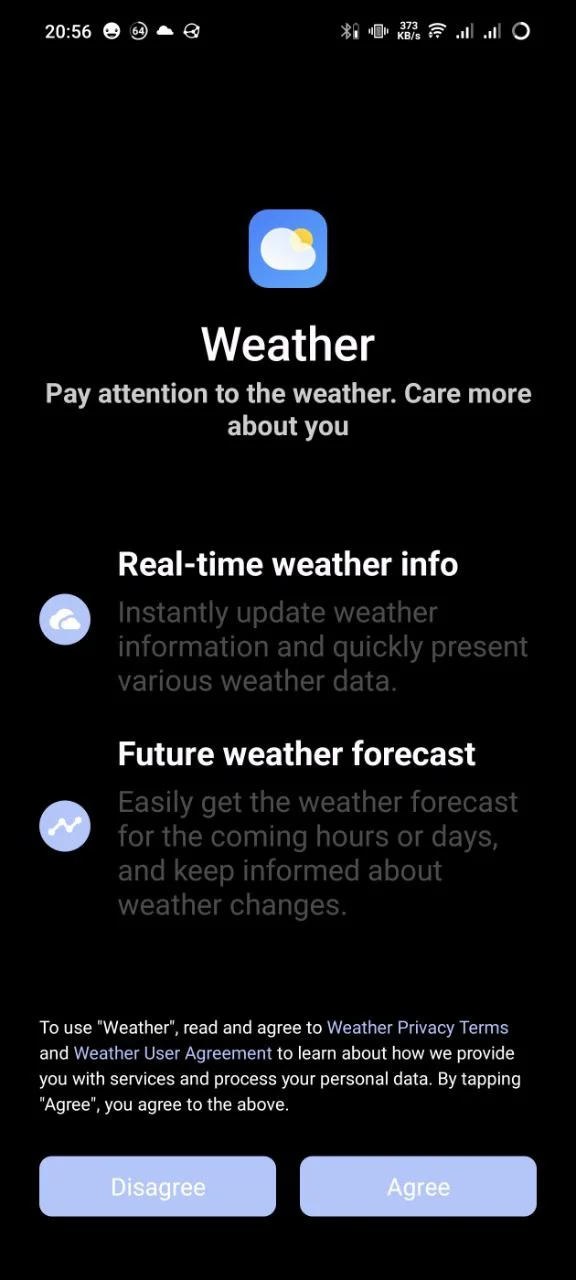

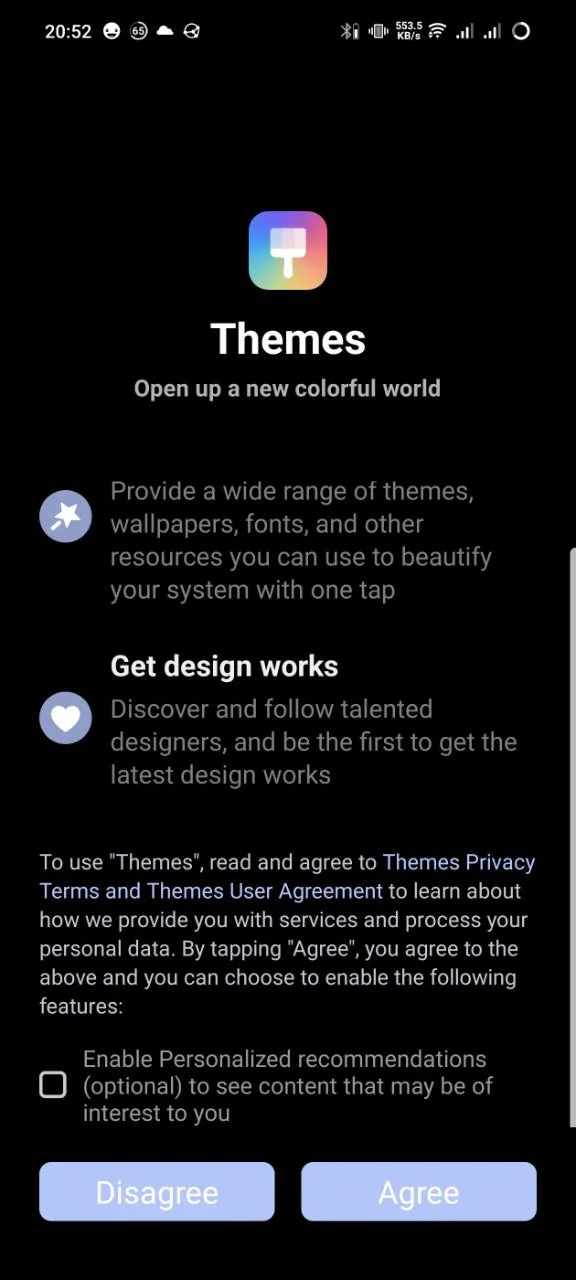
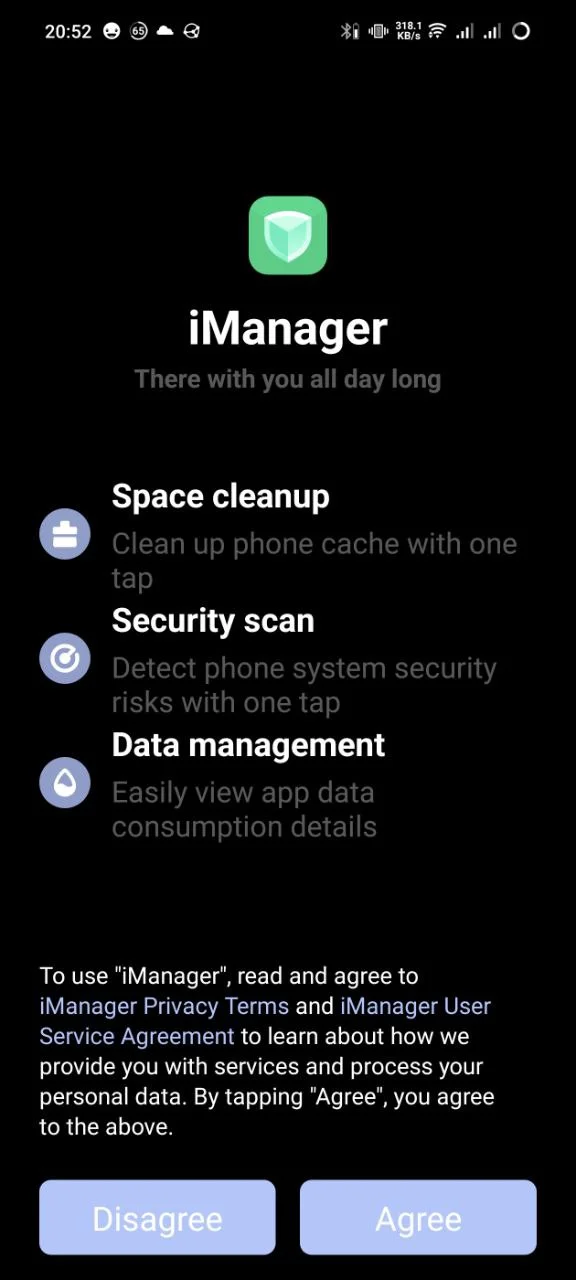
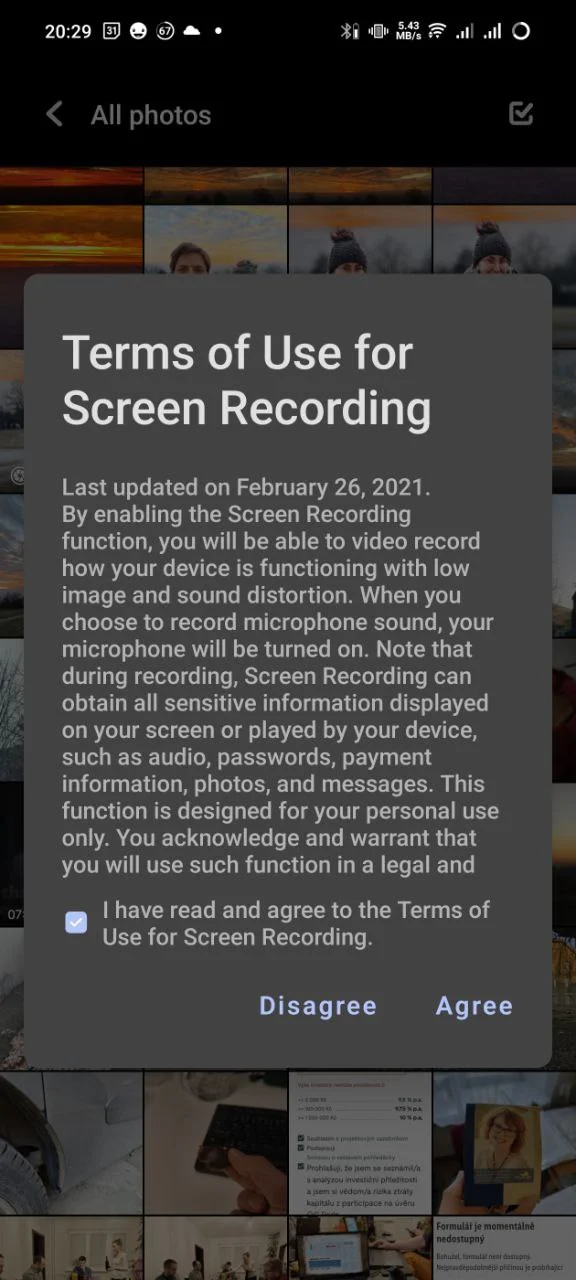
Agreeing to the terms for using integrated apps and features on the vivo X100 Pro.
Apart from screen recording, the other apps are basically pointless. They are not especially useful, not practical, and with terms like these, they are effectively unusable. The vivo app, which is supposed to act as a support hub for your purchased device, is also riddled with issues. It throws up security warnings when you tap certain buttons, contains technical errors, and features poor translations. It also does not show your phone’s IMEI or let you register the device with the manufacturer, which would make support interactions much easier by identifying the exact handset right away. OnePlus, vivo’s sister brand, handles this far better.
I also tried enabling iManager, which triggered yet another prompt asking me to accept Cloud Scan terms. After clearing the app’s data, those terms have to be accepted again. I doubt, however, that the original consent sent to vivo’s servers was actually withdrawn.


Problems inside the vivo.com app.
Why did it shut off? Why did the music stop? Where did my photos go?
I ran into four unpleasant issues with the phone. The most common one was random vibrations, almost like phantom notifications. The phone would buzz as if a notification had come in, I would look at it, and there would be nothing new. And no, I was not imagining it. My wife even mentioned how annoying those constant strong vibrations were and asked who kept trying to reach me late in the evening. It turned out there was nothing there. This happened at least once a day. It is possible I could have swiped away a notification too quickly to notice it, so I checked the notification history too. Nothing. I still have no idea why it happens.
- the issue continues even after several updates
The second most common problem, thankfully, was music playback stopping. At first I thought I had paused it accidentally by touching my earbuds. But then it started happening even when the phone was connected to an external speaker. At that point, there was no chance I had brushed an earbud by mistake and paused playback. This happened about five times during testing. Again, I never figured out what caused it.
- after the latest update, I think this bug has been fixed
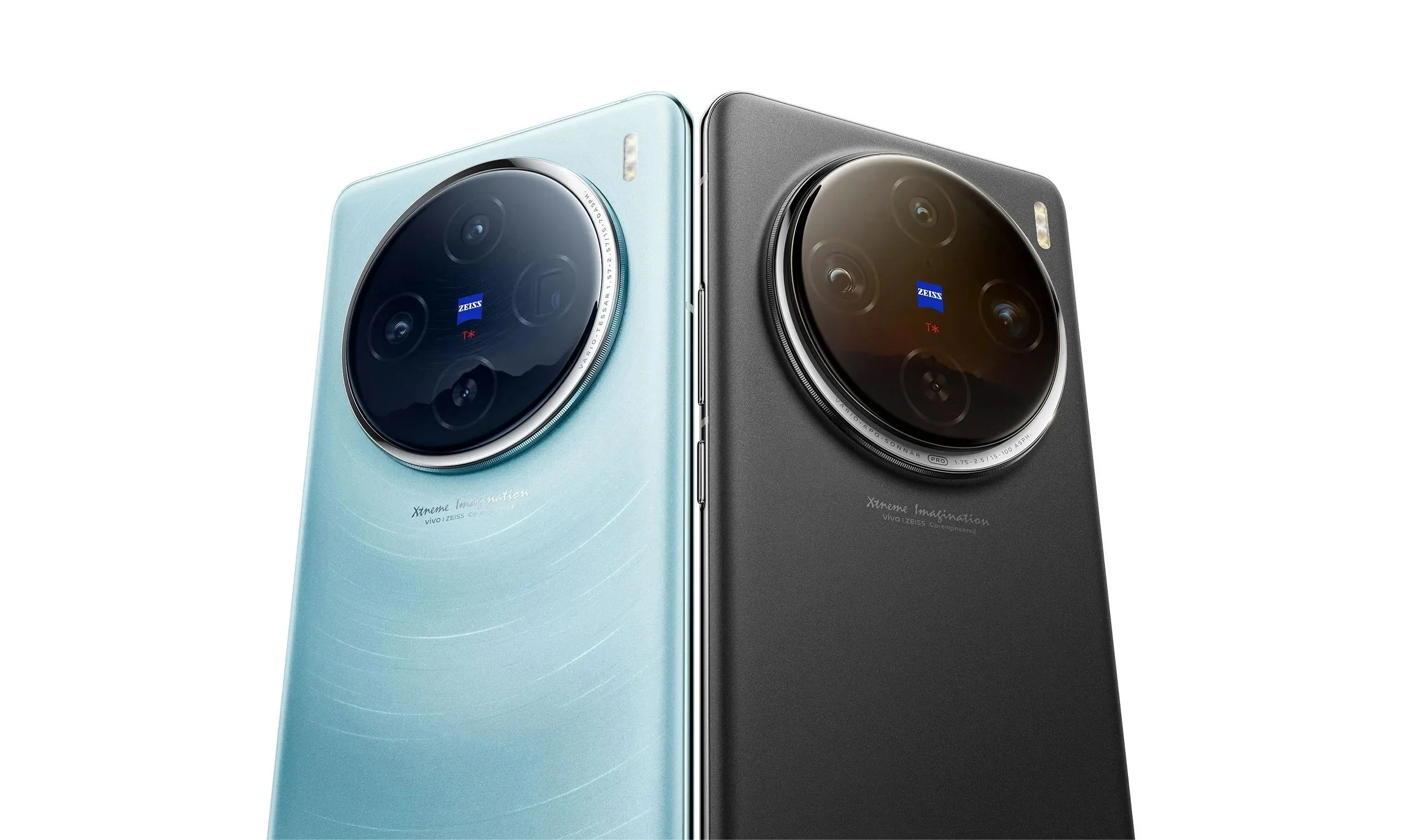 The vivo X100 on the left is also available in a different color finish. Source: vivo.com
The third and fourth issues happened only once each. I saved the more serious one for last. I was playing music through an external speaker, sitting at a table with other people. The phone was next to me with the screen off. Suddenly the music stopped. I picked up the phone and assumed Spotify had frozen again. But the phone would not wake up. I held down the power button, and it started booting. It had shut itself off. Maybe the battery had died? That was not possible, because it powered back on normally. Maybe the system hit some kind of bug when trying to enable battery saver. But I have battery saver set to kick in at 25 percent, and the phone had 30 percent when I turned it back on. Once again, I never found the cause.
- thankfully, the random shutdown did not happen again
The last major issue is disappearing photos. I have the phone connected through the Syncthing app to a Google Pixel 4, which I use to back up photos to my Google account. After transfer, the photos and videos are not deleted from the source device; they remain unchanged on the vivo. But one afternoon, while taking photos of a beautiful sunset, images started disappearing from the phone, and no, they were not in the trash. In total, 20 photos and one video vanished. The photos only started reappearing the next morning. Stranger still, if I tap the info screen for the first photo from the point when images started saving to the phone again, the Albums app crashes. The captured images are not in any other folders either, and they cannot be found through the file manager.
The images were successfully backed up to my Google account, and that is it. Screenshots and downloaded images and videos are not backed up, which is why they do not appear in the Pixel screenshot below. Clearing the cache did not help. The files simply were not on the device. What makes this even stranger is that the images the phone decided to erase were shot seconds apart. The same goes for the morning shot; it is a photo of the exact same scene taken immediately afterward.

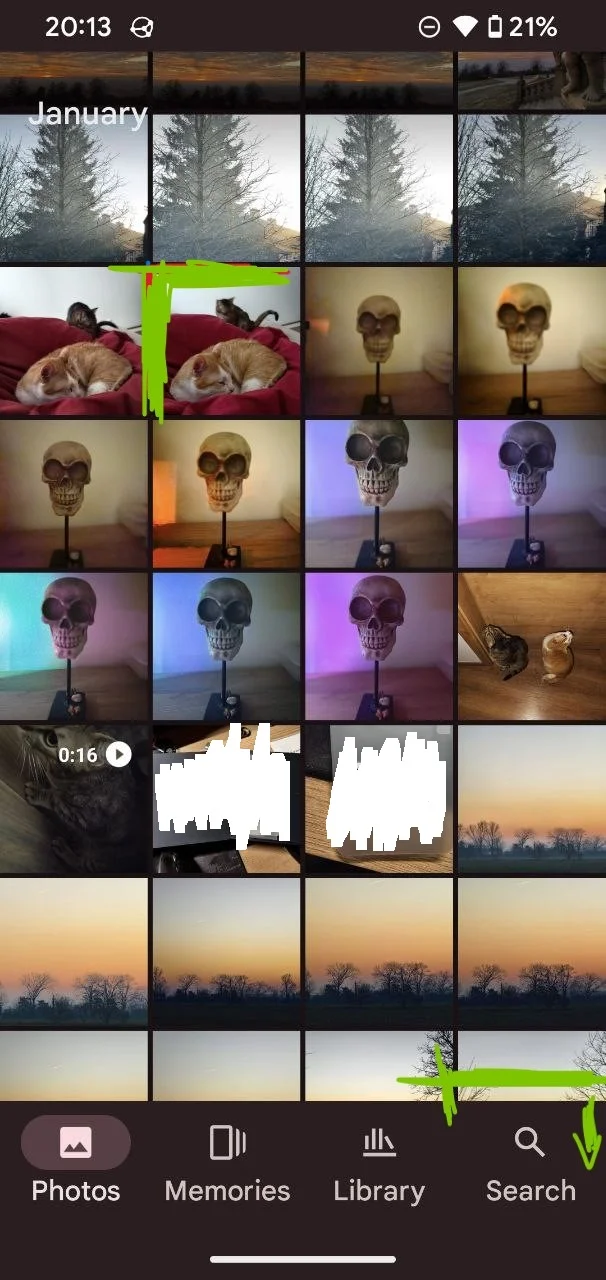
On the left is the Albums view from the vivo X100 Pro, and on the right are the backed-up images on the Pixel 4, where the missing shots are clearly visible.
It also happens that part of the EXIF data is missing from an image. For example, the device used to capture the shot, shutter speed, ISO, and aperture may be absent.
- the photo issues, and now inconsistencies in their metadata, are still present
There was also a smaller issue with NFC. Even when the phone is unlocked and NFC is enabled, it sometimes refuses to complete a payment when held to a terminal, making it necessary to place a finger on the sensor and unlock it again. I ran into the same issue on Android 13 with the OnePlus 11, but that bug was eventually fixed, and I expect this recurring annoyance can be fixed here too. On the vivo, though, it kept happening throughout January even after multiple updates.
- the issue still persists
Fast charging, big battery
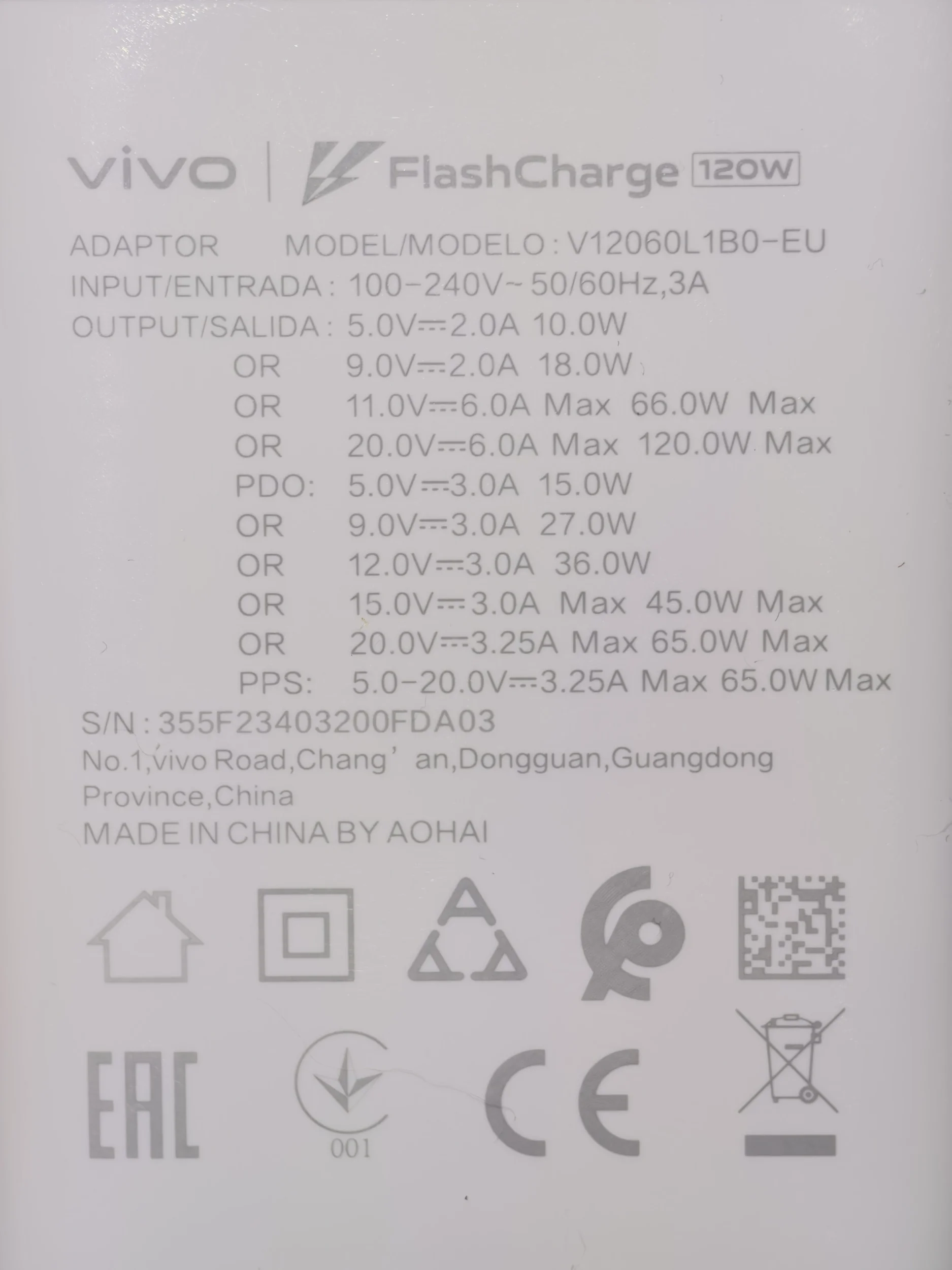
The Vivo X100 Pro supports 120W charging, so the phone can top up in about 30 minutes. If you’re trying to extend battery longevity, as Vivo itself recommends, charging stops at 80 percent. On the software version that shipped with the phone, there was a system toggle to disable that 80 percent cap, but it was removed in a later update. What’s left now is just the recommendation. So I use AccuBattery instead, which vibrates and sends a notification when the phone hits 80 percent. The phone can also charge over a 50W wireless charger, though that pushes charging time to roughly triple. The Vivo can also work as a power bank, which is genuinely handy, especially if you have wireless earbuds that support wireless charging. Better still, the feature turns itself off after a minute if nothing is charging.
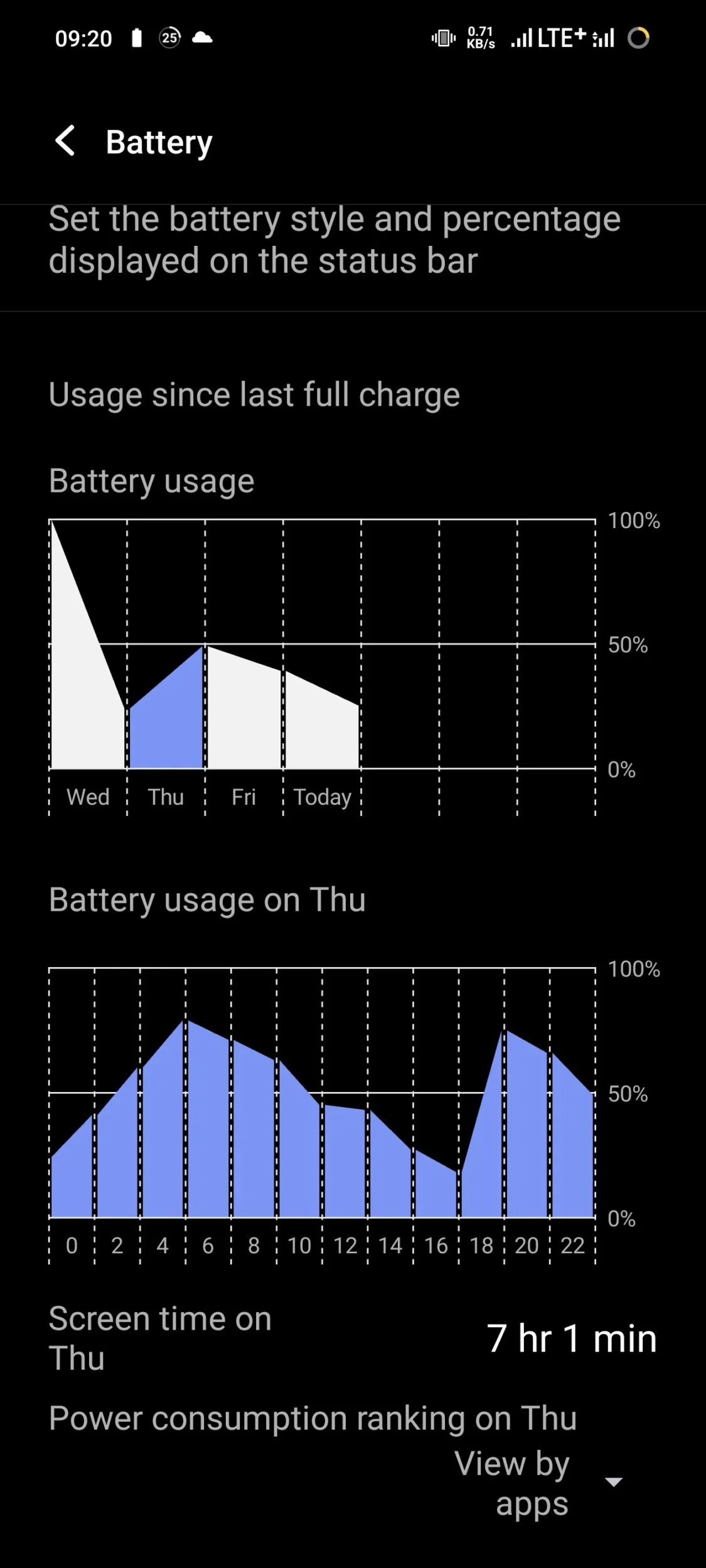
Battery drain on the 5,400 mAh pack, which is split into two evenly sized cells, thankfully doesn’t mirror the charging speed in reverse. I usually run the phone with both physical SIM cards installed. During the day I drive around 30 km and walk about 5 km, but I spend most of my time in one place, so the phone isn’t constantly hunting for towers. With Wi-Fi on all day, or mobile data when I’m out, plus a VPN, battery tracking, always-on location, Bluetooth, lots of photography, time spent in Telegram, Gmail, Calendar, Maps, and X, plus a few games for a few dozen minutes, I get around five to six hours of screen-on time. Turn off the VPN and cut back on gaming, and it reaches seven hours. Without VPN, gaming, and most social media and video, and using it mainly for work, communication, and photography, it can comfortably clear 8 hours of screen-on time.
More software bugs, and one missing superpower
I also ran into an annoying issue with dark mode when Battery Saver is enabled. In that situation, the system automatically switches to dark mode regardless of the schedule set to change between light and dark mode at sunset. But once that low-battery phone starts charging, it flips back to light mode, and if sunset happens during charging, the system tries to switch back to dark mode. The problem is that the transition never fully finishes, leaving parts of the interface white and other parts black.

Out of the box, the system let you set a charging limit and stop at a chosen percentage. But updates that arrived during January removed that feature. I now use AccuBattery to alert me with a vibration when the phone reaches 80 percent, which lines up with Vivo’s own updated battery health guidance saying the phone should ideally stay between 20 and 80 percent. On the first day, before installing updates, I set the charging cap to 80 percent. Even after the update, that setting kept working for two more days when charging by cable. After a restart on the second day, it stopped working there, but oddly enough it has remained active on wireless charging ever since, even after three more updates. So every morning I still wake up to a phone charged to 80 percent.
The battery charging history is also bugged. It incorrectly shows that the phone never charged above 50 percent, but if you tap into a specific day, you can see it actually charged to 80 percent twice.
The king of mobile photography still isn’t perfect
When I said in 2022, during my review of the Vivo X80 Pro (in Czech), that there was a new king of mobile photography, I can say the same again with a straight face. For me, the photos shattered the limits of what I thought phones could capture. In less than two years, the tech has moved forward in big jumps. The Vivo X100 Pro doesn’t just pack strong sensors; it also has two image processing chips. Vivo also spent real time refining the software side of how the final photo should look. And with help from Zeiss, it adds a long list of new features.
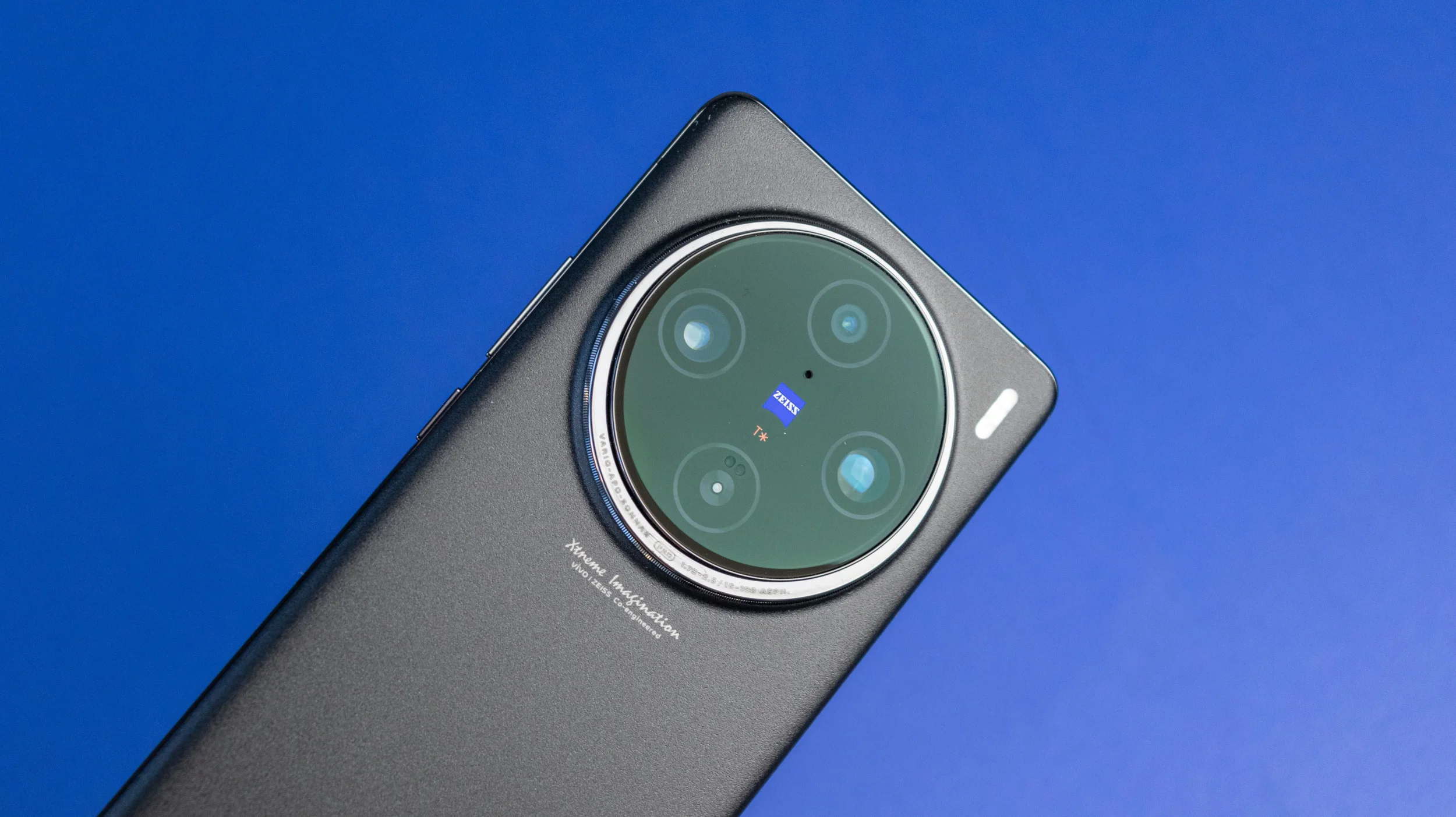
The X100 Pro is equipped with a 50MP ZEISS main camera with a 1-inch sensor, a 50MP ZEISS APO floating telephoto camera, and a 50MP ultra-wide camera. The powerful ZEISS APO floating telephoto lens meets ZEISS’s new Vario-Apo-Sonnar standards for standout macro shots. It also uses ZEISS Floating Elements Design, a complex mechanical structure built to deliver high-quality imaging whether the subject is close up or far away.
That sets a new bar with an unprecedented f/2.5 aperture, helping maintain strong image quality across different conditions. The ZEISS Floating Elements design also handles macro photography, letting users capture detailed shots from as close as 15 cm on the X100 and 18 cm on the X100 Pro. The X100 Pro also features the world’s first APO-certified imaging system. The lens significantly suppresses chromatic aberration and the image clarity issues that come with it.
Published photos from the Vivo X100 Pro are unedited unless stated otherwise.
What I liked most
- excellent portrait performance, with five modes to choose from; even in difficult lighting, it produces great-looking shots with nicely blurred backgrounds; even in poor light, it can separate the subject from the background well, and even stray hairs usually aren’t a problem

- in good light, color reproduction is very strong in the “Vivid” mode; in “ZEISS Natural,” colors look a bit more washed out than they do in real life

- the bokeh effect in portrait mode is especially well done, with attractive background blur not just in portraits, but also in standard shooting and selfies


- even when zooming in, it can still sharply capture a secondary subject in the frame, in the example below, a person who walked into the shot

- both the front and rear cameras do an excellent job focusing and separating the background from the person being photographed
- they also handle background blur very well even when the people in the shot aren’t standing on the same plane next to each other, so you don’t end up with the person in front sharp and the person behind blurred; with larger group selfies, though, that still isn’t always the case


Left: standard selfie, right: portrait mode. Both can be widened to fit more people in the frame.
- the selfie camera makes smart use of a “flash” effect by brightening the display in a circular pattern
- excellent macro shots, aside from eye photography, which I’ll get to in the section on shortcomings; focus is strong, automatic switching kicks in when it makes sense, and the camera reads the scene much better than most, often switching to macro on its own when I was about to do it manually, then switching back again afterward


Macro shots with the lens selected automatically by the phone. The photographed objects were no larger than roughly 4 cm at their longest point.
- the lens really does suppress chromatic aberration; I didn’t spot it in any of the shots

- moon shots are now easier to trigger even without using zoom, with much more aggressive and more reliable moon detection, even in broad daylight



Photos of the moon at 100x, 1x, and 4.3x.
- sunrise and sunset shots are genuinely good-looking; the sun doesn’t turn into a huge glowing blob in the sky, but instead appears as a clean yellow disc that looks natural and tasteful in the final image

- night mode does struggle to keep nearby objects from smearing, but in very dark scenes without ambient light it still does a fairly good job rendering the shot handheld; the result doesn’t really match reality, though, since the photo is always much brighter; vivo gives you eyes for things you wouldn’t normally see in the dark, but it’s not a realistic capture

- an impressive amount of tiny, sharp detail when shooting at high resolution, for example a bush at night where every branch is still clearly distinguishable

- the periscope lens is excellent, able to capture subjects miles away and still process them nicely even in tough conditions like sunset


Periscope lens quality at a distance of 6.5 km.
- stationary subjects shot with heavy optical zoom, above 4.3x, stay sharp and detailed even when shooting handheld






A step-by-step zoom sample from 0.6x to 100x. Shot handheld from a single position.



Gallery of photos shot on the vivo X100 Pro.
What I wasn’t happy with
- Low-light and nighttime photography is worse than on previous models. Dark parts of a photo often come out very dark instead of being lifted, and at night the phone sometimes struggles to lock focus properly.


The scenes were much brighter in real life, and I had to manually focus on a darker area to brighten the image.
- Moon shots have two small issues: white balance sometimes skews warmer than it should, so the moon can look yellow in the photo even when it appears more blue to the eye; and image sharpness at extreme zoom (60x) is lower than on earlier models.
- Portrait mode does a lot of skin processing even with beauty features turned off, which can leave faces looking overly smoothed and with a skin tone that doesn’t match reality.
- Portrait modes often add a warmer skin tone, while in other cases they can make skin look unnaturally pale.
- In portrait mode, with the sun behind the subject, the phone struggles to render the sun disc cleanly.

- Artificial artifacts in the form of various bands were visible in some shots. They disappeared for me after updates, but I’ve seen reports on X from users who still have the issue.

- The much-publicized T* coating, meant to reduce light reflections, only works to a limited extent. The difference versus phones without it is visible, but lens flare still shows up pretty often.

- The 85mm portrait mode produces weak results in poorer lighting; even the 100mm mode can deliver a better image.
- Different camera sensors, and sometimes different shooting modes, often apply inconsistent white balance in challenging lighting, especially under warm light.
- Snapshot mode creates a blue aura in dark scenes, loses sharpness around the edges of the frame, and generally turns out low-quality images.
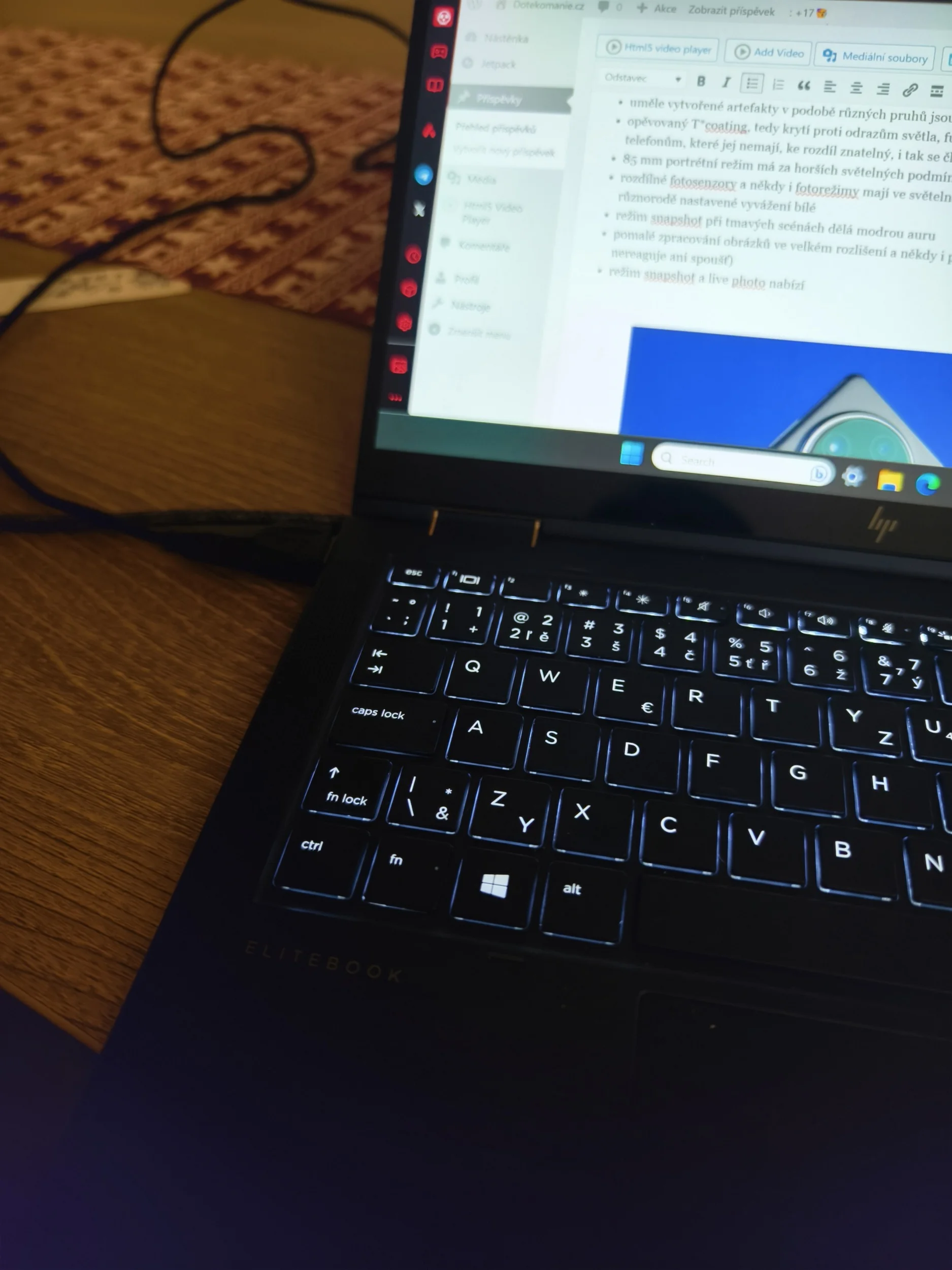
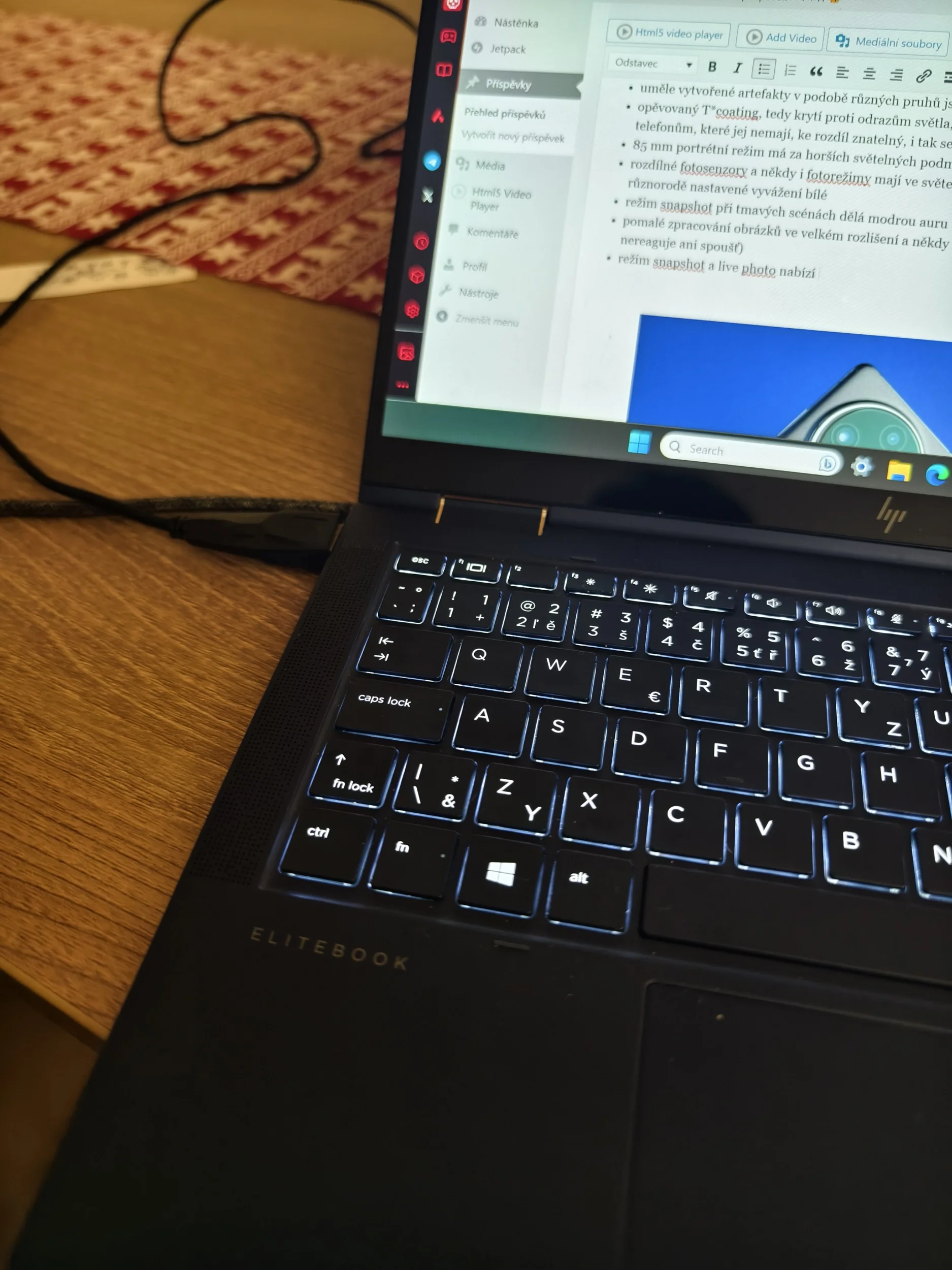
Left image from Snapshot mode, with visible blue tint in the lower-left edge.
- Slow image processing at full resolution, and sometimes in portrait mode too; in some cases even the shutter button becomes unresponsive.
- In some low-light situations, the phone fails to focus correctly. Once dusk starts to set in, it can struggle with moving subjects, and the problem persists even when you manually select the moving person or object.


To capture a sharp shot of the cat under the same lighting conditions, more than 10 photos were taken, and only two were acceptably sharp. The image on the left was the most common result. Night mode was turned off.
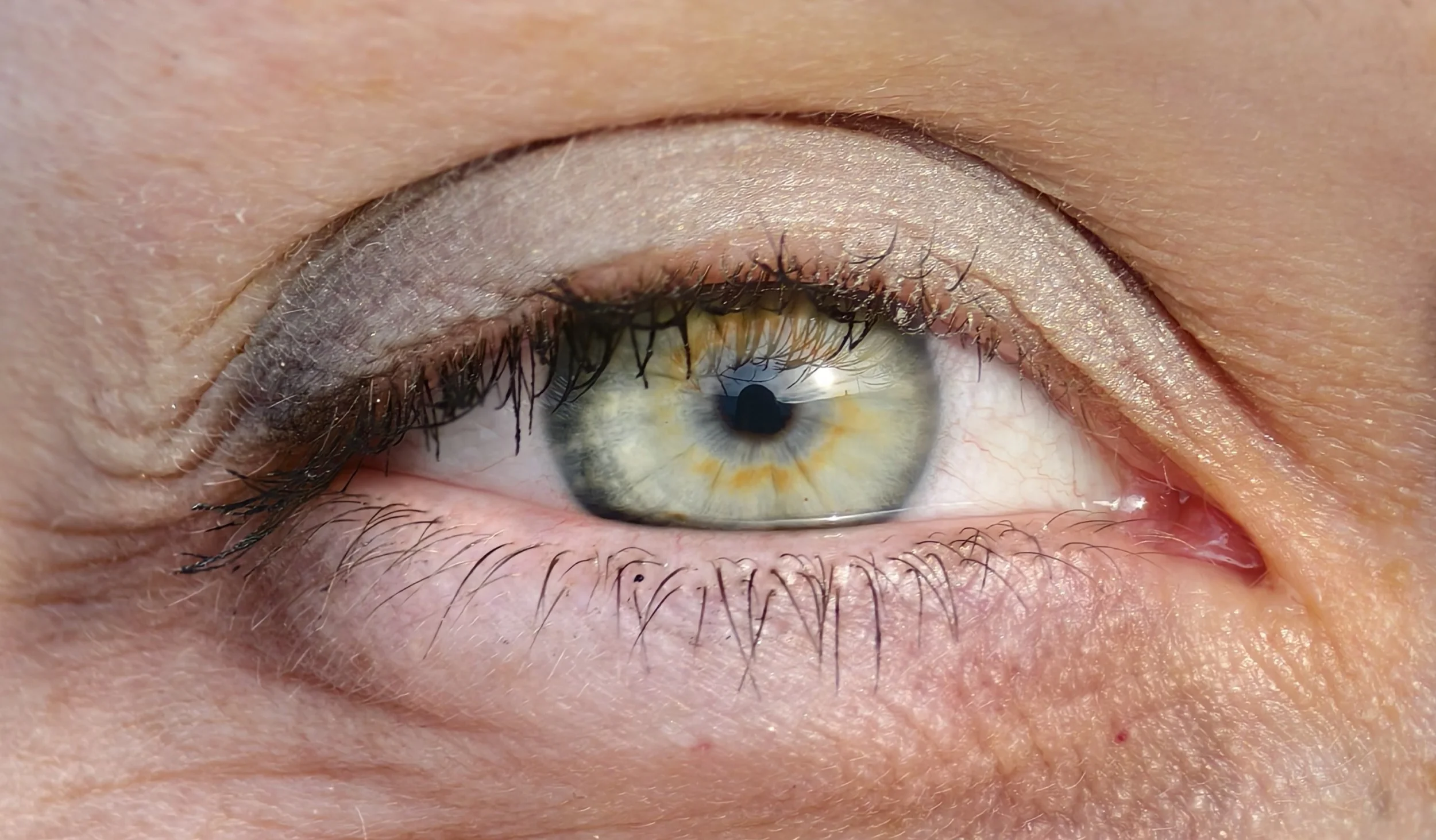
- there’s a problem with macro shots of human eyes; across every available zoom option we tested, no mode could lock focus on the pupil or iris, instead focusing on the eyelid or eyelashes every time (tested more than 70 times)
- portrait mode doesn’t always reproduce color tones as accurately as the standard photo mode, and it still alters faces even when beautification effects are turned off
- raising exposure when shooting a sunrise or sunset to brighten dark areas can wash out the final image, turning colors gray outside of the sky and the sun itself


Left: exposure increased by 0.6 before the shot.
- the software post-processing likes to invent detail; for example, at the maximum 100x zoom from roughly 15 meters away, it added glasses to a face

- panorama mode struggles to keep the horizon level; the movement between sections has to be extremely slow and steady, and shifts in color output and brightness across panoramic scenes aren’t unusual
 Horizon leveling issue.
- with HDR enabled, the final photos often look more contrast-heavy than they should, and they need brightening afterward


Left: with a slight +0.6 exposure increase. Right: automatic shot with no correction.
Video is stunning
Personally, I like taking photos. I only use video when I need to record something, like filming cats. I’m not much of a video expert, but even so, it’s easy to see what vivo gets right here. Like earlier models, this one is supposed to offer an AI night mode, and from testing the previous generation I know it works really well. On the X100 Pro, though, I couldn’t find a way to turn it on. I expected it to kick in automatically if there wasn’t a dedicated button, but that didn’t happen. Video stabilization is best-in-class; in Ultra mode, footage shot from a shaky phone looks like it came off a gimbal. I was just as impressed by the slo-mo mode.
Standard video mode is excellent too. The footage stays stable, the phone does a smart job identifying which sounds should be recorded, and it captures them well even from a greater distance. Alongside the regular mode, there’s also a cinematic portrait option that creates portrait video with attractive bokeh. One big improvement over earlier models is the flexibility in lens selection, with four zoom levels always available: 0.6x, 1x, 2x, and 4.3x.
When shooting handheld at night while moving, you can see the phone working hard to stabilize the image. That sometimes causes subjects to warp unnaturally, and focus can drift slightly.
Video recorded from up to 25 meters away, handheld. No edits.
Are we reviewing a professional camera, or a phone?
Vivo X100 Pro is for anyone who wants what may be the best camera phone currently available without stepping into absurd pricing. Even with all the flaws mentioned above, I still think it’s hard to beat in this price bracket. Buyers get a device with genuinely professional-grade photo output, strong overall functionality, and solid battery life. First and foremost, this is a camera that also happens to be a smartphone. Its phone features don’t shine quite as brightly as its imaging chops, but they’re still very good, and the device is powered by one of the fastest mobile chipsets available right now.
Does it make sense as an upgrade for owners of the X80 or X90 Pro? Yes, but only if you truly want the best possible camera and you’re willing to pay for it. This is a good fit for anyone who wants premium build quality, a device that won’t let them down, and a camera that, with a bit of skill, can go toe-to-toe with dedicated photographers. If photography is your only priority, though, it may be worth waiting for the vivo X100 Ultra / Pro+, which is rumored to use Sony’s latest 1-inch LYT-900 sensor.
What about the competition? Should you look elsewhere?
On price, this phone sits right alongside its rivals. For roughly the same 26,990 CZK (approx. $1,247 / €1,111), you can also get the OnePlus 12. That phone doesn’t really have a reputation as a top-tier camera flagship, but it does offer longer, slightly more trustworthy software support than vivo.
The sibling Oppo Find X7 Ultra isn’t officially sold in the local market, and in comparison tests so far it performs at a similar level, as seen from TechTablets and Anir Chakraborty.
Xiaomi’s new model is expected in March, likely at a similar price, possibly a bit higher. The Huawei P60 Pro costs more and comes with some usability compromises. The new Galaxy lineup is priced higher too, and so are the better-specced versions of the iPhone 15. The Pixel 8 Pro in a stronger configuration also costs more, and it doesn’t offer the same photography-focused hardware. The bottom line is simple: if you want the best camera phone on the market for under 30,000 CZK (approx. $1,386 / €1,235), the vivo X100 Pro is the right pick.
Saving a few thousand and buying a cheaper Galaxy or Pixel variant isn’t the right move if camera quality is your priority. The only real alternative is the OnePlus 12, not the R model. It has longer software support, and if you plan to keep your phone for five or six years instead of three, it’s the smarter buy. You just won’t get photo results as strong as what this vivo delivers.
What works well?
- the cameras once again push mobile photography forward, with 4.3x optical zoom, 100x digital zoom, image processing powered by the dedicated V3 chip, and a solid Album app for photo editing
- excellent battery life, around 7 hours of screen-on time
- class-leading performance from the MediaTek Dimensity 9300
- very fast 120W charging
- stereo speakers that are actually enjoyable to listen to
- fast, fluid software with genuinely useful extra features
What falls short?
- the huge camera bump throws off the balance and makes the phone feel top-heavy in the hand
- short software support window
- weaker low-light photos than previous models, though updates could improve that
- bloatware, odd software terms, photo loss issues, occasional problems with music playback or shutdown behavior, and wireless charging issues
- built-in software with questionable terms, technical bugs, poor translation, and incomplete, insecure support websites

Community Discussion 0 COMMENTS